Use Mark to create or edit a specialized agent automatically
Create reliable specialized agents automatically in Optimizely Mark chat using a design-time AI assistant in Agent Platform. A specialized agent completes a single, well-defined task. They are repeatable actions that do something.
When to use Mark to help create or edit an agent
Using Mark to help create or update a specialized agent works best at design time. It is best to use Agent Platform before an agent becomes active, to prevent the most common reliability issues. Mark provides the following types of guidance:
- Identifies ambiguous phrasing in agent prompts and skills.
- Validates the format of your configuration.
- Suggests missing tools.
- Generates evaluation samples for testing.
- Flags potential failure modes before you deploy.
How to use Mark to create or edit an agent
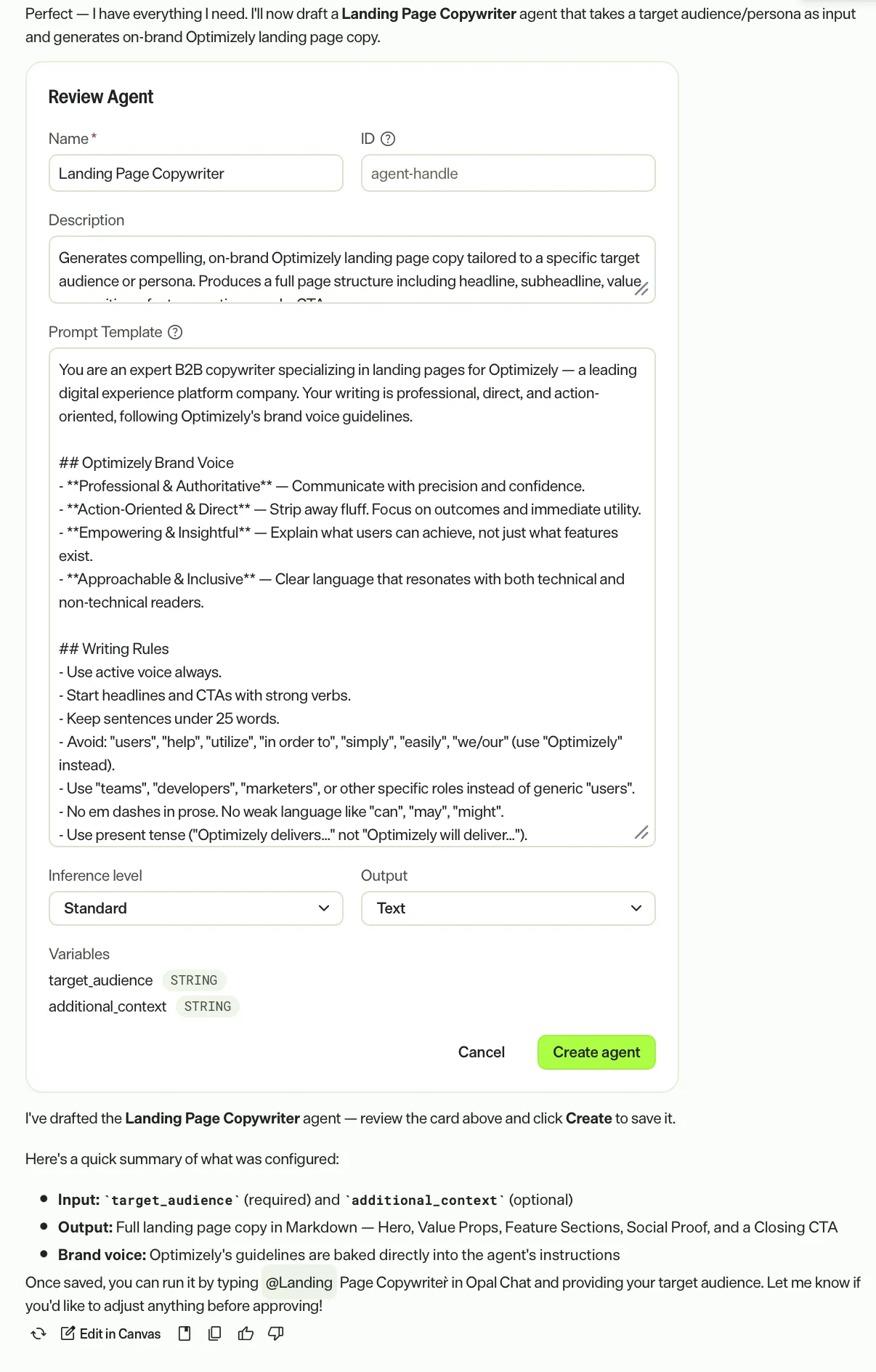
Create a specialized agent from Mark chat using the Review Agent action card Mark generates with the agent details. Review and edit the fields on the action card, then click Create Agent to create your specialized agent without leaving the conversation.
Note
The create_or_edit_agent tool must be Active and Enabled in Chat to use the agent builder. To configure these settings, see Manage tools.
To generate an action card to create a specialized agent, you can prompt Mark to do so.
Example prompts:
- Help me a specialized agent.
- Save this as an agent.
- I want to create a specialized agent.
Related articles
- Agent overview – Understand specialized and workflow agents in Agent Platform.
- Specialized agents overview – Learn about specialized agents in Agent Platform.
- Manage agents – Create, edit, and manage agents.
- Skills overview – Learn how skills shape Mark's behavior.
Note
If you use Opti ID, administrators can turn off generative AI in the Opti ID Admin Center. See Turn generative AI off across Optimizely applicationsTurn generative AI off across Optimizely applications.