Memory overview
Memory is a feature of Mark (Optimizely Agent Platform) that carries context between conversations. Memory lets Mark reference facts and context from your previous conversations. You spend less time repeating background, preferences, and working style.
Memory files live in the same personal file store as your other files. See Personal files overview to learn about personal files as a whole.
How memory works
Mark captures memory in two ways:
- On its own – Mark can store a fact, a preference, or a working style it notices during a conversation, without you asking directly.
- On request – Ask Mark directly to remember something, for example, "Remember that I prefer concise summaries."
In later conversations, Mark references these memories automatically, so you do not need to repeat yourself.
Types of memory
Mark stores memory in two kinds of files:
- Facts – Short, durable details about you, such as your role, your organization, or a stated preference. Mark stores facts in FACTS.md.
- Notes – Broader context, such as a decision, a project update, or background information. Mark stores notes in a file you or Mark names, for example preferences.md.
Mark also keeps a running summary of your recent conversations and agent activity in RECENTS.md. Mark updates this file on its own as you use Mark.
How memory differs from skills
Memory stores facts about you that persist across conversations. Skills store reusable instructions for tasks you repeat often.
View and edit your memory
Go to Context > Personal Files to view your memory files.
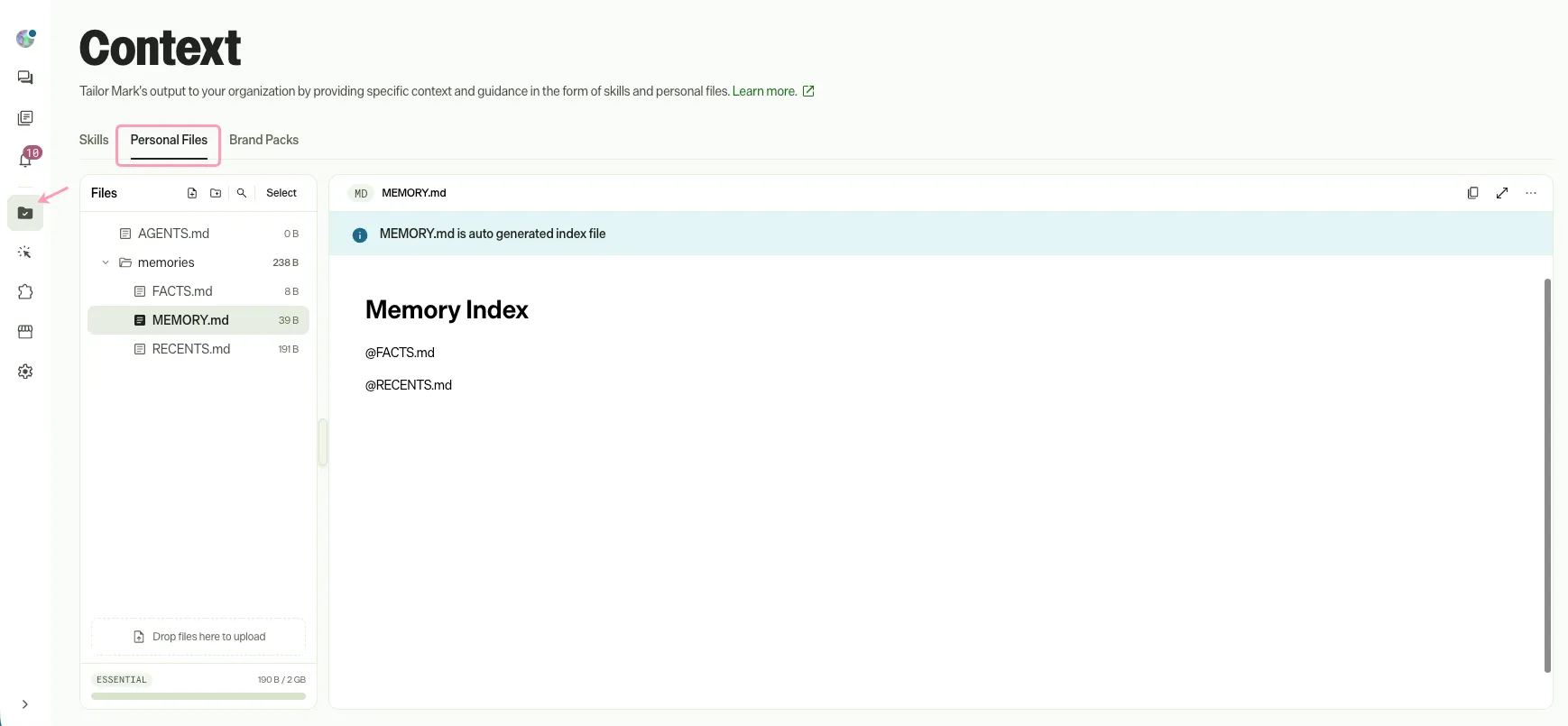
Mark generates MEMORY.md automatically and treats it as read-only. Other memory files, such as FACTS.md, are editable in Personal Files like any other file. See Manage personal files for steps to view, edit, rename, or delete a file.
Note
If you use Opti ID, administrators can turn off generative AI in the Opti ID Admin Center. See Turn generative AI off across Optimizely applications.