Siteimprove remote MCP connector
The Siteimprove remote Model Context Protocol (MCP) server brings accessibility checks and remediation guidance into Optimizely Agent Platform. Use it to check publicly available pages or HTML before publication, then review WCAG-based suggestions for supported issues.
For details about connecting to the server and its tools, see How to connect to and use the Siteimprove MCP Server in the Siteimprove Help Center.
Note
Before you begin, confirm that your Siteimprove account has an active Accessibility Pro or Accessibility Advanced subscription. The remediate tool also requires an active AI Remediate entitlement with available credits.
Use cases
Use the Siteimprove MCP connector to include accessibility checks in broader Agent Platform workflows:
- Pre-publish accessibility checks: Check draft landing-page or email HTML with detect_from_html, then review remediation suggestions before updating the draft in your CMS.
- Traffic-weighted remediation backlog: Use analytics data to identify high-value landing pages, scan them with detect_from_url, and rank findings by traffic, conversion value, and issue severity.
- Accessibility readiness scorecard: Scan key pages in a conversion journey and group findings by accessibility criterion to prepare a clear status report. Public competitor pages can also be checked for comparison.
- Accessibility improvement experiments: Use analytics or behavior data to find high-friction pages, review Siteimprove findings and suggestions, and test approved changes with Optimizely Web Experimentation.
- Regression monitoring: Run recurring checks on a defined set of pages, compare results with a saved baseline, and route new critical findings to tools such as Slack or Jira.
These workflows may also require access to the connected analytics, CMS, experimentation, or project-management tools.
Connect the Siteimprove remote MCP to Agent Platform
An Agent Platform administrator connects the Siteimprove remote MCP server. Choose the endpoint that matches your Siteimprove data region:
- EU – https://mcp.siteimprove.com/mcp
Note
If you are unsure which region your account uses, contact your Siteimprove administrator or Customer Success contact.
Add Siteimprove connection
As an Agent Platform administrator, complete the following steps:
- Go to Connectors in Agent Platform.
- Enter Siteimprove in the search bar to filter the connectors list.
- Click Connect on the Siteimprove tile.
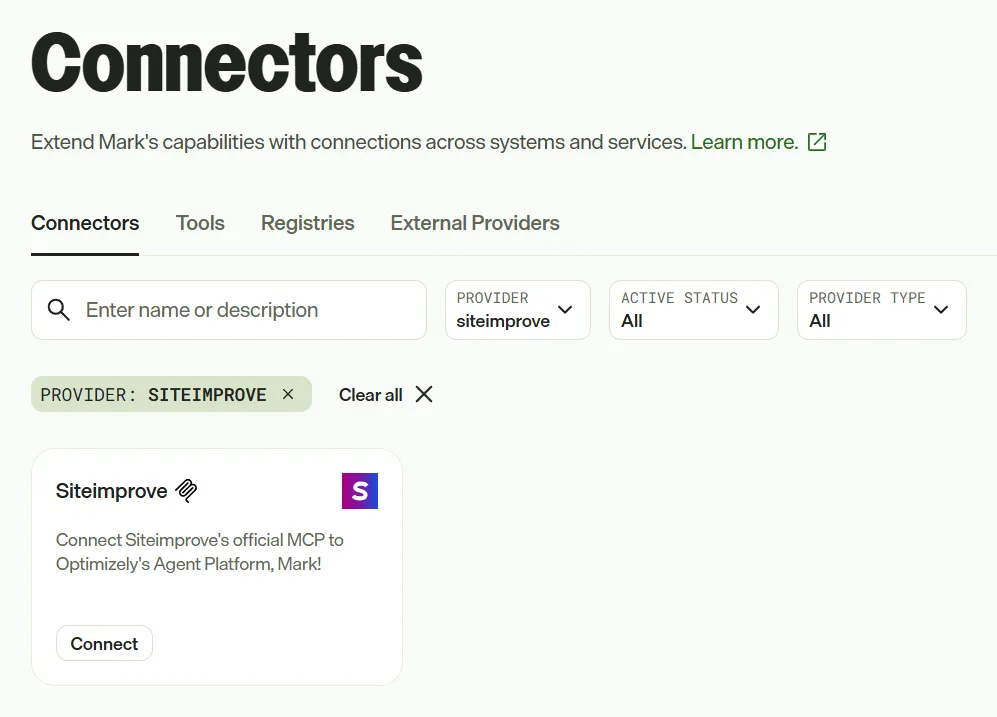
- Sign in with your Siteimprove credentials when prompted.
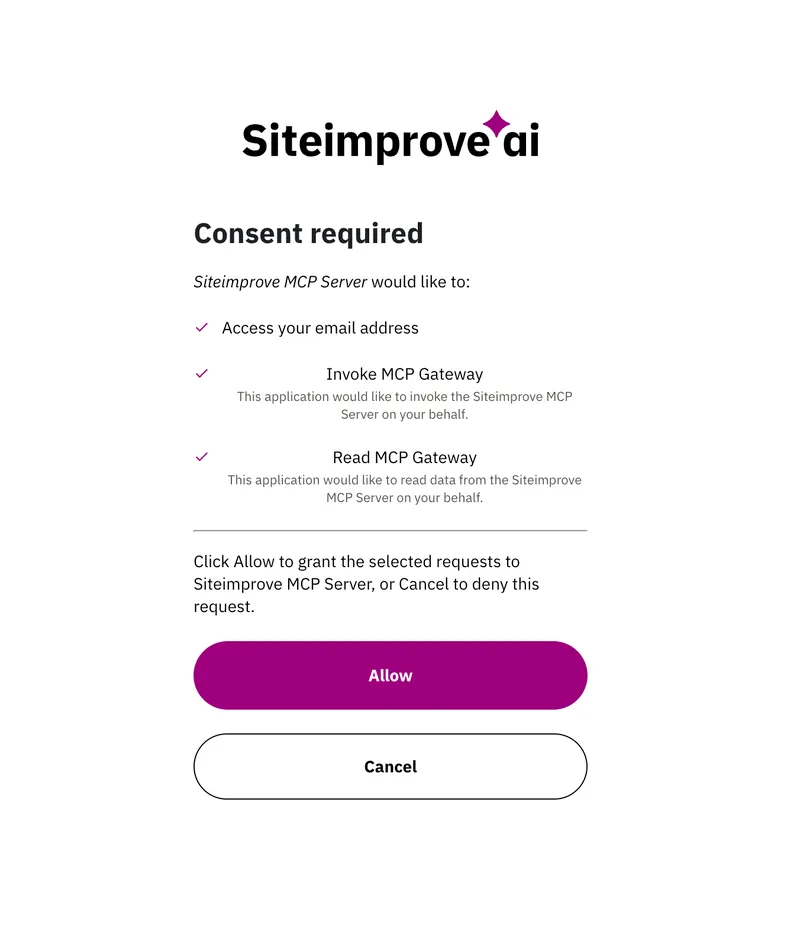
- Approve the connection.
Siteimprove uses OAuth for sign-in. Available tools depend on your account's subscription and entitlements.
Authenticate with Siteimprove
Agent Platform users authenticate with Siteimprove to use the connector. To connect, go to Connectors in Agent Platform, select Connect on the Siteimprove tile, and complete the Siteimprove sign-in and approval prompts.
After connecting, the Siteimprove tools enabled for your account can be used in Mark chat, specialized agents, and workflow agents.
Update tools
If you need to change the Siteimprove tools available in Agent Platform, an Agent Platform administrator must update the Siteimprove tool registry. Follow the steps to delete a tool registry, then connect Siteimprove and add the required tools again.