Profound Citation Gap Analysis agent
Profound Citation Gap Analysis is an agent in Mark (Optimizely Agent Platform). It analyzes AI citation performance for any topic using Profound's visibility data.
- Challenge – Identifying citation gaps and prioritizing blog topics is difficult. The task requires comparing AI citation performance against competitors on platforms such as Perplexity, ChatGPT, and Google AI.
- Agent outcome – The agent produces a citation gap report showing share of voice against key competitors across AI platforms, with prioritized blog topic recommendations.
- Value – The agent identifies citation gaps and determines which blog topics to prioritize. This improves content strategy and visibility in AI-powered search.
Prerequisites
- An active Profound account.
- Configured Profound connector tools
Install agent
Note
Mark Administrators, Agent Builders, and users with the Add, edit, and install specialized agents attribute for a custom role can add agents to their organization's Mark instance. See Add users and set permissions.
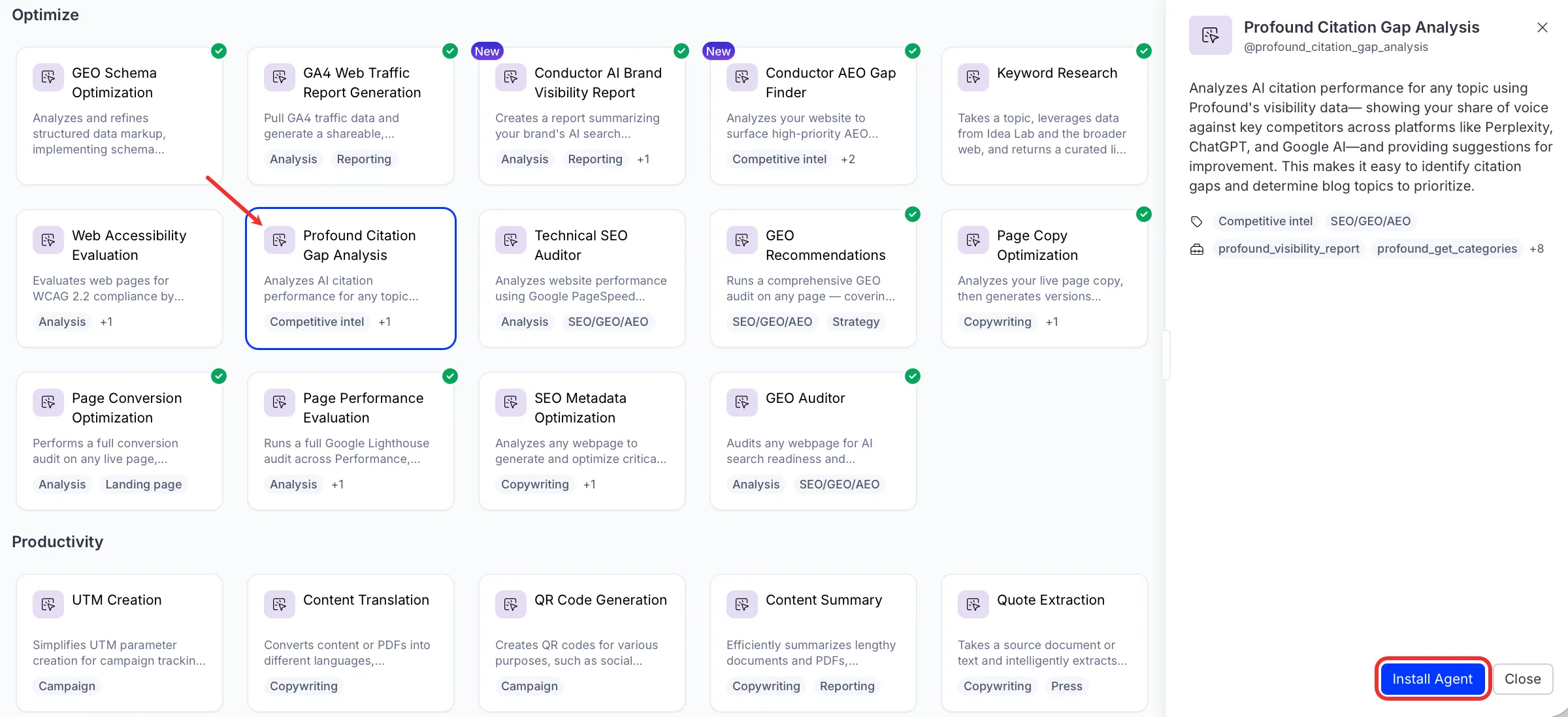
Install the agent from the Directory.
- Go to Directory > Agents.
- (Optional) Enter Profound Citation Gap Analysis or use the drop-down list filters to narrow the list.
- Click Install on Profound Citation Gap Analysis to add it to your Mark instance.
Use the agent
In Mark chat, enter @profound_citation_gap_analysis and provide the following details:
- Topic – Topic to audit for AI citations.
- (Optional) Report Period – Period to audit content citation. For example, Last 7 days or December 2025.
The agent delivers a citation gap report in a canvas. The report displays share of voice, platform distribution, citation gaps, and prioritized blog topic recommendations.
To use the Profound Citation Gap Analysis agent in a workflow agent, add it to your workflow. See the Create a workflow agent.
Default agent details
These are the default details of the Profound Citation Gap Analysis agent. After you install the agent in your Mark instance, customize these details for your organization's needs. See Manage agents for instructions.
Input variables
- Topic
- (Optional) Report Period
Tools
The Profound Citation Gap Analysis agent uses the following tools internally to process your request:
- profound_visibility_report
- profound_get_categories
- profound_get_domains
- profound_raw_answers
- profound_citation_report
- browse_web
- browse_web_html
- search_web
- create_canvas
- convert_to_pdf
Default configuration
The agent uses the following default configuration:
- Inference level – Pro, which provides maximum reasoning depth.
- Files – None.
- Output – Text.
Note
If you use Opti ID, administrators can turn off generative AI in the Opti ID Admin Center. See Turn generative AI off across Optimizely applications.