Meeting Preparation agent
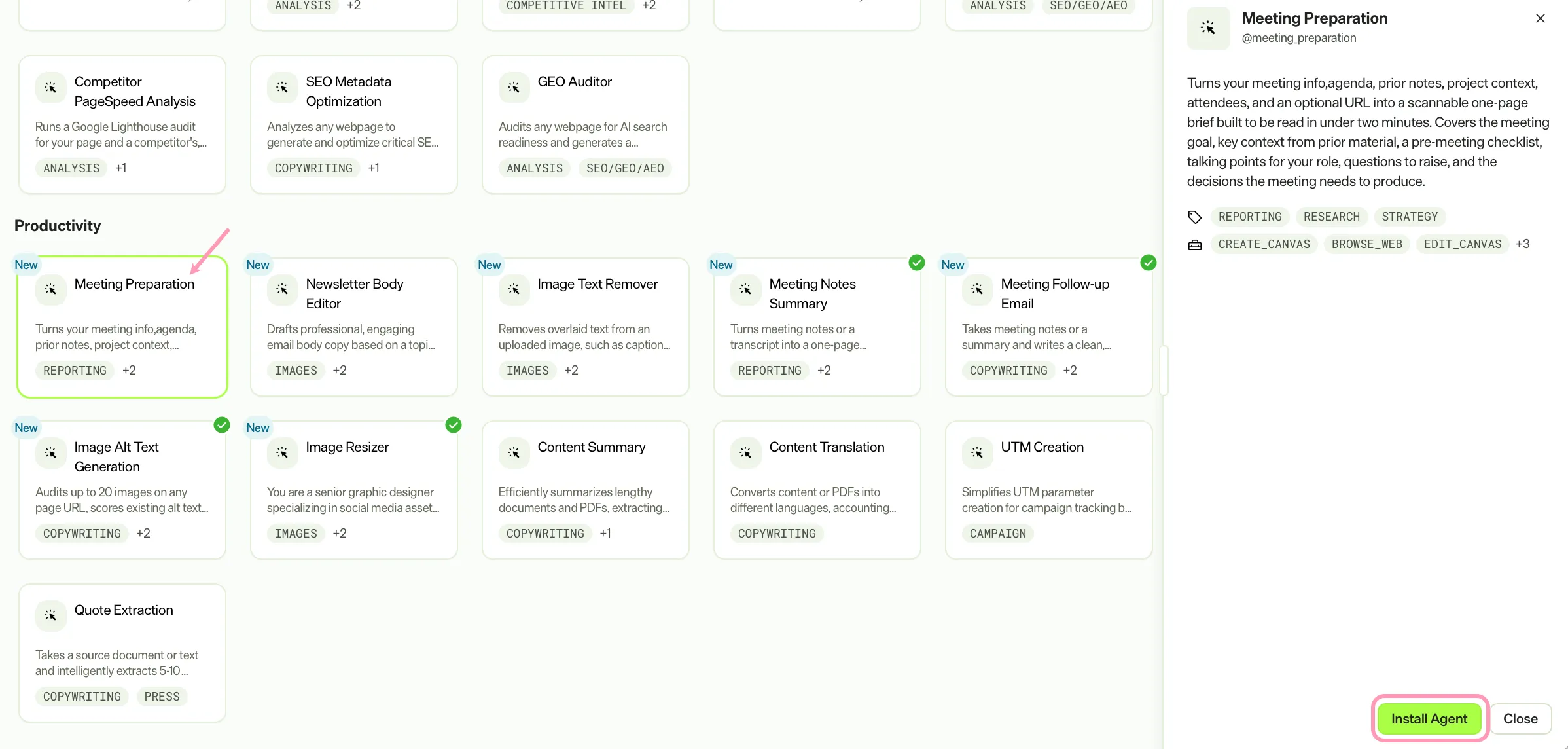
Meeting Preparation is an agent in Mark (Optimizely Agent Platform). It creates a scannable one-page meeting brief. It synthesizes an agenda, prior notes, project context, attendees, and an optional URL.
- Challenge – Preparing for meetings requires gathering context from multiple sources, which takes time and often results in incomplete preparation.
- Agent outcome – The agent produces a scannable one-page brief. The brief covers the meeting goal, key context, a pre-meeting checklist, talking points, questions to raise, and decisions needed.
- Value – Teams walk into meetings fully prepared in under two minutes, leading to more focused discussions and faster decisions.
Install agent
Note
Mark Administrators, Agent Builders, and users with the Add, edit, and install specialized agents attribute for a custom role can add agents to their organization's Mark instance. See Add users and set permissions.
Install the agent from the Directory.
- Go to Directory > Agents.
- (Optional) Enter Meeting Preparation or use the drop-down list filters to narrow the list.
- Click Install on Meeting Preparation to add it to your Mark instance.
Use the agent
In Mark chat, enter @meeting_preparation and provide the following details:
- (Optional) Meeting title – The name of the meeting.
- (Optional) Meeting topic or agenda – The topic or agenda for the meeting.
- (Optional) Attendees – Names, roles, or teams attending the meeting.
- (Optional) External URL – A website to pull context from, such as a client, partner, or competitor site.
- (Optional) Previous meeting notes – Notes from previous meetings on this topic, pasted as text or uploaded as a file.
- (Optional) Project details – Project summary or requirements data relevant to the meeting.
- (Optional) Your role – Your role in the meeting, such as presenter, attendee, or facilitator.
Note
Provide at least a meeting title or topic so the agent can build the brief. Additional inputs, such as prior notes, project details, and attendee names, enrich the output.
The agent delivers a markdown brief in a canvas. The brief includes a meeting goal, context snapshot, pre-meeting checklist, talking points, questions to raise, and decisions needed.
To use the Meeting Preparation agent in a workflow agent, add it to your workflow. See Create a workflow agent.
Default agent details
These are the default details for the Meeting Preparation agent. After you install the agent in your Mark instance, customize these details for your organization's needs. See Manage agents for instructions.
Input variables
The Meeting Preparation agent takes the following input:
- (Optional) Meeting title
- (Optional) Meeting topic or agenda
- (Optional) Attendees
- (Optional) External URL
- (Optional) Previous meeting notes
- (Optional) Project details
- (Optional) Your role
Tools
The Meeting Preparation agent uses the following tools internally to process your request:
- create_canvas
- browse_web
- edit_canvas
- outlook_calendar_list_meetings
- teams_transcripts_get_content
- teams_transcripts_list
The Meeting Preparation agent uses optional external tools from Microsoft. See Microsoft 365 connector tools for information.
Default configuration
The agent uses the following default configuration:
- Inference level – Complex, which provides advanced reasoning and detail.
- Files – None.
- Output – Text.
Note
If you use Opti ID, administrators can turn off generative AI in the Opti ID Admin Center. See Turn generative AI off across Optimizely applications.