Competitive Insights agent
Competitive Insights is an Optimizely Opal agent that researches a single competitor. The agent generates a competitive intelligence report covering the past 30 days.
- Challenge – Conducting thorough competitive analysis for specific marketing use cases is a complex and time-consuming task.
- Agent outcome – Returns a 30-day competitive intelligence report covering news, marketing activity, industry trends, and next best actions for one competitor.
- Value – Informed strategy, targeted campaigns.
To compare your brand against multiple competitors in AI search, see Conductor Competitive AI Share of Voice agent.
Install agent
Note
Opal Administrators, Agent Builders, and users with the Add, edit, and install specialized agents attribute for a custom role can add agents to their organization's Optimizely Opal instance. See Add users and set permissions.
Install the agent from the Opal Agent Directory.
- Go to Agents > Agent Directory.
- Select Competitive Insights.
- Click Install Agent to add it to your Opal instance.
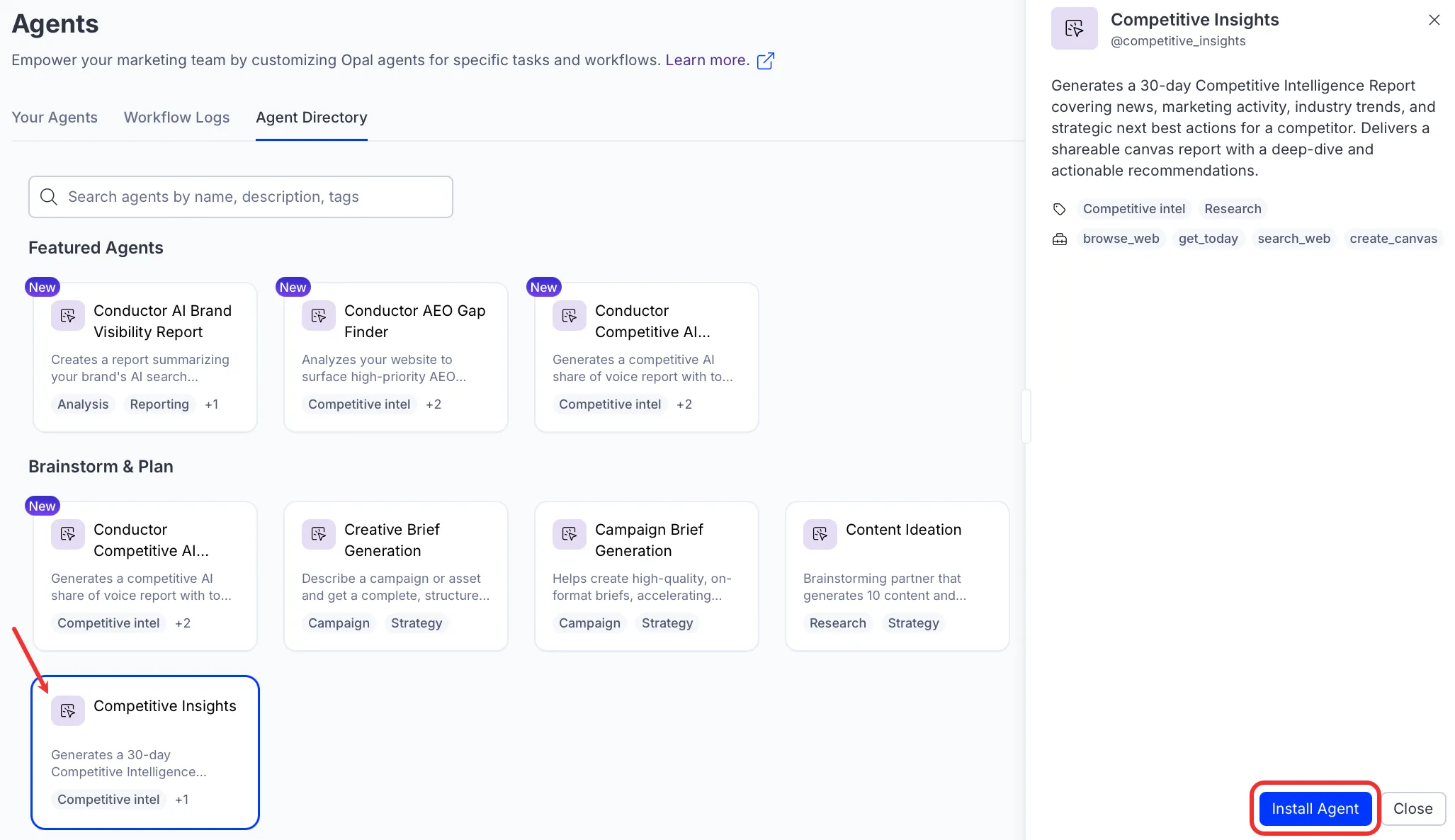
Use the agent
In Opal Chat, enter @competitive_insights and provide the following:
- Competitor – A competitor name or URL to research, for example Acme Corp or acme.io.
The agent returns the report as a canvas (an interactive document in Opal Chat that you can edit alongside Opal). The report includes an executive summary, recent headlines and news, marketing activity, thought leader and analyst commentary, community signals, and next best actions grouped by high, medium, and low priority. The agent also includes high-impact events from the past 60 days, such as mergers or major funding rounds, labeled with their dates.
To use the Competitive Insights agent in a workflow agent, drag and drop it into your workflow. See Create a workflow agent.
Details
These are the default details for the Competitive Insights agent. After you install the agent in your Opal instance, customize these details for your organization's needs. See Manage agents for instructions.
Input variables
The Competitive Insights agent takes one input variable: Competitor.
Tools
The Competitive Insights agent uses the following tools internally to process your request:
- browse_web
- get_today
- search_web
- create_canvas
Additional details
The agent uses the following default configuration:
- Inference level – Pro. Provides maximum reasoning depth.
- Files – None.
- Output – Text.
Note
If you use Opti ID, administrators can turn off generative AI in the Opti ID Admin Center. See Turn generative AI off across Optimizely applicationsTurn generative AI off across Optimizely applications.