Conductor Competitive AI Share of Voice agent
Conductor Competitive AI Share of Voice compares your brand against tracked competitors across ChatGPT, Gemini, and Perplexity. Share of voice measures how often AI engines mention your brand compared to competitors. The agent runs in Mark (Optimizely Agent Platform) and uses Conductor Intelligence data.
- Challenge – Competitive AI search performance is invisible. Marketing and Search Engine Optimization (SEO) teams cannot tell whether they are gaining or losing ground against competitors.
- Agent outcome – Returns a share-of-voice breakdown by engine and topic across ChatGPT, Gemini, and Perplexity, with actions to shift the balance.
- Value – Competitive AI share of voice in one run, without pulling data from multiple sources.
Prerequisites
Conductor Competitive AI Share of Voice requires the following:
- Active Conductor subscription.
- Configured Conductor remote MCP connector for your organization. MCP is the Model Context Protocol, an open standard that connects AI tools to data sources.
- Active Conductor connector login through the Connectors tab.
Install agent
Note
Mark Administrators, Agent Builders, and users with the Add, edit, and install specialized agents attribute for a custom role can add agents to their organization's Mark instance. See Add users and set permissions.
Install the agent from the Directory.
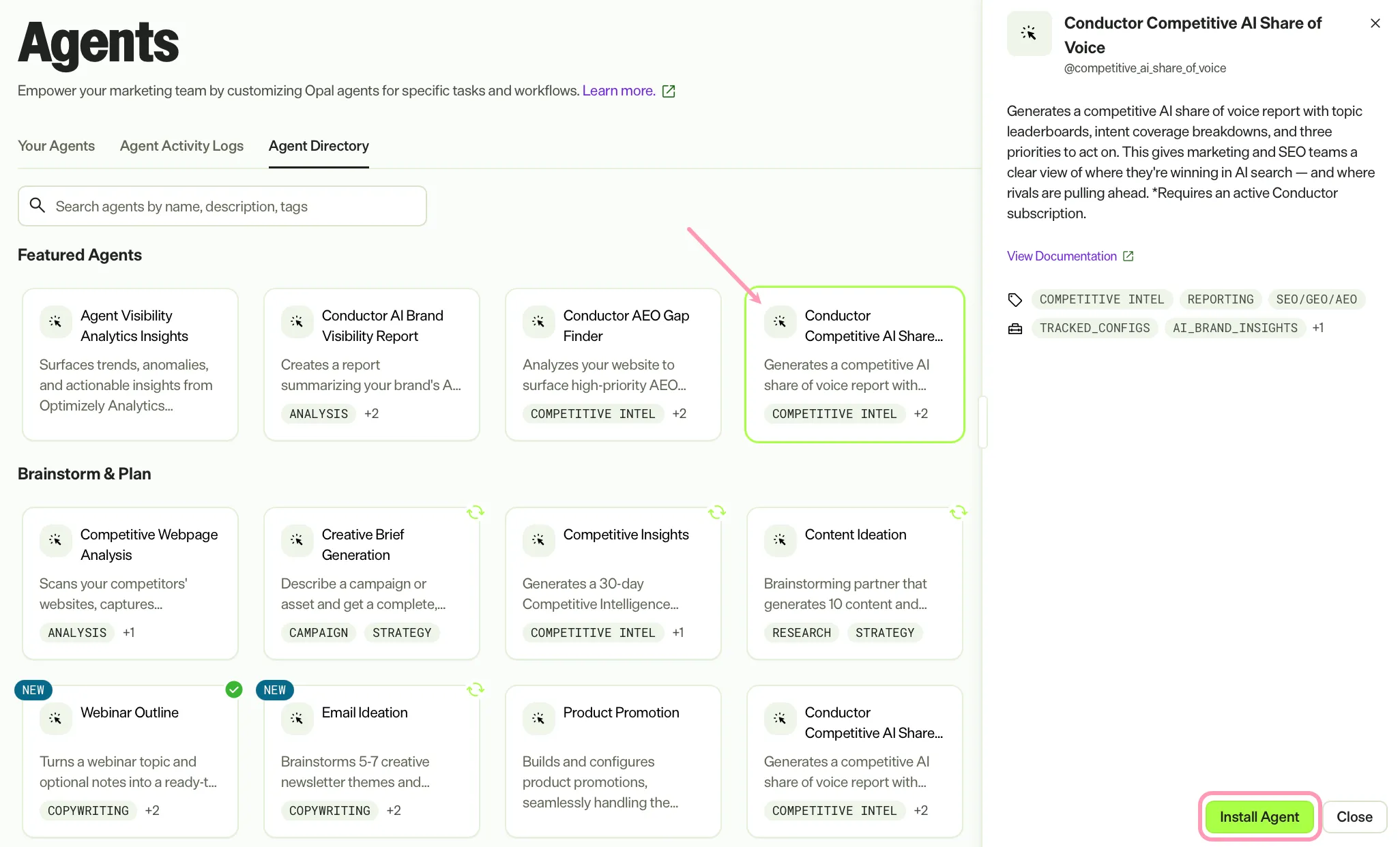
- Go to Directory > Agents.
- (Optional) Enter Conductor Competitive AI Share of Voice or use the drop-down list filters to narrow the list.
- Click Install on Conductor Competitive AI Share of Voice to add it to your Mark instance.
Use the agent
In Mark chat, enter @competitive_ai_share_of_voice and provide the following details:
- Time period – The period to analyze. For example, Last 7 days, Last 30 days, or This month.
- (Optional) Competitors to compare – Specific competitor names to include in the comparison. Leave blank to compare against all tracked competitors.
- (Optional) Topics to focus on – Specific tracked topics to include in the analysis. Leave blank to analyze all tracked topics.
The agent returns the report as a canvas (an interactive document in Mark chat that you can edit alongside Mark). The report includes the following:
- Executive summary
- Overall share-of-voice rankings
- Engine breakdown
- Topic leaderboard
- Sentiment comparison
- Intent performance
- Three recommended actions
To use Conductor Competitive AI Share of Voice in a workflow agent, add it to your workflow. See Create a workflow agent.
Default agent details
These are the default details for the Conductor Competitive AI Share of Voice agent. After you install the agent in your Mark instance, customize these details for your organization's needs. See Manage agents for instructions.
Input variables
The Conductor Competitive AI Share of Voice agent takes the following input:
- Time period
- (Optional) Competitors to compare
- (Optional) Topics to focus on
Tools
The Conductor Competitive AI Share of Voice agent uses the following tools internally to process your request:
- tracked_configs
- ai_brand_insights
- create_canvas
Default configuration
The agent uses the following default configuration:
- Inference level – Pro, which provides maximum reasoning depth.
- Files – None.
- Output – Text.
Note
If you use Opti ID, administrators can turn off generative AI in the Opti ID Admin Center. See Turn generative AI off across Optimizely applications.