Campaign Brief Generation agent
Campaign Brief Generation is an Optimizely Opal agent that generates a standardized campaign brief from the inputs you provide.
- Challenge – Manual brief creation slows campaign planning and produces inconsistent briefs.
- Agent outcome – Generates a standardized campaign brief from a few inputs.
- Value – Faster planning, consistent briefs, and less manual rework.
Install agent
Note
Opal Administrators, Agent Builders, and users with the Add, edit, and install specialized agents attribute for a custom role can add agents to their organization's Optimizely Opal instance. See Add users and set permissions.
Opal administrators, agent builders, and Opal users with the Add, edit, and install specialized agents attribute for a custom role can add agents to their organization's Optimizely Opal instance. See Add users and set permissions.
Install the agent from the Opal Agent Directory.
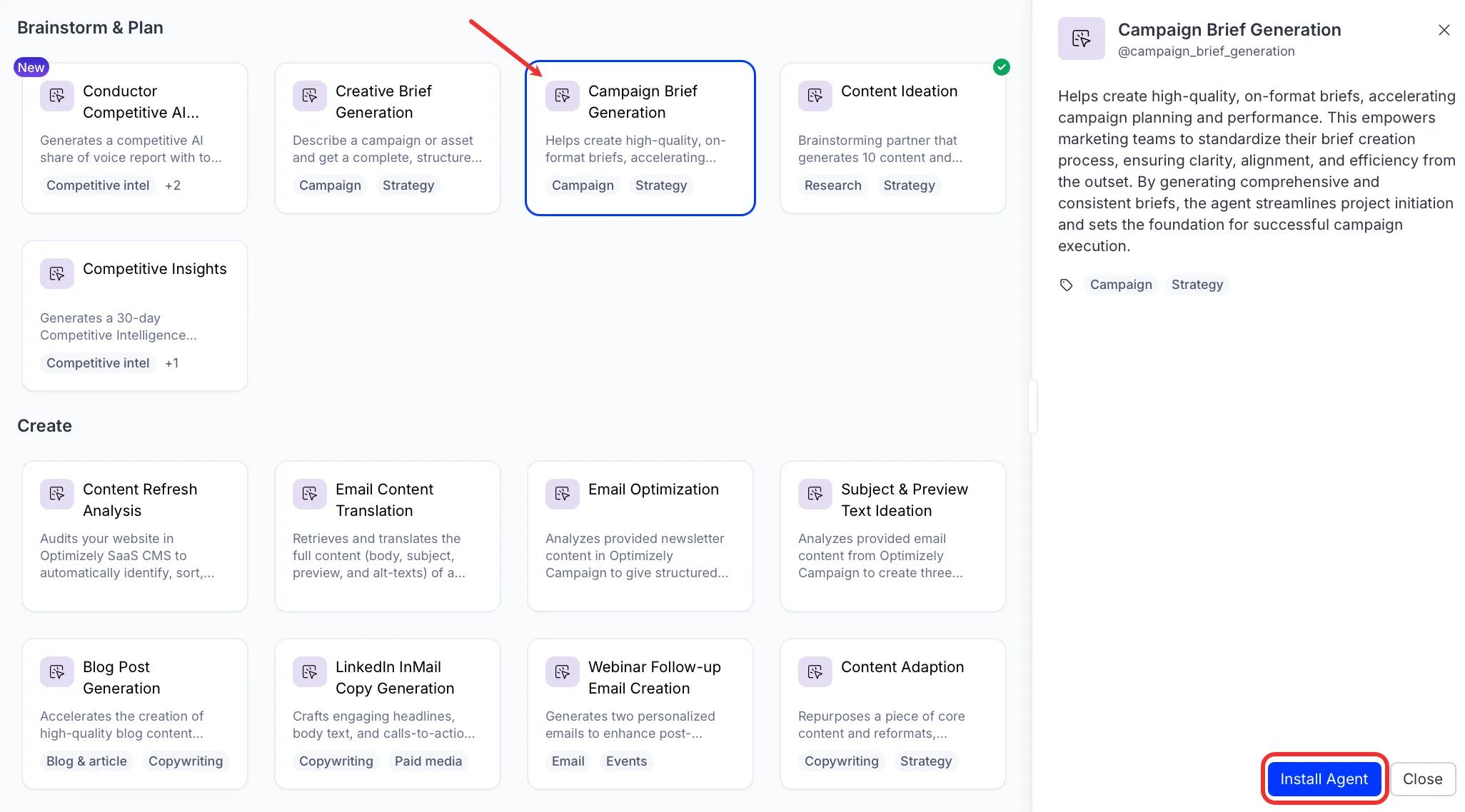
- Go to Agents > Agent Directory.
- Select Campaign Brief Generation.
- Click Install Agent to add it to your Opal instance.
Use the agent
In Opal Chat, enter @campaign_brief_generation and provide the following details:
- Campaign Type – The type of campaign to create, for example event, webinar, or content campaign.
- (Optional) Audience – The target audience for the campaign, for example existing B2B customers in EMEA.
- (Optional) Objective – The campaign objective, for example drive trial signups or reactivate lapsed accounts.
- (Optional) Assets Needed – The asset types the campaign requires, for example article, blog post, or case study.
The agent returns a campaign brief with seven sections: campaign overview, objectives and goals, target audience, key messages, creative and content deliverables, channels and media plan, and measurement and reporting. Each deliverable is listed individually so it can become its own Content Marketing Platform (CMP) task.
To use the Campaign Brief Generation agent in a workflow agent, drag and drop it into your workflow. See Create a workflow agent.
Details
These are the default details for the Campaign Brief Generation agent. After you install the agent in your Opal instance, customize these details for your organization's needs. See Manage agents for instructions.
Input variables
The Campaign Brief Generation agent takes the following input:
- Campaign Type
- (Optional) Audience
- (Optional) Objective
- (Optional) Assets Needed
Tools
The Campaign Brief Generation agent uses no tools.
Additional details
- Inference level – Balanced. Provides reliable answers with additional reasoning.
- Files – None.
- Output – Text.
Note
If you use Opti ID, administrators can turn off generative AI in the Opti ID Admin Center. See Turn generative AI off across Optimizely applicationsTurn generative AI off across Optimizely applications.