Social Post Generation agent
Social Post Generation is an agent in Mark (Optimizely Agent Platform). It takes a topic, URL, or key message. It generates platform-native social posts for LinkedIn, X, Instagram, Facebook, and TikTok.
- Challenge – Adapting one piece of long-form content for multiple social media platforms is repetitive and fragmented. Each network requires a specific tone, character count, and hashtag strategy. Maintaining high posting frequencies across LinkedIn, X, and Instagram becomes difficult without manual rework.
- Agent outcome – The agent automatically transforms existing assets or briefs into tailored social media posts. It generates platform-specific copy and recommends relevant hashtags. It also adjusts the messaging to match the audience expectations of each chosen channel.
- Value – The agent eliminates the manual rework required to adapt content for different platforms. It multiplies the reach of a single idea. It accelerates distribution workflows so you maintain a high-velocity social presence that stays on-brand and optimized for engagement without reformatting.
Install agent
Note
Mark Administrators, Agent Builders, and users with the Add, edit, and install specialized agents attribute for a custom role can add agents to their organization's Mark instance. See Add users and set permissions.
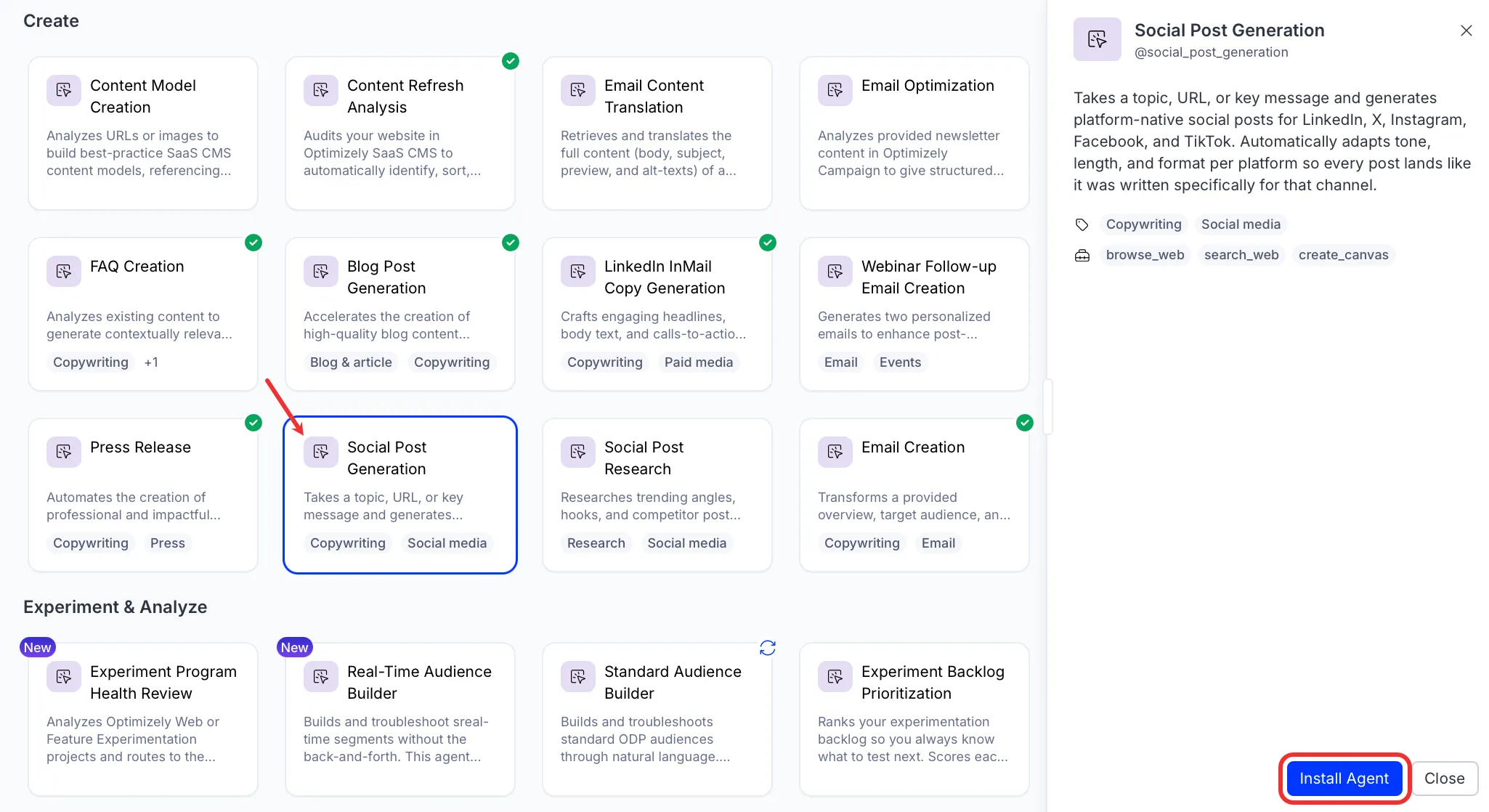
Install the agent from the Directory.
- Go to Directory > Agents.
- (Optional) Enter Social Post Generation or use the drop-down list filters to narrow the list.
- Click Install on Social Post Generation to add it to your Mark instance.
Use the agent
In Mark chat, enter @social_post_generation and provide details for the following parameters:
- Post Topic – Describe the milestone, launch, announcement, or theme. Add reference materials or links to relevant content.
- Target Audience – Specify the audience for these posts. For example, B2B marketing operations managers or Digital marketing leaders at mid-market companies.
- Channels – Comma-separated list of channels to generate posts for. For example, LinkedIn, Instagram, X, Facebook, TikTok.
- Primary CTA – Describe what you want readers to do. For example, Apply for cohort 2, Register for the webinar, or Read the case study. Include a link if you have one.
- (Optional) Brand Voice Notes – Two to three examples of your best-performing or most on-brand posts. The agent locks the voice and explores fresh angles instead of rephrasing what you have already written. Include tone guidance, words to avoid, or formatting preferences.
- (Optional) Research Brief – Use the research brief from the Social Post Research agent. The brief grounds the posts in current market signals, trending angles, and competitive context.
The agent delivers a canvas with platform-native posts organized by channel. Each post adapts tone, length, and format for its target platform.
To use the Social Post Generation agent in a workflow agent, add it to your workflow. See the Create a workflow agent.
Default agent details
These are the default details of the Social Post Generation agent. After you install the agent in your Mark instance, you can customize these details based on your organization's needs. See Manage agents for instructions.
Input variables
The Social Post Generation agent takes the following input:
- Post Topic
- Target Audience
- Channels
- Primary CTA
- (Optional) Brand Voice Notes
- (Optional) Research Brief
Tools
The Social Post Generation agent uses the following tools internally to process your request:
- browse_web
- search_web
- create_canvas
Default configuration
The agent uses the following default configuration:
- Inference level – Pro, which provides maximum reasoning depth.
- Files – None.
- Output – Text.
Note
If you use Opti ID, administrators can turn off generative AI in the Opti ID Admin Center. See Turn generative AI off across Optimizely applications.