Social Post Research agent
Social Post Research is an Optimizely Opal agent that researches trending angles, hooks, and competitor post patterns for social content, then packages findings into a structured brief ready to hand off for social post creation.
- Challenge – Staying on top of trending topics, competitor activity, and audience sentiment across social platforms is time-consuming and fragmented. Manually monitoring feeds makes it difficult to plan post strategies that are timely and data-driven. Manual monitoring leads to missed engagement opportunities.
- Agent outcome – The agent analyzes real-time social data, competitor posts, and industry trends to surface actionable insights. It identifies high-performing topics, suggests optimal posting times, and provides content recommendations based on what captures the audience's attention.
- Value – The agent shifts social strategy from guesswork to informed execution by automating the heavy lifting of trend analysis. The agent backs every post with current market data, increasing relevance and engagement rates, without hours of manual research.
Install agent
Note
Opal Administrators, Agent Builders, and users with the Add, edit, and install specialized agents attribute for a custom role can add agents to their organization's Optimizely Opal instance. See Add users and set permissions.
Install the agent from the Opal Agent Directory.
- Go to Agents > Agent Directory.
- Select Social Post Research.
- Click Install Agent to add the agent to your Opal instance.
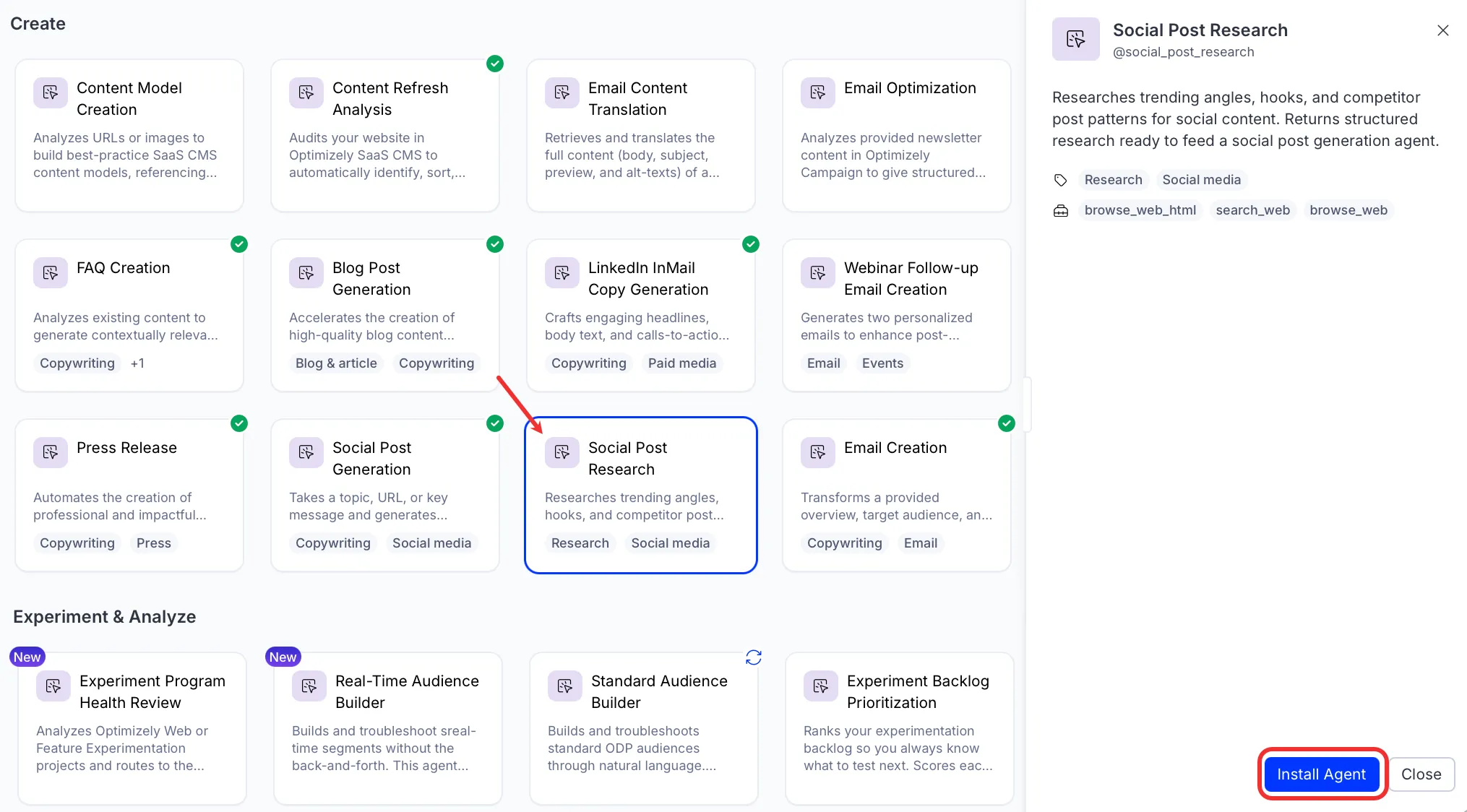
Use the agent
In Opal Chat, enter @social_post_research and provide details for the following parameters:
- Post Context – Anything about what you are posting about, such as a topic, campaign description, creative brief, URL, or pasted output from another Opal agent. More context produces better results, but a topic alone is sufficient.
- (Optional) Target Platforms – Comma-separated list of the platforms you are posting to. For example, LinkedIn, X, Instagram.
- (Optional) Production Constraints – Any execution limits to account for in format recommendations. For example, no filming, graphic and text only, short-notice turnaround, low-lift only, or remote team, no in-person assets.
- (Optional) Competitor Accounts – Competitor brand names or handles to scan for post patterns. For example, HubSpot, Marketo, @salesforce.
The agent returns a structured research brief that includes trending angles, competitor post patterns, recommended formats, hook candidates, and a top angle recommendation tied to the campaign topic.
To use the Social Post Research agent in a workflow agent, drag and drop it into your workflow. See the Create a workflow agent.
Details
These are the default details of the Social Post Research agent. After you install the agent in your Opal instance, you can customize these details based on your organization's needs. See Manage agents for instructions.
Input variables
The Social Post Research agent takes the following input:
- Post Context
- (Optional) Target Platforms
- (Optional) Production Constraints
- (Optional) Competitor Accounts
Tools
The Social Post Research agent uses the following tools internally to process your request:
- browse_web_html
- browse_web
- search_web
Additional details
The agent uses the following default configuration:
- Inference level – Pro. Provides maximum reasoning depth.
- Files – None.
- Output – Text.
Note
If you use Opti ID, administrators can turn off generative AI in the Opti ID Admin Center. See Turn generative AI off across Optimizely applicationsTurn generative AI off across Optimizely applications.