SEO Metadata Implementation agent (CMS 13)
SEO Metadata Implementation is an Optimizely Opal agent that analyzes Optimizely Content Management System (CMS 13) webpages and generates optimized Search Engine Optimization (SEO) metadata, including meta titles, descriptions, and OpenGraph tags, and applies updates directly in CMS 13.
- Challenge – Creating and maintaining optimized SEO metadata across CMS 13 pages requires manual effort and specialized knowledge.
- Agent outcome – The agent generates audit reports with keyword analysis and recommended metadata values, then applies updates as drafts in CMS 13.
- Value – The agent improves search engine visibility and drives more qualified organic traffic without requiring dedicated SEO expertise.
Required Optimizely products
Optimizely CMS 13
Install agent
Note
Opal Administrators, Agent Builders, and users with the Add, edit, and install specialized agents attribute for a custom role can add agents to their organization's Optimizely Opal instance. See Add users and set permissions.
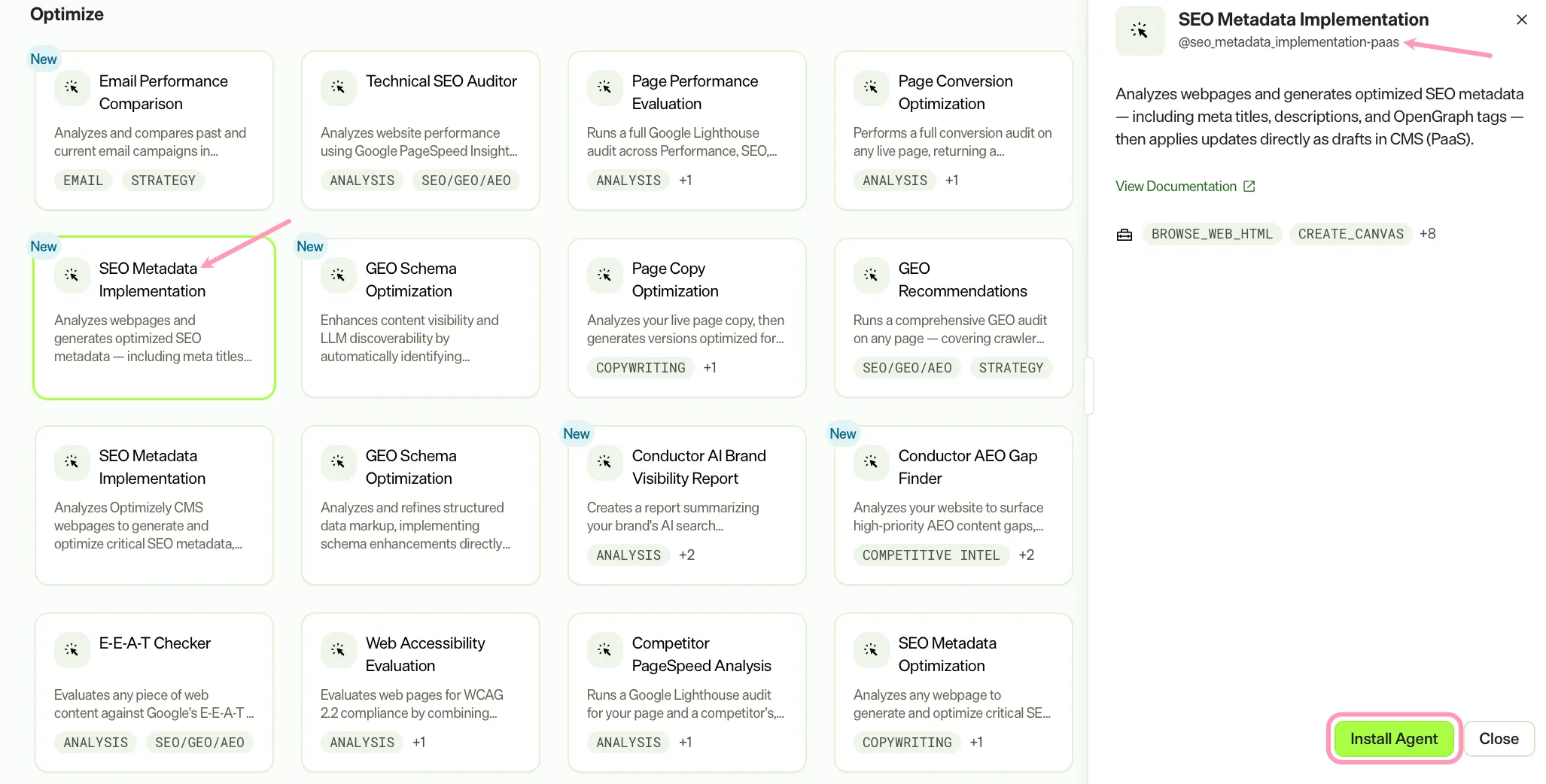
Install the agent from the Opal Agent Directory.
- Go to Agents > Agent Directory.
- Select SEO Metadata Implementation. Ensure you select the agent with @seo_metadata_implementation-paas as its ID.
- Click Install Agent to add it to your Opal instance.
Use the agent
Before using the using the SEO Metadata Implementation agent, you must install the Opal tools in your CMS 13 instance. See Get started with Optimizely Opal toolsGet started with Optimizely Opal tools for information.
In Opal Chat, enter @seo_metadata_implementation-paas and provide the following details:
- ContentKey – The content key for the current content from the context.
- ContentVersion – The version of the current content from the context.
- PreviewURL – The preview URL for the current content from the context.
The agent produces a canvas with an HTML report with a metadata audit, keyword analysis, and recommendations. When CMS 13 access is available, the agent applies SEO metadata updates as a draft directly in CMS 13.
To use the SEO Metadata Implementation agent in a workflow agent, drag and drop it into your workflow. See Create a workflow agent.
Details
These are the default details for the SEO Metadata Implementation agent. After you install the agent in your Opal instance, customize these details for your organization's needs. See Manage agents.
Input variables
The SEO Metadata Implementation agent takes the following input:
- ContentKey
- ContentVersion
- PreviewURL
Tools
The SEO Metadata Implementation agent uses the following tools to process your request:
- browse_web_html
- create_canvas
- edit_canvas
- paas_cms_create_content_item
- paas_cms_create_content_type
- paas_cms_get_content_data
- paas_cms_get_content_type_details
- paas_cms_list_content_types
- paas_cms_update_content_item
- paas_cms_update_content_type
You must install the Opal tools in your CMS 13 instance before using the SEO Metadata Implementation agent. See Get started with Optimizely Opal toolsGet started with Optimizely Opal tools for information.
Additional details
The agent uses the following default configuration:
- Inference level – Complex. Provides advanced reasoning and detail.
- Files – None.
- Output – Text.
Note
If you use Opti ID, administrators can turn off generative AI in the Opti ID Admin Center. See Turn generative AI off across Optimizely applicationsTurn generative AI off across Optimizely applications.