Image Alt Text Generation agent
Image Alt Text Generation is an agent in Mark (Optimizely Agent Platform). It audits up to 20 images on a page URL. It scores existing alt text against Web Content Accessibility Guidelines (WCAG) 2.1 AA standards. It also delivers ready-to-use alt text copy with a prioritized fix list.
- Challenge – Manually reviewing images for alt text compliance across pages is time-consuming and error-prone.
- Agent outcome – A scored audit of each image with recommended alt text and a prioritized list of fixes.
- Value – Marketing teams meet WCAG 2.1 AA accessibility standards and strengthen search engine optimization (SEO) without manual image scanning.
Install agent
Note
Mark Administrators, Agent Builders, and users with the Add, edit, and install specialized agents attribute for a custom role can add agents to their organization's Mark instance. See Add users and set permissions.
Install the agent from the Directory.
- Go to Directory > Agents.
- (Optional) Enter Image Alt Text Generation or use the drop-down list filters to narrow the list.
- Click Install on Image Alt Text Generation to add it to your Mark instance.
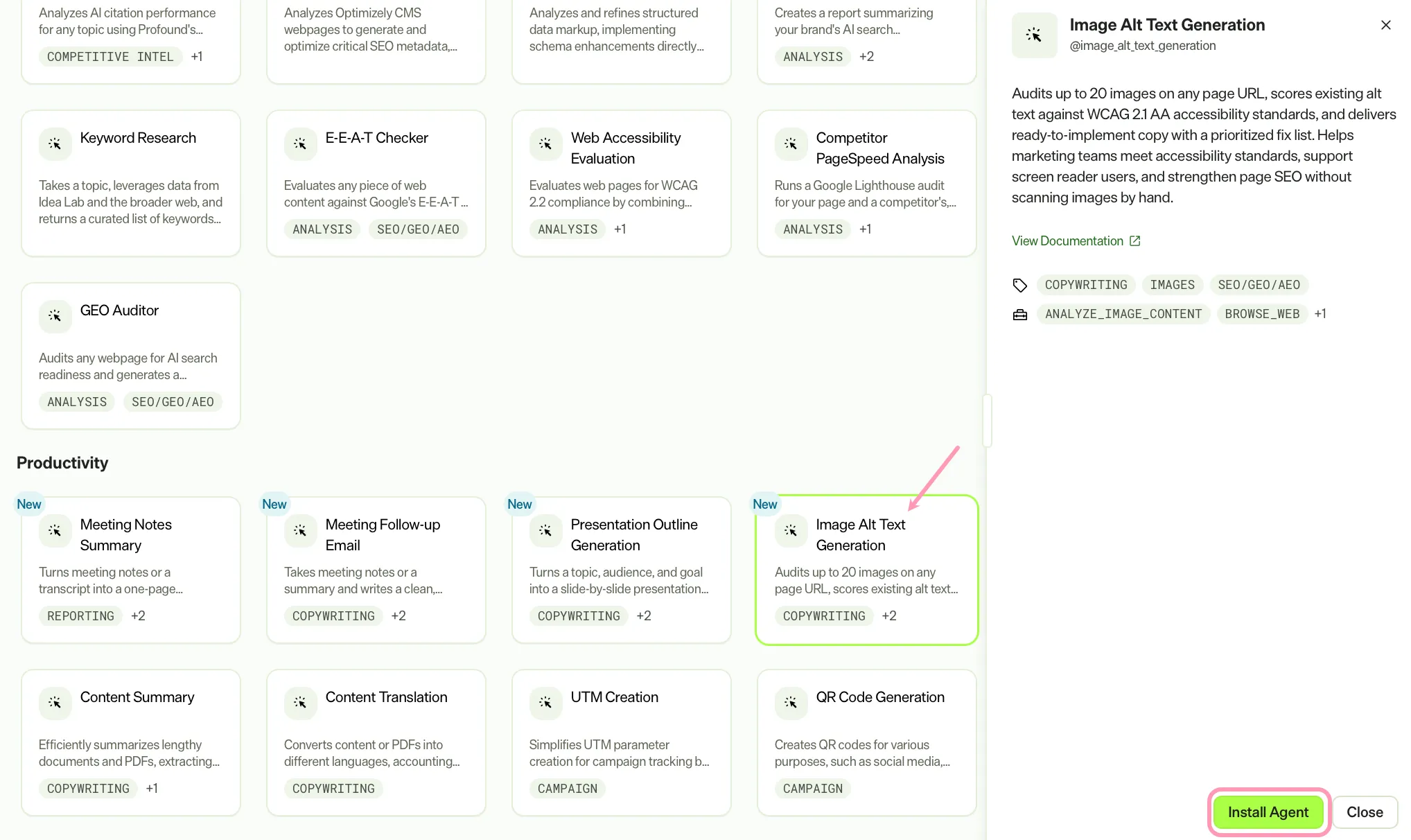
Use the agent
In Mark chat, enter @image_alt_text_generation and provide the following details:
- (Optional) Page URL – Live URL to audit.
- (Optional) Primary Audience – Who this page is for.
- (Optional) Image – Image file.
Provide either a Page URL or an Image file. The agent requires at least one of these to run.
The agent delivers a styled Hypertext Markup Language (HTML) canvas. The canvas contains the alt text audit results, recommended alt text copy, and a prioritized fix list.
To use the Image Alt Text Generation agent in a workflow agent, add it to your workflow. See Create a workflow agent.
Default agent details
These are the default details for the Image Alt Text Generation agent. After you install the agent in your Mark instance, customize these details for your organization's needs. See Manage agents.
Input variables
The Image Alt Text Generation agent takes the following input:
- (Optional) Page URL
- (Optional) Primary Audience
- (Optional) Image
Tools
The Image Alt Text Generation agent uses the following tools to process your request:
- analyze_image_content
- browse_web
- create_canvas
Default configuration
The agent uses the following default configuration:
- Inference level – Balanced, which provides reliable answers with additional reasoning.
- Files – None.
- Output – Text.
Note
If you use Opti ID, administrators can turn off generative AI in the Opti ID Admin Center. See Turn generative AI off across Optimizely applications.