Experimentation Program Overview agent
Experimentation Program Overview is an Optimizely Opal agent that analyzes experimentation performance within a specified timeframe to generate a comprehensive overview of program velocity, win rate, and top-performing experiments.
- Challenge – Manually compiling a comprehensive overview of your Experimentation program, including win rates, top performers, and key learnings, is time-consuming and complex. It is difficult to quickly assess program health and identify trends.
- Agent outcome – The agent generates a quarterly business review (QBR)-style HTML report for a specified date range. The report includes program key performance indicators (KPIs), identifies biggest winners, summarizes key learnings, and provides a comparative summary table against a prior period. The agent captures page screenshots and sends the report directly to an email address when one is provided.
- Value – Removes the manual effort of compiling program performance data. Stakeholders get a clear, structured view of experimentation health to identify successful strategies and communicate impact.
Required Optimizely products
Optimizely Web Experimentation or Optimizely Feature Experimentation.
Install agent
Note
Opal Administrators, Agent Builders, and users with the Add, edit, and install specialized agents attribute for a custom role can add agents to their organization's Optimizely Opal instance. See Add users and set permissions.
Install the agent from the Opal Agent Directory.
- Go to Agents > Agent Directory.
- Select Experimentation Program Overview.
- Click Install Agent to add it to your instance.
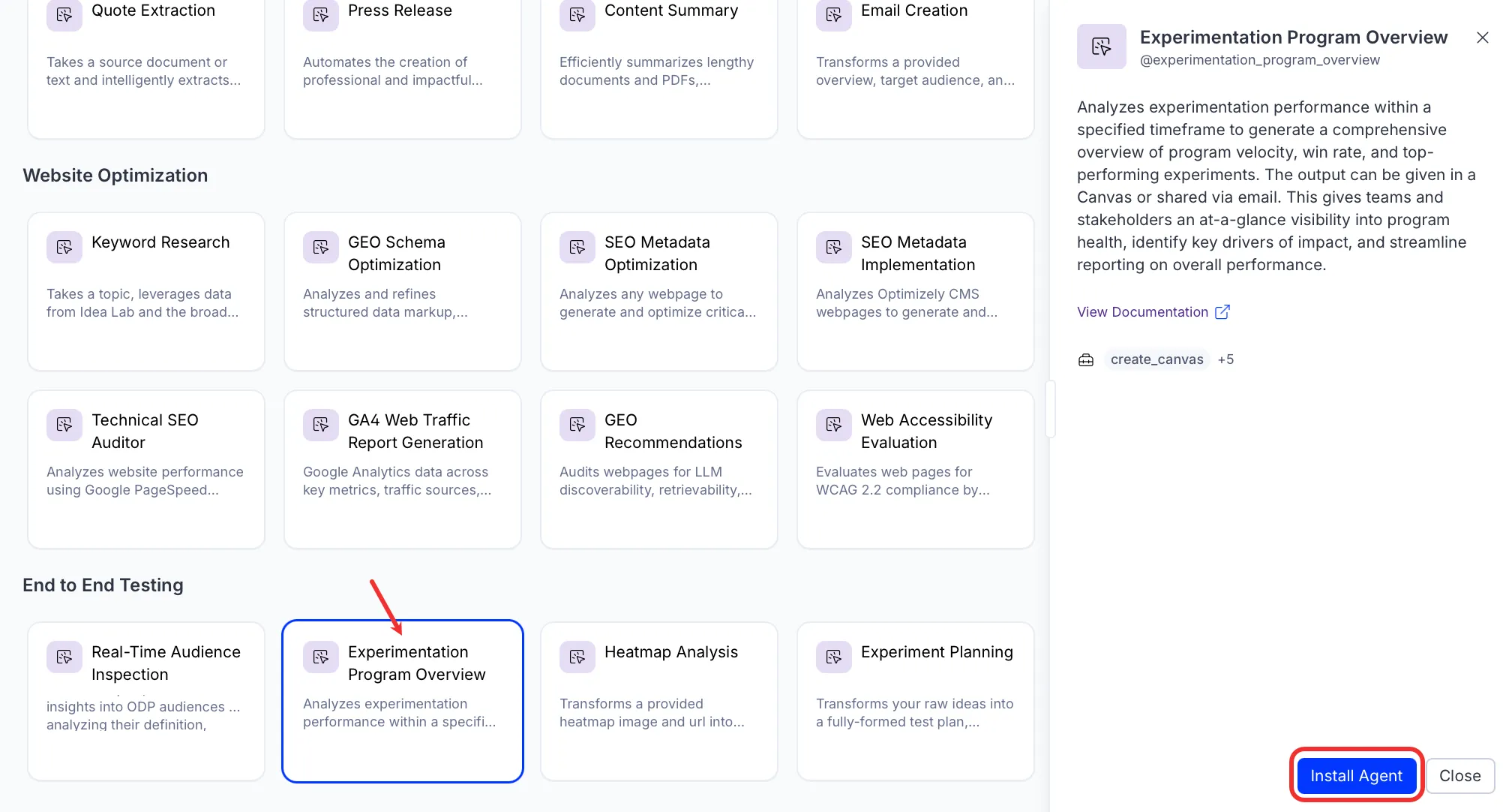
If Install Agent is disabled, ensure you have the Required Optimizely products connected to your Opal instance.
Use the agent
In Opal Chat, enter @experimentation_program_overview and provide the following details:
- date_range – The time period for the report. For example, Q4 2025, January 2026, or Last 90 days.
- (Optional) project_ids – Project IDs to filter the report. Provide a single ID or a comma-separated list. If omitted, the agent runs across all projects. For example, 19963491707 or 12345, 67890.
- (Optional) email – Recipient email address to send the report to directly.
The Experimentation Program Overview agent generates an HTML canvas report. The report includes program KPIs, a top winner card, a runner-up card, and a summary table of top experiments. When an email address is provided, the agent sends the report to that address.
To use the Experimentation Program Overview agent in a workflow agent, drag and drop it into your workflow. See Create a workflow agent.
Details
The following are the default details of the Experimentation Program Overview agent. After you install the agent in your Opal instance, you can customize these details based on your organization's needs. See Manage agents for instructions.
Input variables
- date_range
- (Optional) email
- (Optional) project_ids
Tools
- exp_program_reporting_top_experiments
- exp_program_reporting_win_rate
- exp_execute_query
- take_webpage_screenshot
- create_canvas
- send_email
Additional details
The agent uses the following default configuration:
- Inference level – Balanced. Provides reliable answers with additional reasoning.
- Files – None.
- Output – Text.
Note
If you use Opti ID, administrators can turn off generative AI in the Opti ID Admin Center. See Turn generative AI off across Optimizely applicationsTurn generative AI off across Optimizely applications.