Experiment Conflict Checker agent
Experiment Conflict Checker is an Optimizely Opal agent that detects conflicts between a proposed experiment and any live experiments in the same project.
- Challenge – Running overlapping experiments on the same page corrupts your data, skews results, and leads to flawed conclusions. Flawed conclusions leave teams unable to trust their findings or ship with confidence.
- Agent outcome – Analyzes any URL, page, or experiment and cross-references it against every live experiment in your project. It produces an HTML report with an immediate conflict verdict and a full breakdown of every live experiment it analyzed.
- Value – Eliminate the guesswork before you launch. Catch conflicts early, protect data integrity, and make faster, more confident decisions, without manually auditing your experiment configuration.
Required Optimizely products
Optimizely Web Experimentation, Optimizely Performance Edge, or Optimizely Personalization.
Install agent
Note
Opal Administrators, Agent Builders, and users with the Add, edit, and install specialized agents attribute for a custom role can add agents to their organization's Optimizely Opal instance. See Add users and set permissions.
Install the agent from the Opal Agent Directory.
- Go to Agents > Agent Directory.
- Select Experiment Conflict Checker.
- Click Install Agent to add it to your Opal instance.
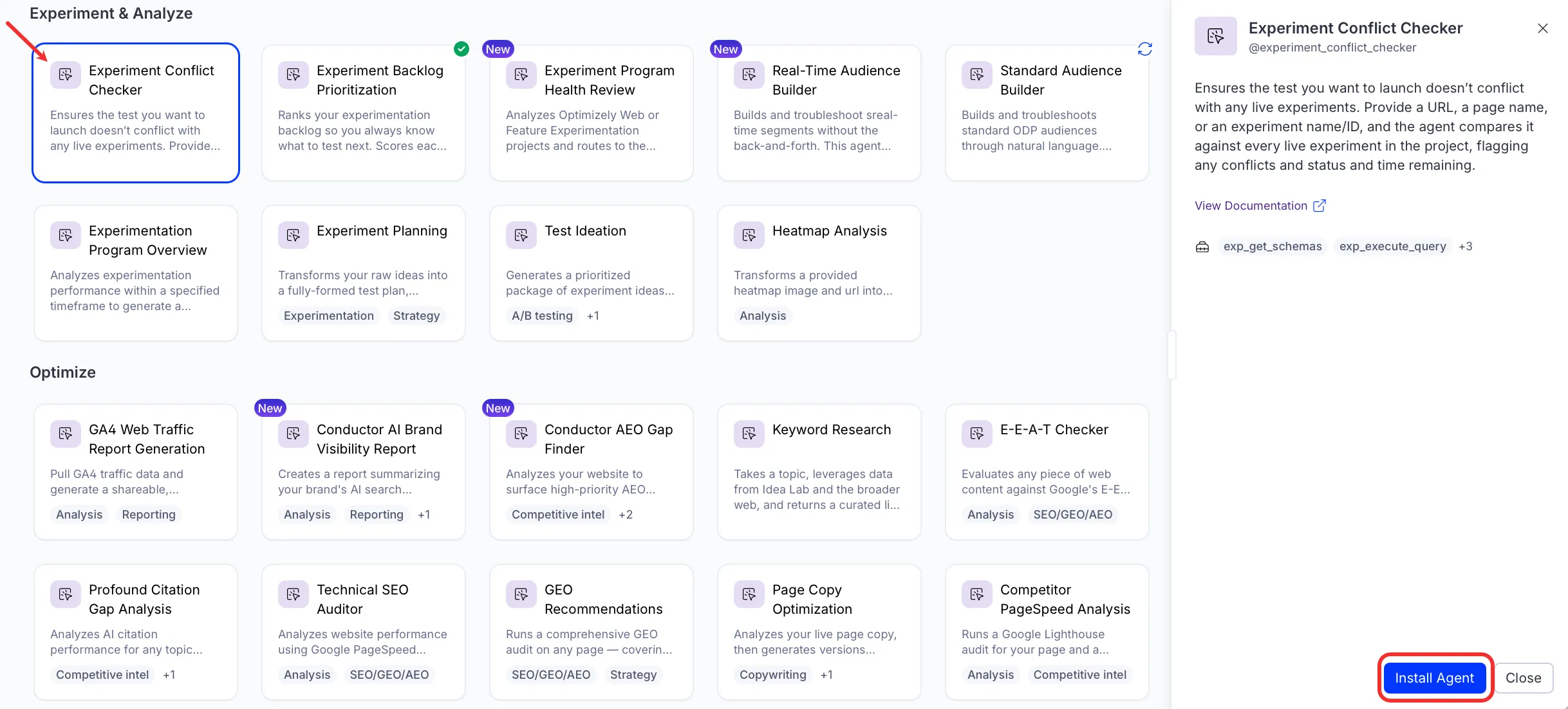
If Install Agent is disabled, connect the Required Optimizely products to your Opal instance first.
Use the agent
In Opal Chat, enter @experiment_conflict_checker and provide the following details:
- Page or URL to check – The page or URL you want to check for conflicts. Paste a URL, page name, or experiment name or ID, and the agent determines the input type.
The agent produces an HTML conflict report in a canvas, showing any live experiments that overlap with the page or URL you specified, along with their status and estimated time remaining.
To use the Experiment Conflict Checker agent in a workflow agent, drag and drop it into your workflow. See Create a workflow agent.
Details
These are the default details for the Experiment Conflict Checker agent. After you install the agent in your Opal instance, customize these details for your organization's needs. See Manage agents for instructions.
Input variables
The Experiment Conflict Checker agent takes the following input:
- Page or URL to check
Tools
The Experiment Conflict Checker agent uses the following tools internally to process your request:
- exp_get_schemas
- exp_execute_query
- exp_summarize_test_result
- reasoning_step
- create_canvas
Additional details
The agent uses the following default configuration:
- Inference level – Pro. Provides maximum reasoning depth.
- Files – None.
- Output – Text.
Note
If you use Opti ID, administrators can turn off generative AI in the Opti ID Admin Center. See Turn generative AI off across Optimizely applicationsTurn generative AI off across Optimizely applications.