Experiment Backlog Prioritization agent
Experiment Backlog Prioritization is an Optimizely Opal agent that scores each idea in your experimentation backlog using the Potential, Importance, Ease (PIE) framework and generates a prioritized report with recommended experiments and the reasoning behind every score.
- Challenge – Experimentation backlogs grow fast, but bandwidth is limited. Teams struggle to decide which ideas to test next. Many default to gut instinct or stakeholder pressure rather than a structured, objective framework.
- Agent outcome – The agent scores each idea in your backlog against the PIE framework and generates a prioritized dashboard with a leaderboard, quadrant chart, and individual idea scorecards.
- Value – Removes subjectivity from backlog decisions with a consistent, repeatable scoring methodology that aligns experiment priorities to strategic key performance indicators (KPIs) and surfaces the highest-impact ideas first.
Install agent
Note
Opal Administrators, Agent Builders, and users with the Add, edit, and install specialized agents attribute for a custom role can add agents to their organization's Optimizely Opal instance. See Add users and set permissions.
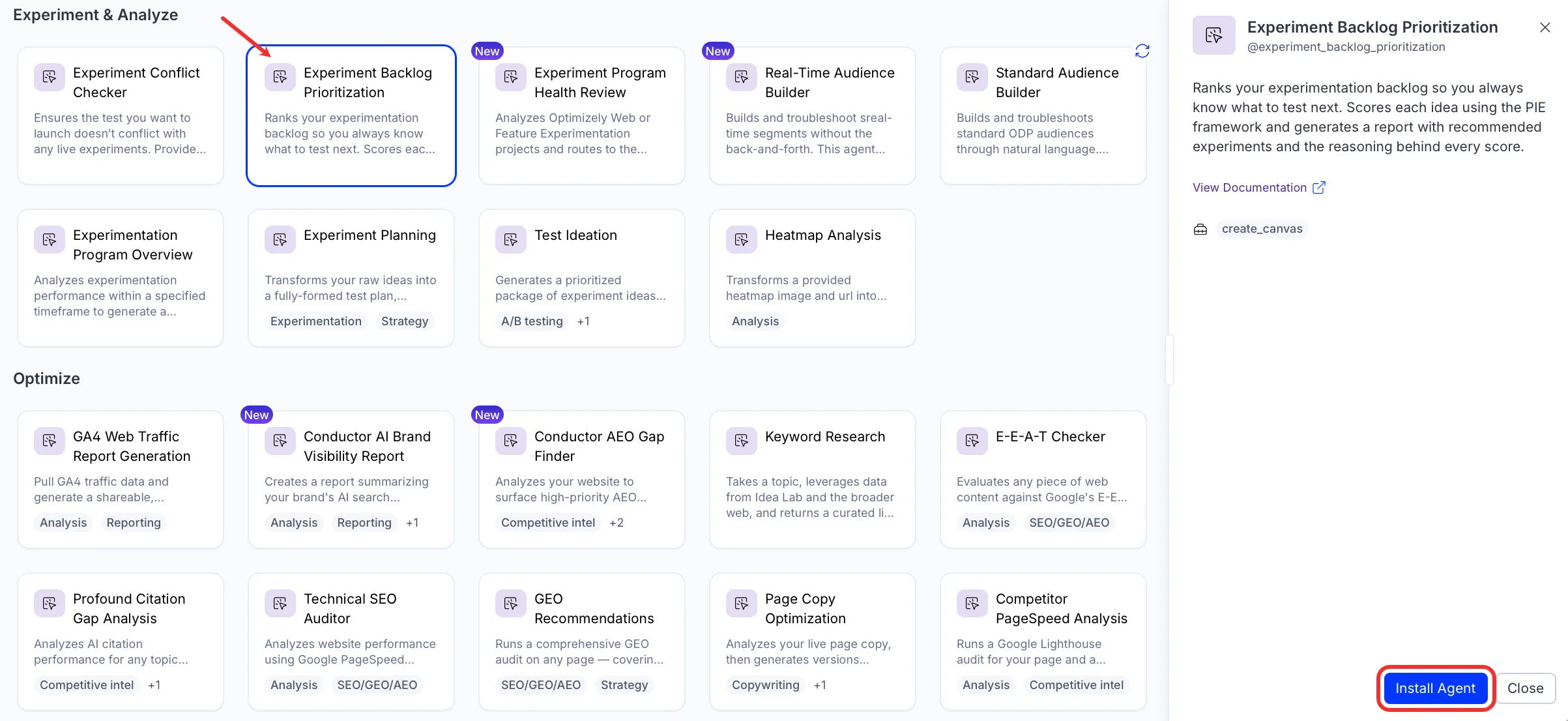
Install the agent from the Opal Agent Directory.
- Go to Agents > Agent Directory.
- Select Experiment Backlog Prioritization.
- Click Install Agent to add it to your Opal instance.
Use the agent
In Opal Chat, enter @experiment_backlog_prioritization and provide the following details:
- backlog_ideas – CRO backlog ideas to evaluate. The input accepts plain text, spreadsheet-derived content, or a structured list of testing ideas.
- strategic_kpis – Strategic KPIs used to score how well each idea aligns with your priorities.
The agent delivers a Canvas with three artifacts: a priority leaderboard, a quadrant chart, and individual idea scorecards for each backlog item.
To use the Experiment Backlog Prioritization agent in a workflow agent, drag and drop it into your workflow. See Create a workflow agent.
Details
These are the default details for the Experiment Backlog Prioritization agent. After you install the agent in your Opal instance, customize these details for your organization's needs. See Manage agents for instructions.
Input variables
The Experiment Backlog Prioritization agent takes the following input:
- backlog_ideas
- strategic_kpis
Tools
The Experiment Backlog Prioritization agent uses the following tools internally to process your request:
- create_canvas
Additional details
The agent uses the following default configuration:
- Inference level – Complex. Provides advanced reasoning and detail.
- Files – None.
- Output – Text.
Note
If you use Opti ID, administrators can turn off generative AI in the Opti ID Admin Center. See Turn generative AI off across Optimizely applicationsTurn generative AI off across Optimizely applications.