Creative Brief Generation agent
Creative Brief Generation is an agent in Mark (Optimizely Agent Platform). It turns a campaign description, asset type, and key message into a complete, structured creative brief. The brief covers strategy, audience, messaging, and visual requirements, ready to hand off to a creative team or agency.
- Challenge – Without a clear, structured roadmap, the creative process leads to misaligned expectations, revisions, and delays. Gathering goals, audience details, and technical requirements into a brief is slow work that delays the handoff to creative teams.
- Agent outcome – The agent turns your inputs into a structured creative brief with sections for objectives, audience, messaging, and visual requirements. The brief aligns contributors from the start.
- Value – Faster idea-to-execution with fewer revision cycles, so campaigns launch sooner.
Install agent
Note
Mark Administrators, Agent Builders, and users with the Add, edit, and install specialized agents attribute for a custom role can add agents to their organization's Mark instance. See Add users and set permissions.
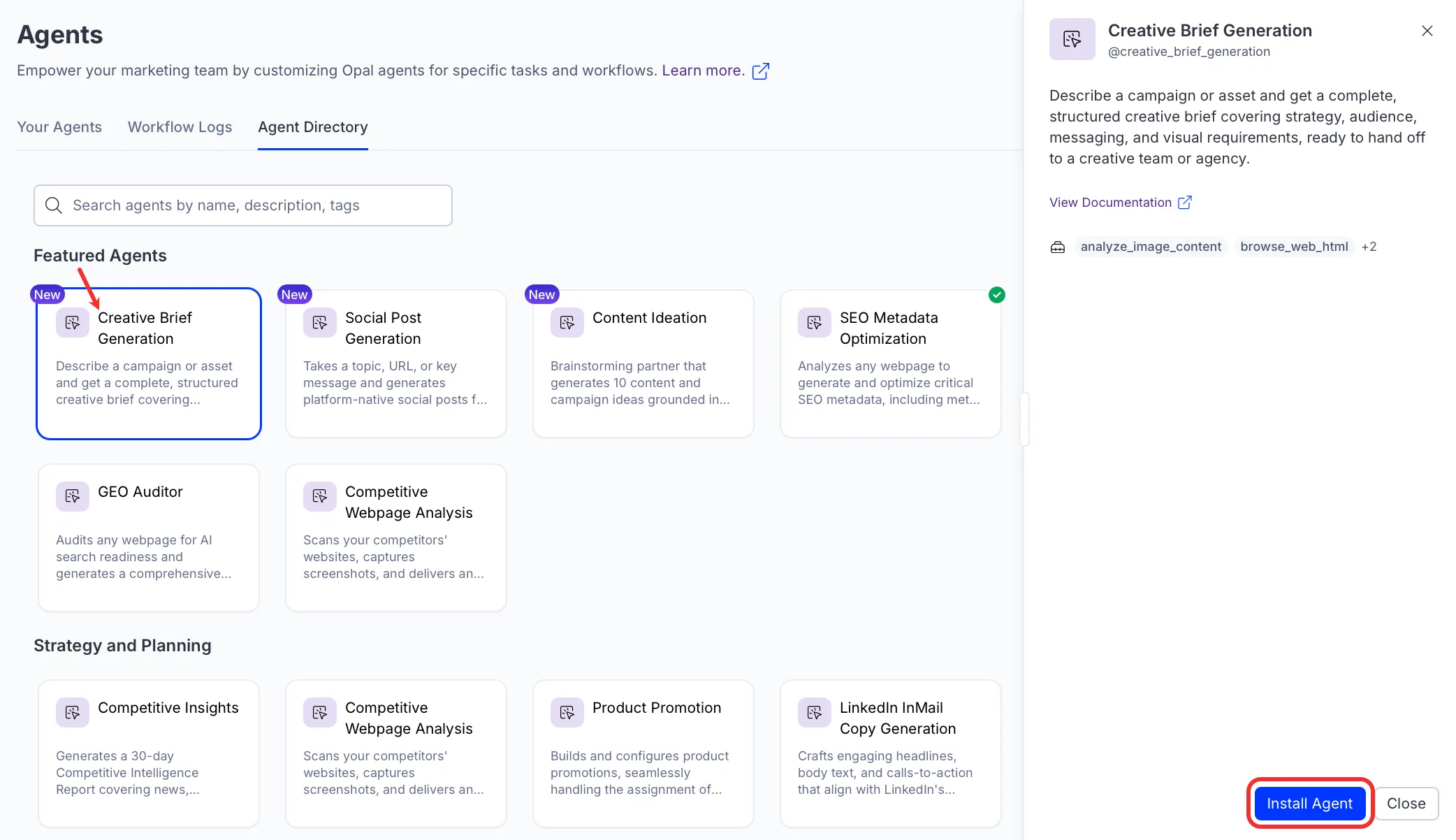
Install the agent from the Directory.
- Go to Directory > Agents.
- (Optional) Enter Creative Brief Generation or use the drop-down list filters to narrow the list.
- Click Install on Creative Brief Generation to add it to your Mark instance.
Use the agent
In Mark chat, enter @creative_brief_generation and provide the following details:
- Campaign Description – The product, event, launch, or initiative this campaign or asset is for. Describe it in a few sentences.
- Asset Type – The asset you are creating, for example LinkedIn graphic, Instagram carousel, event booth, product video, or email header.
- Key Message – The core thing you want the audience to think, feel, or do after seeing the asset.
- (Optional) Target Audience – Who the asset is for. Include persona, seniority, segment, or region if known.
- (Optional) Output Focus – The level of brief you need:
- Full Brief produces all seven sections: project foundation, strategy, target audience, messaging and copy, visual requirements, execution and governance, and creative context.
- Design Handoff produces the project foundation, messaging and copy, and visual requirements with the visual component hierarchy only.
- (Optional) Deadline – Hard delivery deadline or target launch date.
- (Optional) Reference Material – Paste a URL to an existing campaign or brand page, or upload a past brief, inspiration asset, or brand guidelines. The agent browses URLs and analyzes uploads to inform tone, style, dimensions, and content.
The agent delivers the creative brief as a canvas you can edit and hand off to your creative team.
To use the Creative Brief Generation agent in a workflow agent, add it to your workflow. See the Configure workflow section in the Create a workflow agent documentation.
Default agent details
The following are the default details of the Creative Brief Generation agent. After you install the agent in your Mark instance, customize these details for your organization's needs. See Manage agents for instructions.
Input variables
The Creative Brief Generation agent takes the following input:
- Campaign Description
- Asset Type
- Key Message
- (Optional) Target Audience
- (Optional) Output Focus
- (Optional) Deadline
- (Optional) Reference Material
Tools
The Creative Brief Generation agent uses the following tools internally to process your request:
- analyze_image_content
- browse_web_html
- search_web
- create_canvas
Default configuration
The agent uses the following default configuration:
- Inference level – Pro, which provides maximum reasoning depth.
- Files – None.
- Output – Text.
Note
If you use Opti ID, administrators can turn off generative AI in the Opti ID Admin Center. See Turn generative AI off across Optimizely applications.