Blog Post Generation agent
Blog Post Generation is an Optimizely Opal agent that writes a complete blog post for a target audience. The agent researches the subject and delivers the draft, with Search Engine Optimization (SEO) metadata, in a canvas you can edit.
- Challenge – Writing high-quality blog posts that fit a subject and resonate with a target audience is time-consuming, which slows publishing velocity.
- Agent outcome – The agent researches the subject, then writes a structured blog post including headings, body, and conclusion, for your target audience, with SEO metadata.
- Value – Faster blog production at consistent quality, so teams publish more often without adding writing capacity.
Install agent
Note
Opal Administrators, Agent Builders, and users with the Add, edit, and install specialized agents attribute for a custom role can add agents to their organization's Optimizely Opal instance. See Add users and set permissions.
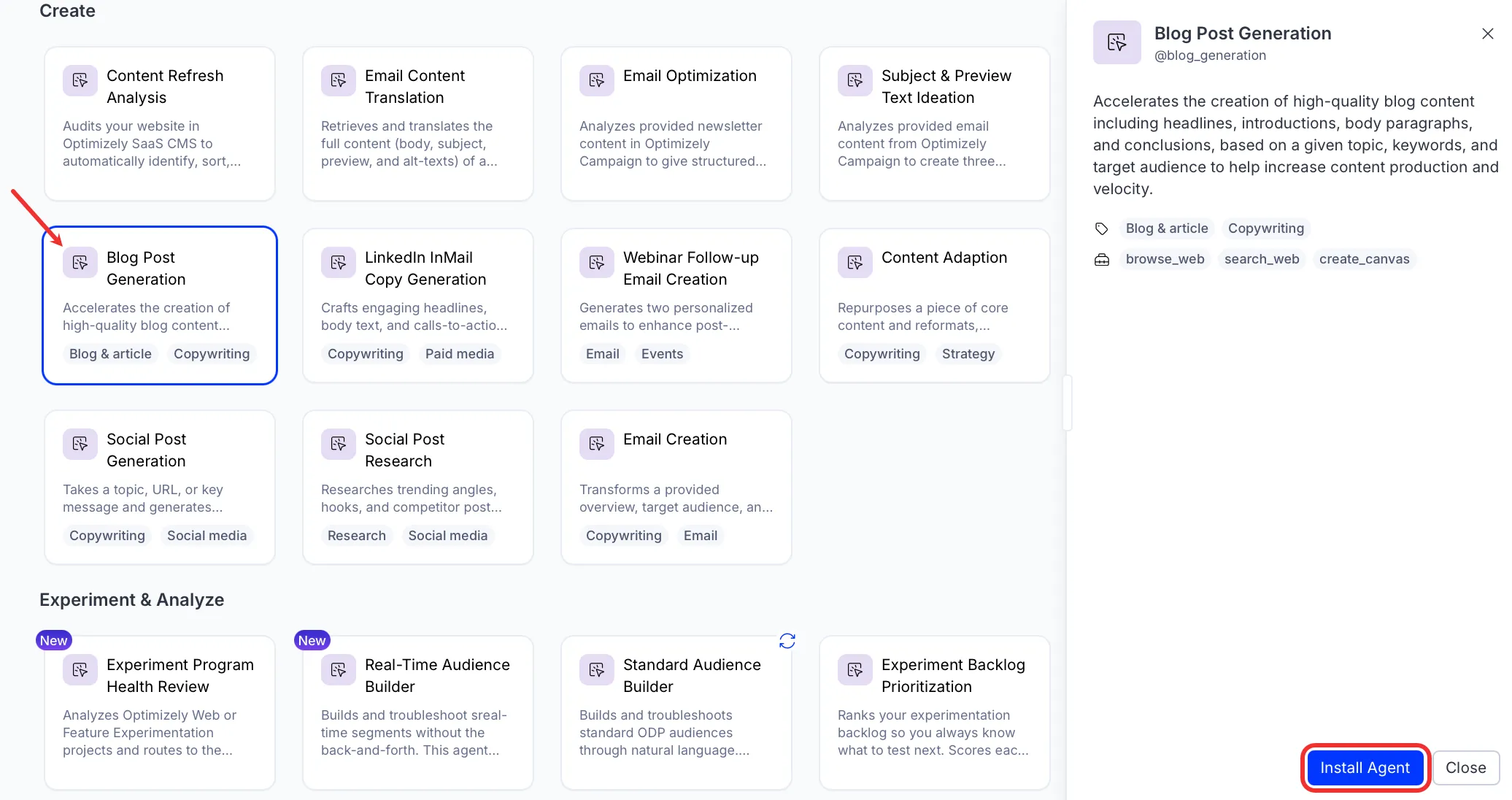
Install the agent from the Opal Agent Directory.
- Go to Agents > Agent Directory.
- Select Blog Post Generation.
- Click Install Agent to add it to your Opal instance.
Use the agent
To use the Blog Post Generation agent in Opal Chat, enter @blog_generation and provide details for the following parameters:
- Subject – What the article is about.
- Target audience – Who the article is for.
- (Optional) Additional guidance – Any additional notes or guidance before writing the article.
The agent writes the blog post in a canvas you can edit. The draft includes a title, an introduction, structured sections, and a conclusion. The agent also provides the following SEO metadata:
- Five title variations to test.
- A meta description.
- A URL slug.
- Target keywords.
It also links to the sources it cited.
To use the Blog Post Generation agent in a workflow agent, drag and drop it into your workflow. See the Create a workflow agent.
Details
The following are the default details of the Blog Post Generation agent. After you install the agent in your Opal instance, you can customize these details based on your organization's needs. See Manage agents for instructions.
Input variables
The Blog Post Generation agent takes the following input:
- Subject
- Target audience
- (Optional) Additional guidance
Tools
The Blog Post Generation agent uses the following tools internally to process your request:
- browse_web
- search_web
- create_canvas
Additional details
The agent uses the following default configuration:
- Inference level – Balanced. Provides reliable answers with additional reasoning.
- Files – None.
- Output – Text.
Note
If you use Opti ID, administrators can turn off generative AI in the Opti ID Admin Center. See Turn generative AI off across Optimizely applicationsTurn generative AI off across Optimizely applications.