Standard Audience Builder agent
Standard Audience Builder is an agent in Mark (Optimizely Agent Platform). It builds and troubleshoots standard Optimizely Data Platform (ODP) audiences through natural language.
- Challenge – Standard ODP audiences require manual configuration and specialized schema knowledge. Troubleshooting takes time when segments break or produce unexpected results.
- Agent outcome – The agent translates plain-language goals into validated audience configurations. It scans your schema and event logs to catch mismatches. It also generates variants of an existing audience in bulk from a single prompt.
- Value – Target the right customers faster by removing the technical barriers of audience creation. Automate repetitive variant work. For example, take a validated audience and generate a version for every country in the European Union (EU). Segments stay accurate, consistent, and ready to activate across campaigns.
Required Optimizely products
The Standard Audience Builder agent requires Optimizely Data Platform.
Install agent
Note
Mark Administrators, Agent Builders, and users with the Add, edit, and install specialized agents attribute for a custom role can add agents to their organization's Mark instance. See Add users and set permissions.
Install the agent from the Directory.
- Go to Directory > Agents.
- (Optional) Enter Standard Audience Builder or use the drop-down list filters to narrow the list.
- Click Install on Standard Audience Builder to add it to your Mark instance.
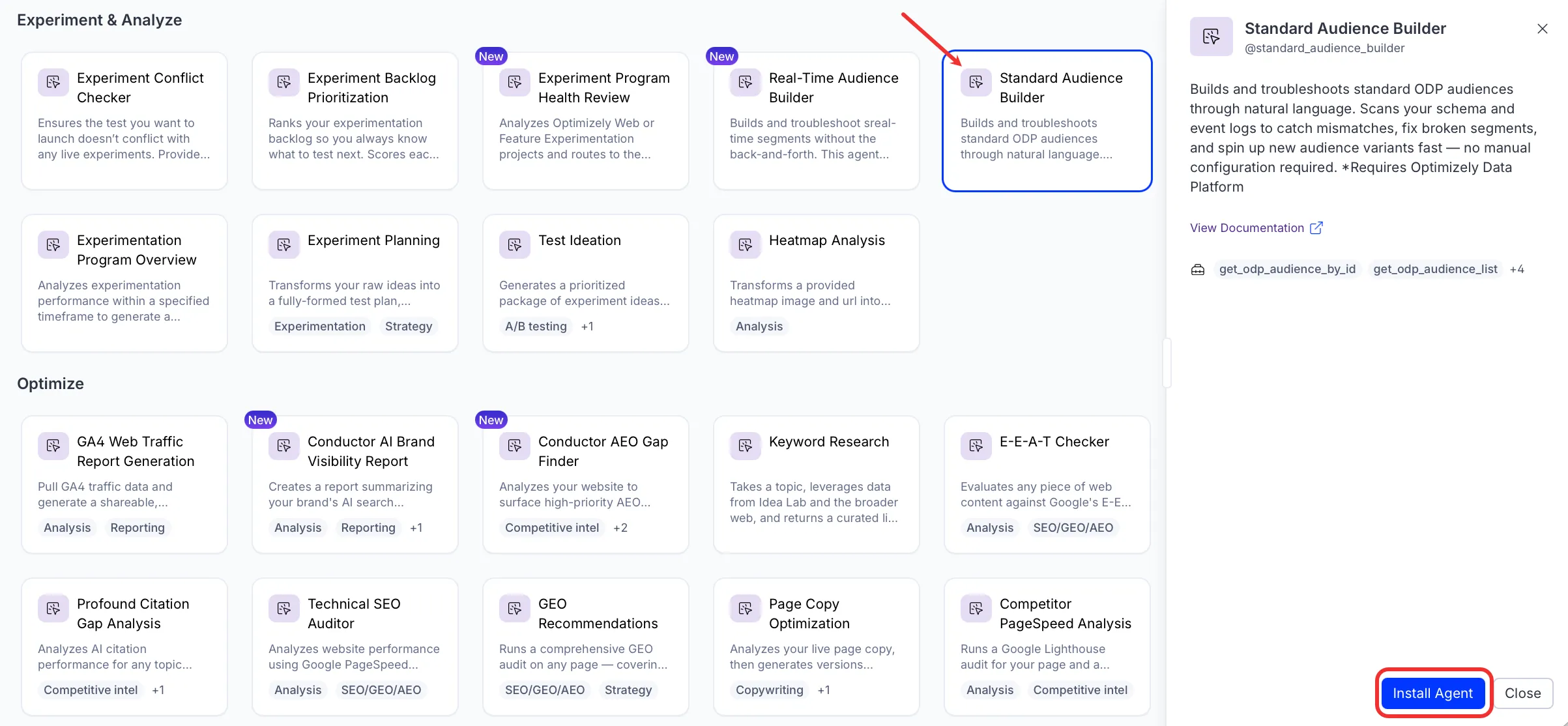
If Install is disabled, connect the required Optimizely products to your Mark instance first.
Use the agent
In Mark chat, enter @standard_audience_builder and provide the following details:
- (Optional) user_query – The query you want the agent to resolve. Enter it in your own words.
For example, to create a single audience, enter @standard_audience_builder Create an audience of visitors who viewed the pricing page in the last seven days but did not convert.
To generate variants of an existing audience in bulk, reference the source audience and describe the dimension to split on. For example, enter @standard_audience_builder Take my High-Intent Pricing Visitors audience and create a variant for every country in the EU.
The agent returns the proposed audience configurations in chat. Confirm them to create the audiences in ODP, or refine the prompt and run the agent again.
To use the Standard Audience Builder agent in a workflow agent, add it to your workflow. See Create a workflow agent.
Default agent details
These are the default details for the Standard Audience Builder agent. After you install the agent in your Mark instance, customize these details for your organization's needs. See Manage agents for instructions.
Input variables
The Standard Audience Builder agent takes the following input:
- (Optional) user_query
Tools
The Standard Audience Builder agent uses the following tools internally to process your request:
- get_odp_audience_by_id
- get_odp_audience_list
- create_odp_audience
- update_odp_audience
- fetch_schema
- odp_query_event_logs
Default configuration
The agent uses the following default configuration:
- Inference level – Pro, which provides maximum reasoning depth.
- Files – None.
- Output – Text.
Note
If you use Opti ID, administrators can turn off generative AI in the Opti ID Admin Center. See Turn generative AI off across Optimizely applications.