Test Ideation agent
Test Ideation is an agent in Mark (Optimizely Agent Platform). It generates a prioritized package of experiment ideas for any page.
- Challenge – Identifying high-impact experiments is time-consuming. Without historical context, you risk repeating dead ends or missing obvious wins.
- Agent outcome – A prioritized list of experiment ideas tailored to your page, goal, and past results.
- Value – Accelerates your experimentation pipeline with ideas that build on what you know, not what you guess.
Install agent
Note
Mark Administrators, Agent Builders, and users with the Add, edit, and install specialized agents attribute for a custom role can add agents to their organization's Mark instance. See Add users and set permissions.
Install the agent from the Directory.
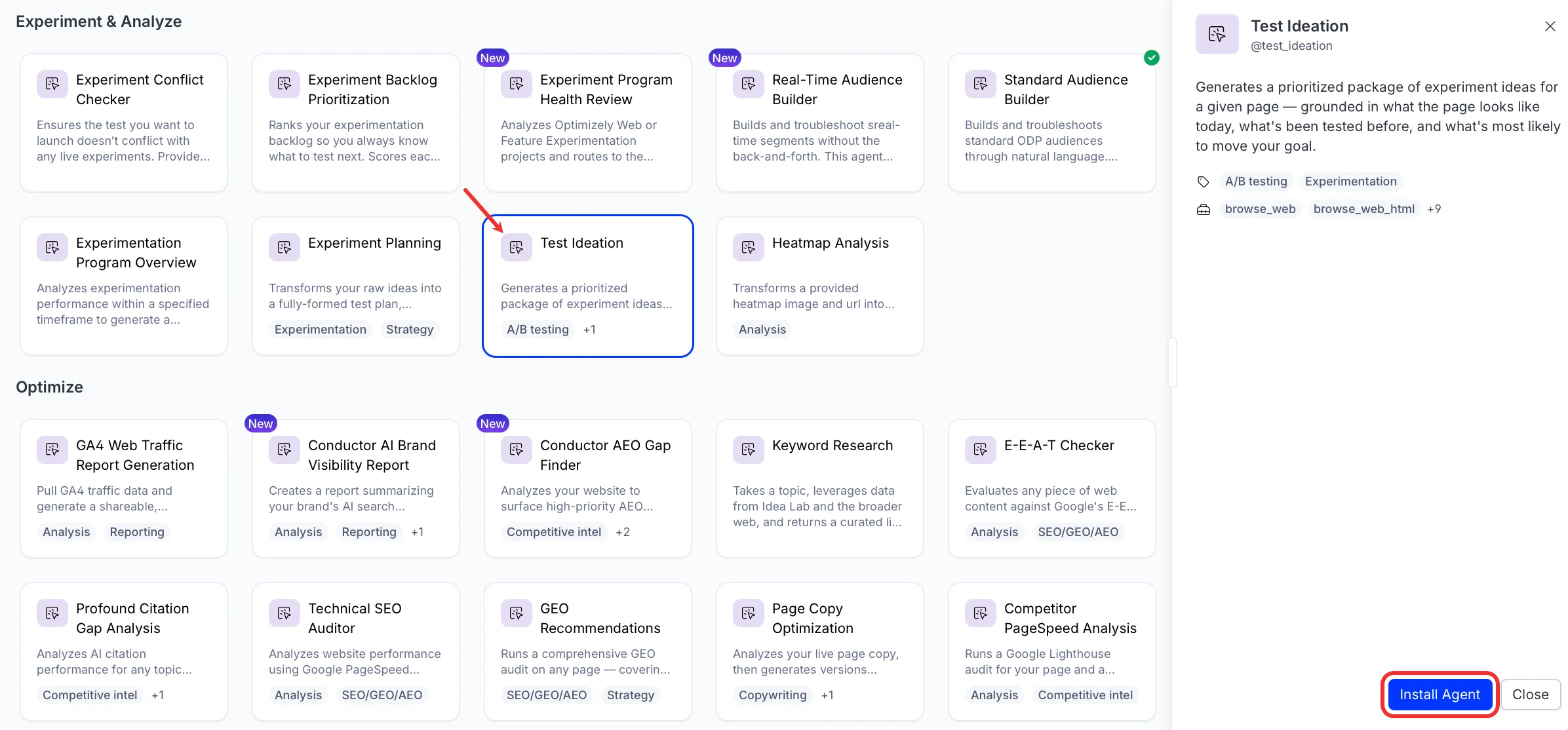
- Go to Directory > Agents.
- (Optional) Enter Test Ideation or use the drop-down list filters to narrow the list.
- Click Install on Test Ideation to add it to your Mark instance.
Use the agent
In Mark chat, enter @test_ideation and provide the following details:
- URL – The page URL to analyze and generate ideas for. The agent visits the page, takes a screenshot, and uses it as the foundation for all recommendations.
- (Optional) Goal – The business goal or problem to solve. For example, increase lead submissions, reduce drop-off on mobile, or get more users to create an account. If you omit it, the agent infers the goal from the page.
- (Optional) Metric – The specific metric to move. For example, conversion rate, revenue per visitor, or click-through rate on CTA. If you omit it, the agent identifies the most important metric based on the page type and goal.
- (Optional) Past Experiments – Specific experiment names or IDs for the agent to reference and build on. The agent pulls full results for each and uses them to inform recommendations. It iterates on winners, reframes losers, and avoids dead ends.
- (Optional) Search Experiments – Keywords or themes to search your experiment history for relevant past tests. For example, checkout, CTA copy, or mobile homepage. The agent finds and pulls results for the most relevant experiments.
- (Optional) Context – Context that should shape the recommendations. Examples include audience information, known pain points, upcoming initiatives, areas to avoid, and heatmap findings.
The agent returns a prioritized package of experiment ideas in a canvas, organized by implementation complexity.
To use the Test Ideation agent in a workflow agent, add it to your workflow. See Create a workflow agent.
Default agent details
These are the default details for the Test Ideation agent. The Test Ideation agent is an Optimizely-managed agent and you cannot update it. See Optimizely-managed agents overview.
Input variables
The Test Ideation agent takes the following input:
- URL
- (Optional) Goal
- (Optional) Metric
- (Optional) Past Experiments
- (Optional) Search Experiments
- (Optional) Context
Tools
The Test Ideation agent uses the following tools internally to process your request:
- browse_web
- browse_web_html
- take_webpage_screenshot
- analyze_image_content
- exp_get_schemas
- exp_execute_query
- exp_summarize_test_result
- exp_program_reporting_top_experiments
- exp_program_reporting_underperforming_experiments
- create_canvas
- edit_canvas
Default configuration
The agent uses the following default configuration:
- Inference level – Pro, which provides maximum reasoning depth.
- Files – None.
- Output – Text.
Note
If you use Opti ID, administrators can turn off generative AI in the Opti ID Admin Center. See Turn generative AI off across Optimizely applications.