Real-Time Audience Builder agent
Real-Time Audience Builder is an Optimizely Opal agent that creates, updates, and troubleshoots Optimizely Data Platform (ODP) real-time audiencesOptimizely Data Platform (ODP) real-time audiences. It answers expert questions about audience purpose, overlap, and Real-Time Segment (RTS) expressions.
- Challenge – Creating, updating, and troubleshooting RTS audiences in ODP can be difficult. Common challenges include identifying audiences, understanding overlap, building expressions, and diagnosing unexpected behavior.
- Agent outcome – The agent explains technical segmentation concepts clearly and tailors recommendations to your existing real-time audiences. It creates or updates audiences on request and guides you toward a resolution.
- Value – Manage RTS audiences in ODP more efficiently by creating, refining, and troubleshooting them through natural-language requests.
Required Optimizely products
An Optimizely Data Platform (ODP) instance that is connected to Opal, has Real-Time AudiencesReal-Time Audiences enabled, and is selected in the Opal Chat Set Product Instance drop-down list.
Install agent
Note
Opal Administrators, Agent Builders, and users with the Add, edit, and install specialized agents attribute for a custom role can add agents to their organization's Optimizely Opal instance. See Add users and set permissions.
Install the agent from the Opal Agent Directory.
- Go to Agents > Agent Directory.
- Select Real-Time Audience Builder.
- Click Install Agent to add it to your Opal instance.
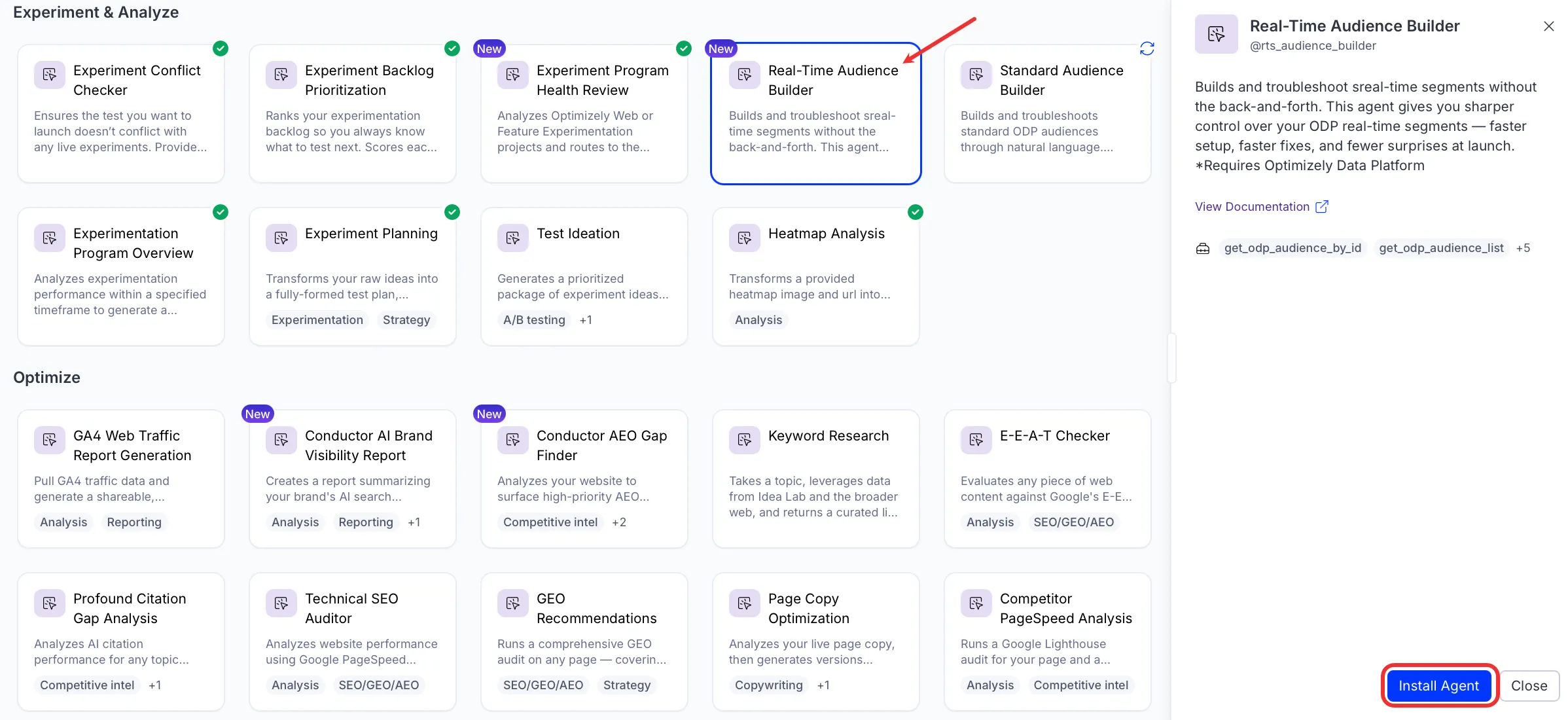
If Install Agent is disabled, verify you have the Required Optimizely products connected to your Opal instance.
Use the agent
In Opal Chat, enter @rts_audience_builder and provide the following details:
- user_query – A query, creation request, or update request for your real-time audiences.
The agent answers real-time audience questions, proposes audience definitions, and reports create or update outcomes.
To use the Real-Time Audience Builder agent in a workflow agent, drag and drop it into your workflow. See Create a workflow agent.
Details
These are the default details for the Real-Time Audience Builder agent. After you install the agent in your Opal instance, customize these details for your organization's needs. See Manage agents for instructions.
Input variables
The Real-Time Audience Builder agent takes the following input:
- user_query
Tools
The Real-Time Audience Builder agent uses the following tools internally to process your request:
- get_odp_audience_by_id
- get_odp_audience_list
- create_odp_audience
- update_odp_audience
- fetch_schema
- odp_query_event_logs
- validate_odp_audience
Additional details
The agent uses the following default configuration:
- Inference level – Pro. Provides maximum reasoning depth.
- Files – None.
- Output – Text.
Note
If you use Opti ID, administrators can turn off generative AI in the Opti ID Admin Center. See Turn generative AI off across Optimizely applicationsTurn generative AI off across Optimizely applications.