Product Promotion agent
Product Promotion is an Optimizely Opal agent that builds and configures product promotions from a natural-language prompt. The agent assigns products and variants and applies the promotion types you describe.
- Challenge – Commerce teams face manual configuration, slow campaign launches, and a long promotional lifecycle.
- Agent outcome – Builds and configures product promotions, assigning products and variants and applying promotion types.
- Value – Launch campaigns faster, reduce manual configuration, and shorten the promotional lifecycle.
Required Optimizely products
Optimizely Commerce Connect
Install agent
Note
Opal Administrators, Agent Builders, and users with the Add, edit, and install specialized agents attribute for a custom role can add agents to their organization's Optimizely Opal instance. See Add users and set permissions.
Install the agent from the Opal Agent Directory.
- Go to Agents > Agent Directory.
- Select Product Promotion.
- Click Install Agent to add it to your Opal instance.
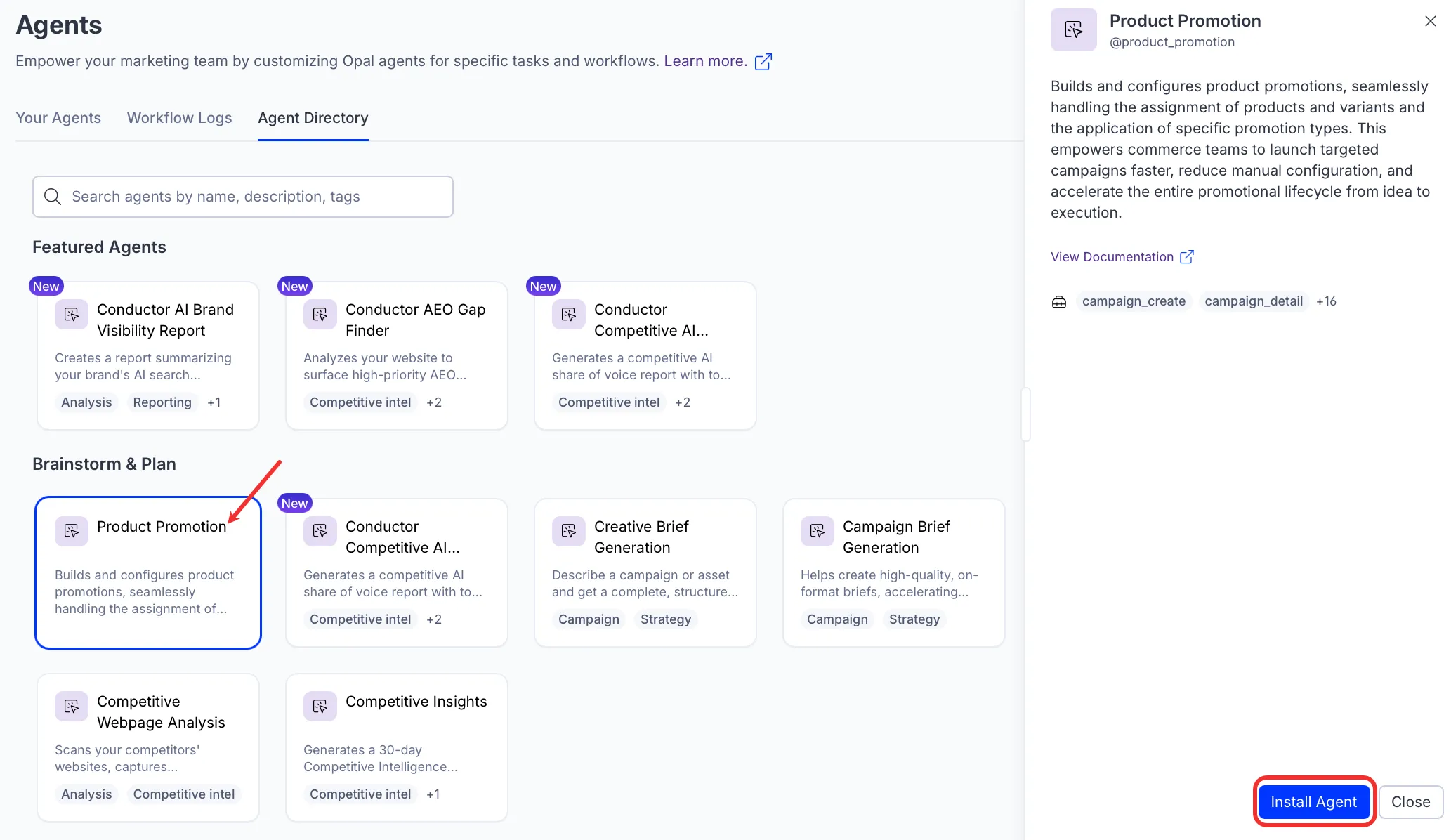
- Complete the steps in the Get started with Opal toolsGet started with Opal tools to install and configure Opal in your Commerce Connect instance if you have not done so before.
Note
If Install Agent is disabled, ensure you have the Required Optimizely products connected to your Opal instance.
Use the agent
In Opal Chat, enter @product_promotion and and describe the campaign you want to create. For example, Create a campaign for Men's Shoes for two weeks starting January 27, 2026.
Next, create a promotion under the campaign, select a promotion type, and add products to it.
To use the Product Promotion agent in a workflow agent, drag and drop it into your workflow. See the Configure workflow section in the Create a workflow agent documentation.
Details
These are the default details of the Product Promotion agent. After you install the agent in your Opal instance, you can customize these details based on your organization's needs. See Manage agents for instructions.
Input variables
The Product Promotion agent has no input variables. Describe your request in Opal Chat instead.
Tools
The Product Promotion agent uses the following tools internally to process your request:
- campaign_create
- campaign_detail
- campaign_filter
- campaign_types_list
- campaign_update
- catalog_query
- commerce_list_market
- get_validator_properties
- promotion_clone
- promotion_create
- promotion_detail
- promotion_dynamic_update
- promotion_filter
- promotion_list_by_sales
- promotion_properties
- promotion_types_list
- promotion_update
Additional details
The agent uses the following default configuration:
- Inference level – Standard. Provides reliable answers.
- Files – None.
- Output – Text.
Note
If you use Opti ID, administrators can turn off generative AI in the Opti ID Admin Center. See Turn generative AI off across Optimizely applicationsTurn generative AI off across Optimizely applications.