Presentation Outline Generation agent
Presentation Outline Generation is an agent in Mark (Optimizely Agent Platform). It transforms a topic, goal, or raw content into a structured, slide-by-slide presentation outline.
- Challenge – Structuring a presentation from scratch or from unorganized notes takes significant time and narrative expertise.
- Agent outcome – The agent produces a slide-by-slide outline as an interactive Hypertext Markup Language (HTML) canvas. The outline includes titles, key messages, content points, speaker notes, and layout tags.
- Value – Teams reduce presentation planning time and receive a consistent, goal-aligned structure ready for visual development.
Install agent
Note
Mark Administrators, Agent Builders, and users with the Add, edit, and install specialized agents attribute for a custom role can add agents to their organization's Mark instance. See Add users and set permissions.
Install the agent from the Directory.
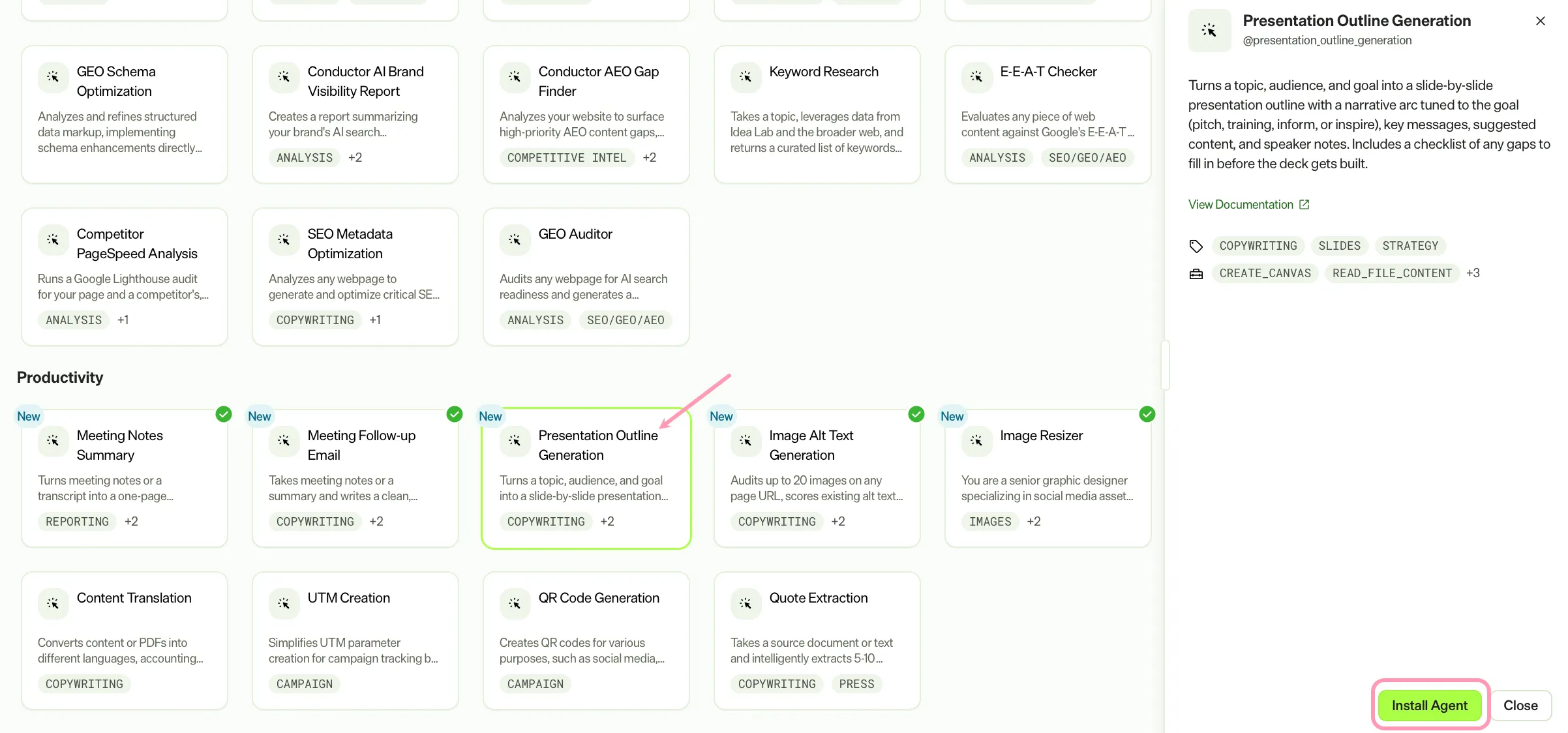
- Go to Directory > Agents.
- (Optional) Enter Presentation Outline Generation or use the drop-down list filters to narrow the list.
- Click Install on Presentation Outline Generation to add it to your Mark instance.
Use the agent
In Mark chat, enter @presentation_outline_generation and provide the following details:
- topic – The subject or title of the presentation.
- (Optional) audience – Who views the presentation. For example, executives, developers, or customers.
- (Optional) goal – The desired outcome. For example, persuade, inform, train, or pitch.
- (Optional) tone – Desired tone. For example, formal, conversational, inspirational, or data-driven.
- (Optional) num_slides – Approximate number of slides desired.
- (Optional) content_input – Raw content, notes, data, or reference material to base the outline on.
- (Optional) duration – Intended presentation length. For example, 5 minutes, 20 minutes, or 45 minutes.
Only topic is required. Provide audience, goal, and tone for a more tailored outline. Supply num_slides or duration to control length, and content_input to base the outline on existing material.
The agent delivers a structured slide-by-slide outline rendered as an interactive HTML canvas. The outline includes a narrative arc, structure map, slide titles, key messages, content points, speaker notes, and layout tags.
To use the Presentation Outline Generation agent in a workflow agent, add it to your workflow. See Create a workflow agent.
Default agent details
These are the default details for the Presentation Outline Generation agent. After you install the agent in your Mark instance, customize these details for your organization's needs. See Manage agents for instructions.
Input variables
The Presentation Outline Generation agent takes the following input:
- topic
- (Optional) audience
- (Optional) goal
- (Optional) tone
- (Optional) num_slides
- (Optional) content_input
- (Optional) duration
Tools
The Presentation Outline Generation agent uses the following tools to process your request:
- create_canvas
- read_file_content
- convert_to_pdf
- reasoning_step
- edit_canvas
Default configuration
The agent uses the following default configuration:
- Inference level – Balanced, which provides reliable answers with additional reasoning.
- Files – None.
- Output – Text.
Note
If you use Opti ID, administrators can turn off generative AI in the Opti ID Admin Center. See Turn generative AI off across Optimizely applications.