Page Copy Optimization agent
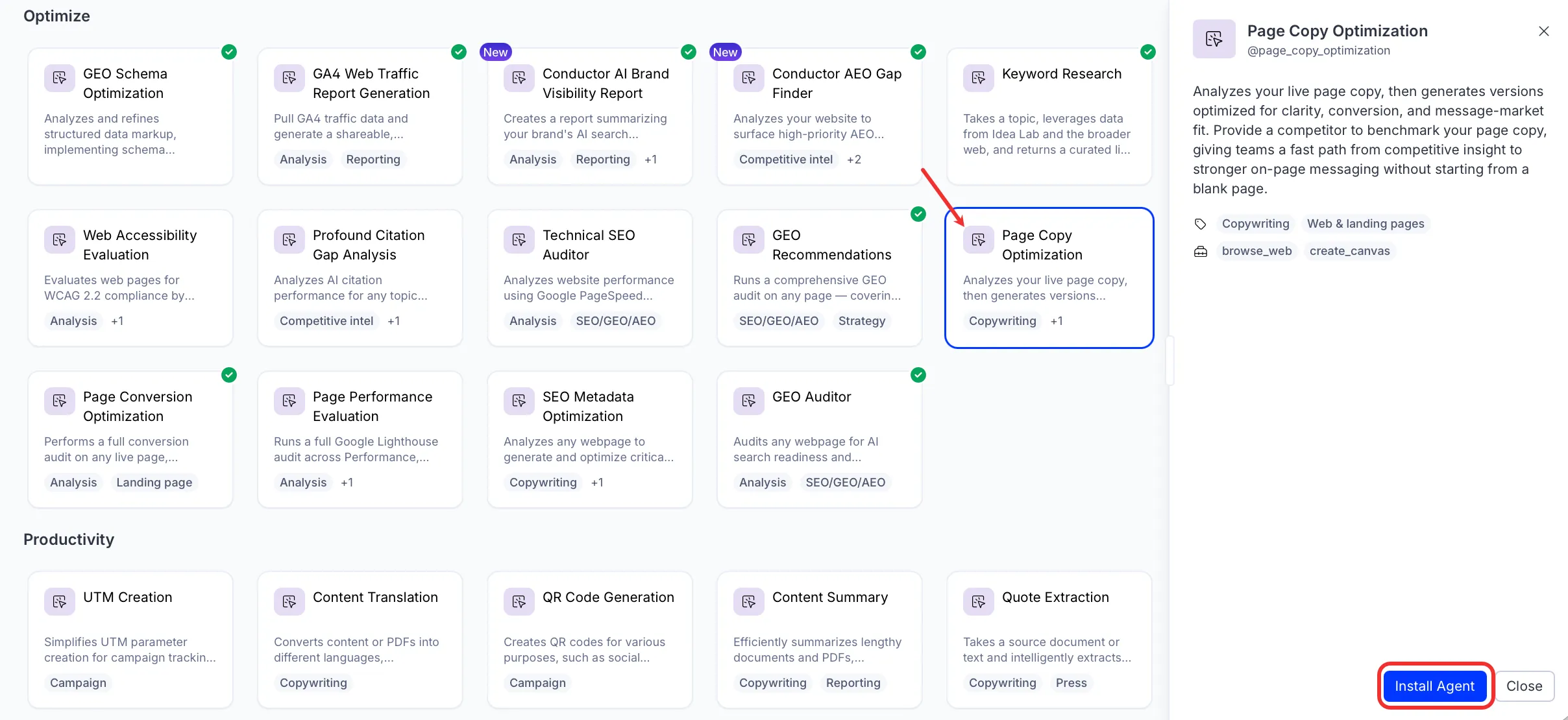
Page Copy Optimization is an agent in Mark (Optimizely Agent Platform). It analyzes your live page copy and generates optimized versions for clarity, conversion, and message-market fit.
- Challenge – Writing high-performing page copy is difficult without a clear benchmark. Without visibility into how your messaging compares to competitors, your copy fails to resonate, differentiate, or convert.
- Agent outcome – Produces optimized copy variants ready for use or testing. Each version maps to the target audience, conversion goal, and competitive positioning you provide.
- Value – Move from competitive insight to stronger on-page messaging in minutes. By replacing guesswork with audience-specific, goal-driven copy, you sharpen your value proposition and improve conversion rates.
Install agent
Note
Mark Administrators, Agent Builders, and users with the Add, edit, and install specialized agents attribute for a custom role can add agents to their organization's Mark instance. See Add users and set permissions.
Install the agent from the Directory.
- Go to Directory > Agents.
- (Optional) Enter Page Copy Optimization or use the drop-down list filters to narrow the list.
- Click Install on Page Copy Optimization to add it to your Mark instance.
Use the agent
In Mark chat, enter @page_copy_optimization and provide the following details:
- Page URL or Content – Enter a URL to analyze the live page, or paste the page copy directly.
- (Optional) Primary Audience – Describe the target reader: their role, company size or segment, and their single biggest pain point.
- (Optional) Primary Conversion Goal – State the primary action the page must drive, and optionally a secondary goal.
- (Optional) Competitor to Benchmark – Paste up to three full competitor page URLs, not just brand names.
- (Optional) Brand Tone – Provide three tone adjectives and one contrast statement. Describe what the brand sounds like and what it does not sound like.
- (Optional) Key Value Props to Preserve – List two to three claims or differentiators that must not be rewritten away.
The agent delivers a Hypertext Markup Language (HTML) canvas report with optimized copy variants, section-by-section rewrites, competitive benchmarking, and a prioritized action plan.
To use the Page Copy Optimization agent in a workflow agent, add it to your workflow. See Create a workflow agent.
Default agent details
These are the default details for the Page Copy Optimization agent. After you install the agent in your Mark instance, customize these details for your organization's needs. See Manage agents for instructions.
Input variables
The Page Copy Optimization agent takes the following input:
- Page URL or Content
- (Optional) Primary Audience
- (Optional) Primary Conversion Goal
- (Optional) Competitor to Benchmark
- (Optional) Brand Tone
- (Optional) Key Value Props to Preserve
Tools
The Page Copy Optimization agent uses the following tools internally to process your request:
- browse_web
- create_canvas
Default configuration
The agent uses the following default configuration:
- Inference level – Complex, which provides advanced reasoning and detail.
- Files – None.
- Output – Text.
Note
If you use Opti ID, administrators can turn off generative AI in the Opti ID Admin Center. See Turn generative AI off across Optimizely applications.