Page Builder agent (CMS SaaS)
Page Builder is an Optimizely Opal agent that analyzes a document, image, or URL and creates an Optimizely Content Management System (SaaS) content item of a specified content type.
- Challenge – Editors spend significant time manually creating CMS (SaaS) content from designs, documents, or external sources.
- Agent outcome – The Page Builder agent creates a fully populated CMS (SaaS) content item that matches the specified content type, using the provided input.
- Value – The Page Builder agents accelerates content production by eliminating manual content entry and formatting steps.
Prerequisites
Before using the Page Builder agent, you must have the following:
- Have Optimizely Content Management System (SaaS).
- Run the Content Analysis agent for the content type you want to build.
Install agent
Note
Opal Administrators, Agent Builders, and users with the Add, edit, and install specialized agents attribute for a custom role can add agents to their organization's Optimizely Opal instance. See Add users and set permissions.
Install the agent from the Opal Agent Directory.
- Go to Agents > Agent Directory.
- Select Page Builder.
- Click Install Agent to add it to your Opal instance.
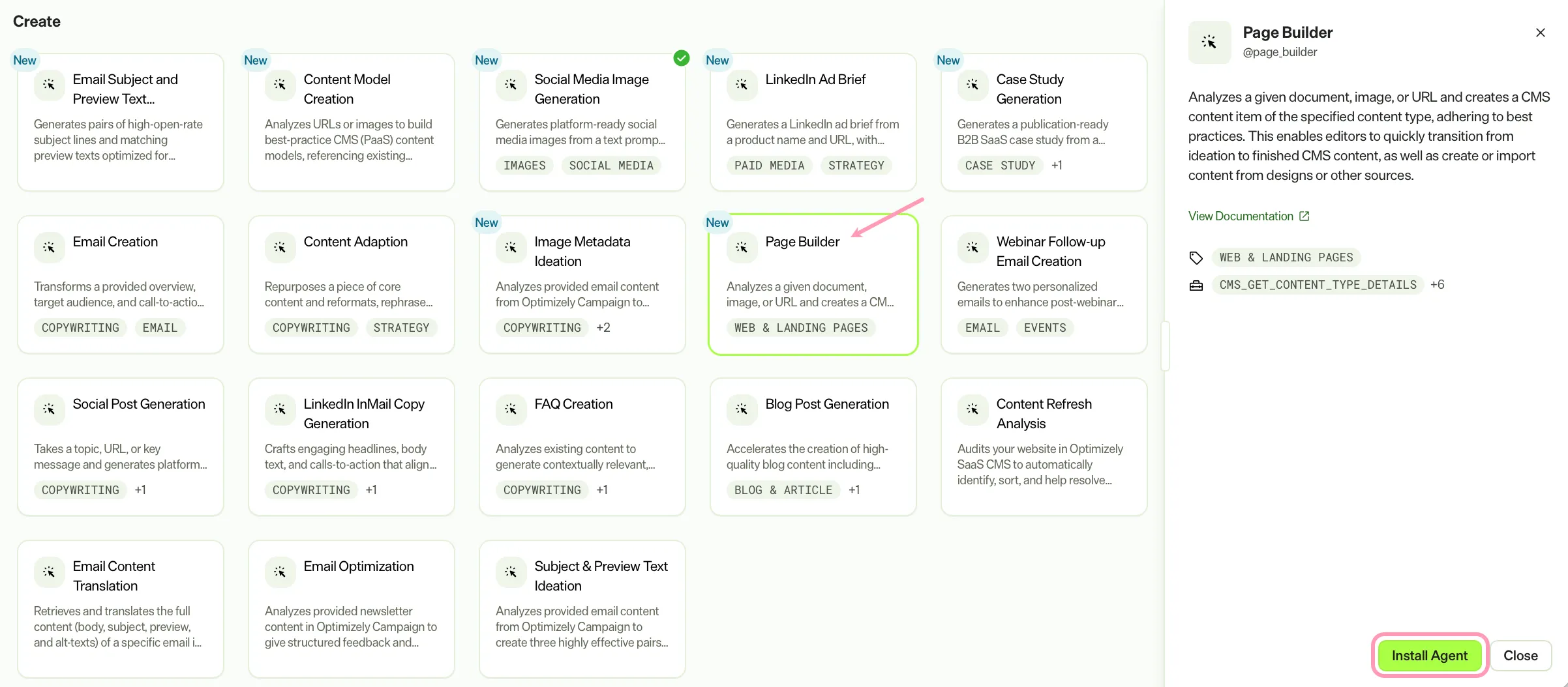
If Install Agent is disabled, connect the Required Optimizely products to your Opal instance first.
Use the agent
In Opal Chat, enter @page_builder and provide these details:
- content_type – The CMS (SaaS) content type to use when creating content.
- parent – The parent content item under which Page Builder creates the new content.
- (Optional) file – Images or documents to use as input for creating content or as assets in the created content.
- (Optional) prompt – A URL or other input for creating content.
The agent creates a CMS (SaaS) content item populated with content from the provided input, matching the specified content type structure.
To use the Page Builder agent in a workflow agent, drag and drop it into your workflow. See Create a workflow agent.
Details
The Page Builder agent uses these default details. After you install the agent in your Opal instance, customize these details for your organization's needs. See Manage agents for instructions.
Input variables
The Page Builder agent takes this input:
- content_type
- parent
- (Optional) file
- (Optional) prompt
Tools
The Page Builder agent uses the following tools internally to process your request:
- cms_get_content_type_details
- cms_update_content_item
- browse_web_html
- cms_list_content_types
- take_webpage_screenshot
- cms_get_content_preview_url
- cms_upload_media
Additional details
The agent uses the following default configuration:
- Inference level – Pro. Provides maximum reasoning depth.
- Files – None.
- Output – Text.
Note
If you use Opti ID, administrators can turn off generative AI in the Opti ID Admin Center. See Turn generative AI off across Optimizely applicationsTurn generative AI off across Optimizely applications.