GEO Recommendations agent
GEO Recommendations is an Optimizely Opal agent that runs a comprehensive Generative Engine Optimization (GEO) audit on any page and delivers a branded report with prioritized recommendations.
- Challenge – Organizations struggle to optimize content-heavy pages for AI-powered search engines like ChatGPT, Perplexity, and Google AI Overviews. Manual GEO audits are time-consuming, inconsistent, and rarely produce actionable, prioritized recommendations.
- Agent outcome – The agent delivers a branded report containing prioritized recommendations based on a comprehensive GEO audit of the specified page.
- Value – Delivers a clear, data-driven roadmap to enhance GEO, improve user experience, and drive more organic traffic and conversions.
See GEO Recommendations Agent in Optimizely Academy for more information.
Install agent
Note
Opal Administrators, Agent Builders, and users with the Add, edit, and install specialized agents attribute for a custom role can add agents to their organization's Optimizely Opal instance. See Add users and set permissions.
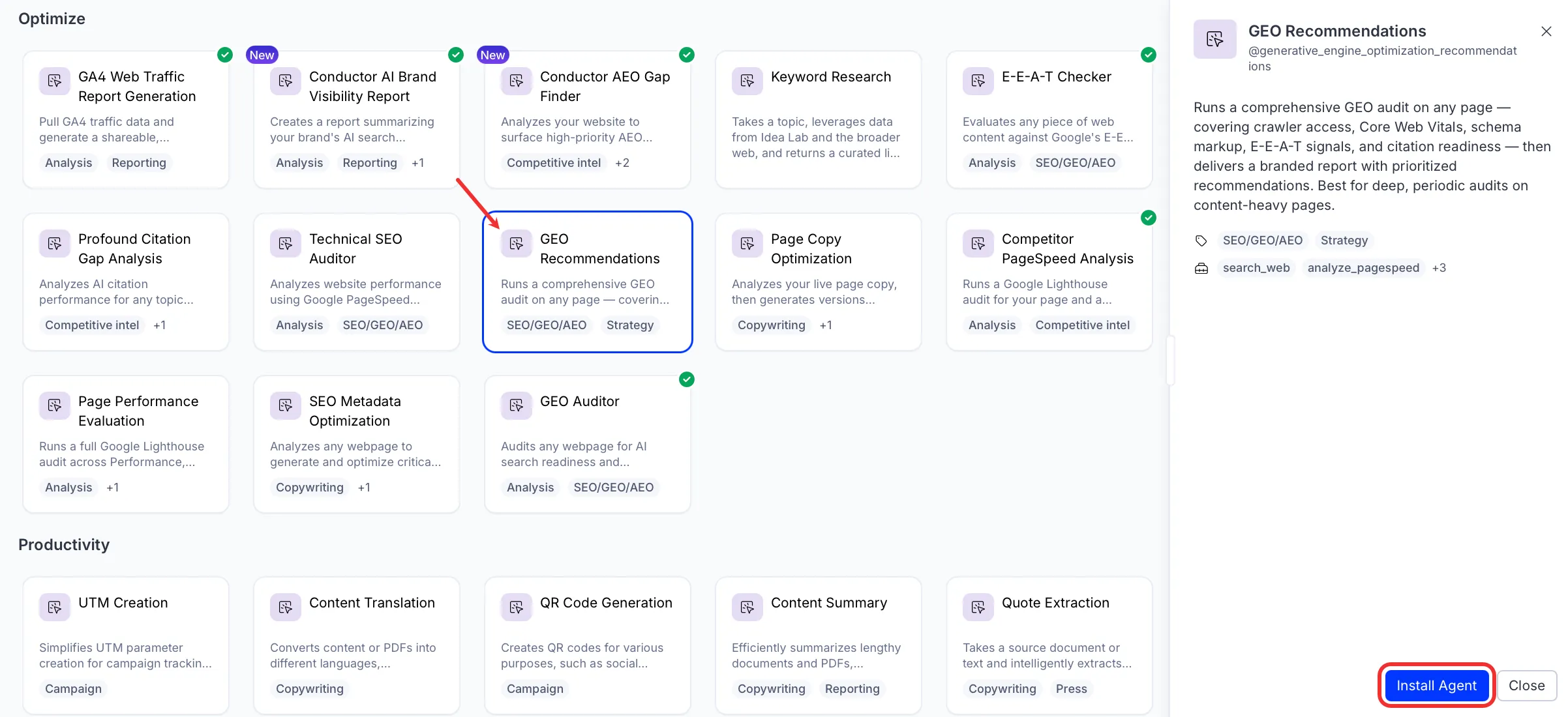
Install the agent from the Opal Agent Directory.
- Go to Agents > Agent Directory.
- Select GEO Recommendations.
- Click Install Agent to add it to your Opal instance.
Use the agent
In Opal Chat, enter @generative_engine_optimization_recommendations and provide the following details:
- Page URL – Enter the full URL of the page to audit for GEO readiness.
- (Optional) Focus Section – Paste raw page content, a specific section, or a list of headings to audit instead of crawling the full page.
The agent delivers a branded GEO recommendations report as a canvas, covering crawler access, Core Web Vitals, schema markup, Experience, Expertise, Authoritativeness, and Trustworthiness (E-E-A-T) signals, and citation readiness, with a prioritized action plan.
To use the GEO Recommendations agent in a workflow agent, drag and drop it into your workflow. See the Create a workflow agent.
Details
These are the default details for the GEO Recommendations agent. After you install the agent in your Opal instance, you can customize these details based on your organization's needs. See Manage agents for instructions.
Input variables
The GEO Recommendations agent takes the following input:
- Page URL
- (Optional) Focus Section
Tools
The GEO Recommendations agent uses the following tools internally to process your request:
- search_web
- analyze_pagespeed
- browse_web_html
- browse_web
- create_canvas
Additional details
The agent uses the following default configuration:
- Inference level – Pro. Provides maximum reasoning depth.
- Files – None.
- Output – Text.
Note
If you use Opti ID, administrators can turn off generative AI in the Opti ID Admin Center. See Turn generative AI off across Optimizely applicationsTurn generative AI off across Optimizely applications.