Content Adaption agent
Content Adaption is an Optimizely Opal agent that repurposes existing content for a new channel. The agent reformats your source content to fit the destination channel's best practices and delivers it in a canvas.
- Challenge – Repurposing content for each platform, while keeping brand voice and following channel best practices, is complex and time-consuming.
- Agent outcome – The agent reformats and rewrites your content for each destination channel, following that channel's best practices.
- Value – More content reuse, a consistent brand voice, and better engagement across channels.
Install agent
Note
Opal Administrators, Agent Builders, and users with the Add, edit, and install specialized agents attribute for a custom role can add agents to their organization's Optimizely Opal instance. See Add users and set permissions.
Install the agent from the Opal Agent Directory.
- Go to Agents > Agent Directory.
- Select Content Adaption.
- Click Install Agent to add it to your Opal instance.
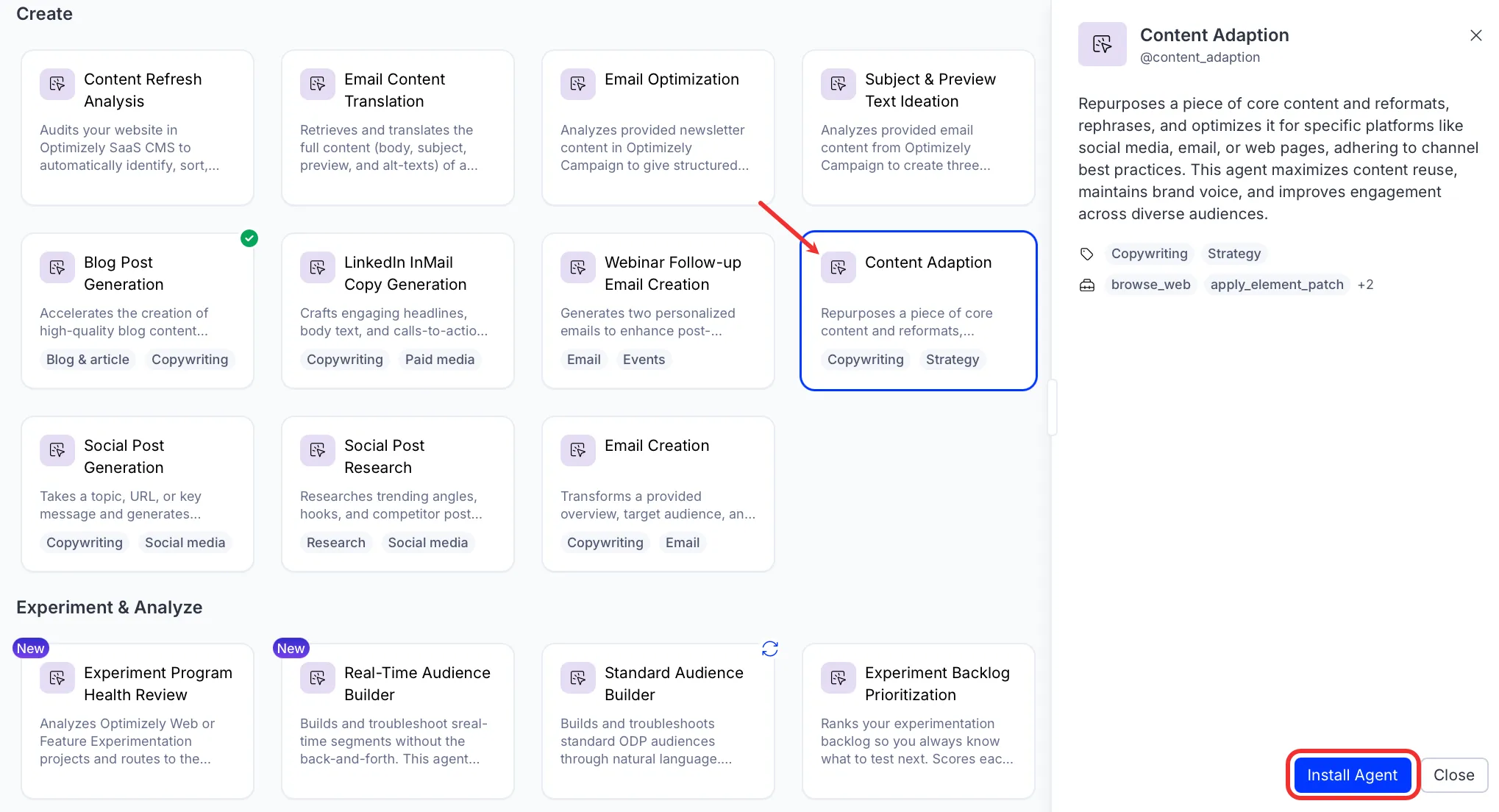
Use the agent
In Opal Chat, enter @content_adaption and provide the following details:
- Channel – The destination channel to adapt the content for, for example LinkedIn, email, or a web page. You can name more than one.
- (Optional) Document – The source content to adapt, as text or a URL.
- (Optional) File – A source file to adapt.
- (Optional) Content Preferences – How you want the content adapted, for example add slides to the LinkedIn post, use a carousel for my Instagram post, or describe a featured infographic.
Provide your source content as either a Document or a File. The agent needs one of the two to run.
The agent adapts your content for the destination channel and delivers the result in a canvas you can edit. When you name more than one channel, the agent produces a separate adaptation for each. It also shows the adapted post in the chat.
To use the Content Adaption agent in a workflow agent, drag and drop it into your workflow. See the Configure workflow section in the Create a workflow agent documentation.
Details
The following are the default details of the Content Adaption agent. After you install the agent in your Opal instance, you can customize these details based on your organization's needs. See Manage agents for instructions.
Input variables
The Content Adaption agent takes the following input:
- Channel
- (Optional) Document
- (Optional) File
- (Optional) Content Preferences
Tools
The Content Adaption agent uses the following tools internally to process your request:
- browse_web
- apply_element_patch
- create_canvas
- search_web
Additional details
The agent uses the following default configuration:
- Inference level – Balanced. Provides reliable answers with additional reasoning.
- Files – None.
- Output – Text.
Note
If you use Opti ID, administrators can turn off generative AI in the Opti ID Admin Center. See Turn generative AI off across Optimizely applicationsTurn generative AI off across Optimizely applications.