Press Release agent
Press Release is an Optimizely Opal agent that creates professional press releases structured for media pickup, from a brief overview of the announcement.
- Challenge – Writing compelling and newsworthy press releases that capture media attention is a specialized and time-consuming task.
- Agent outcome – Writes compelling and newsworthy press releases.
- Value – Time saved, consistent messaging, media attention.
Install agent
Configure instruction
Configure an instruction based on the sample boilerplate press release before installing the agent. The agent uses this instruction to customize the boilerplate and media contact details for your organization.
Install from Agent Directory
Note
Opal Administrators, Agent Builders, and users with the Add, edit, and install specialized agents attribute for a custom role can add agents to their organization's Optimizely Opal instance. See Add users and set permissions.
After configuring your instruction, complete the following in Opal:
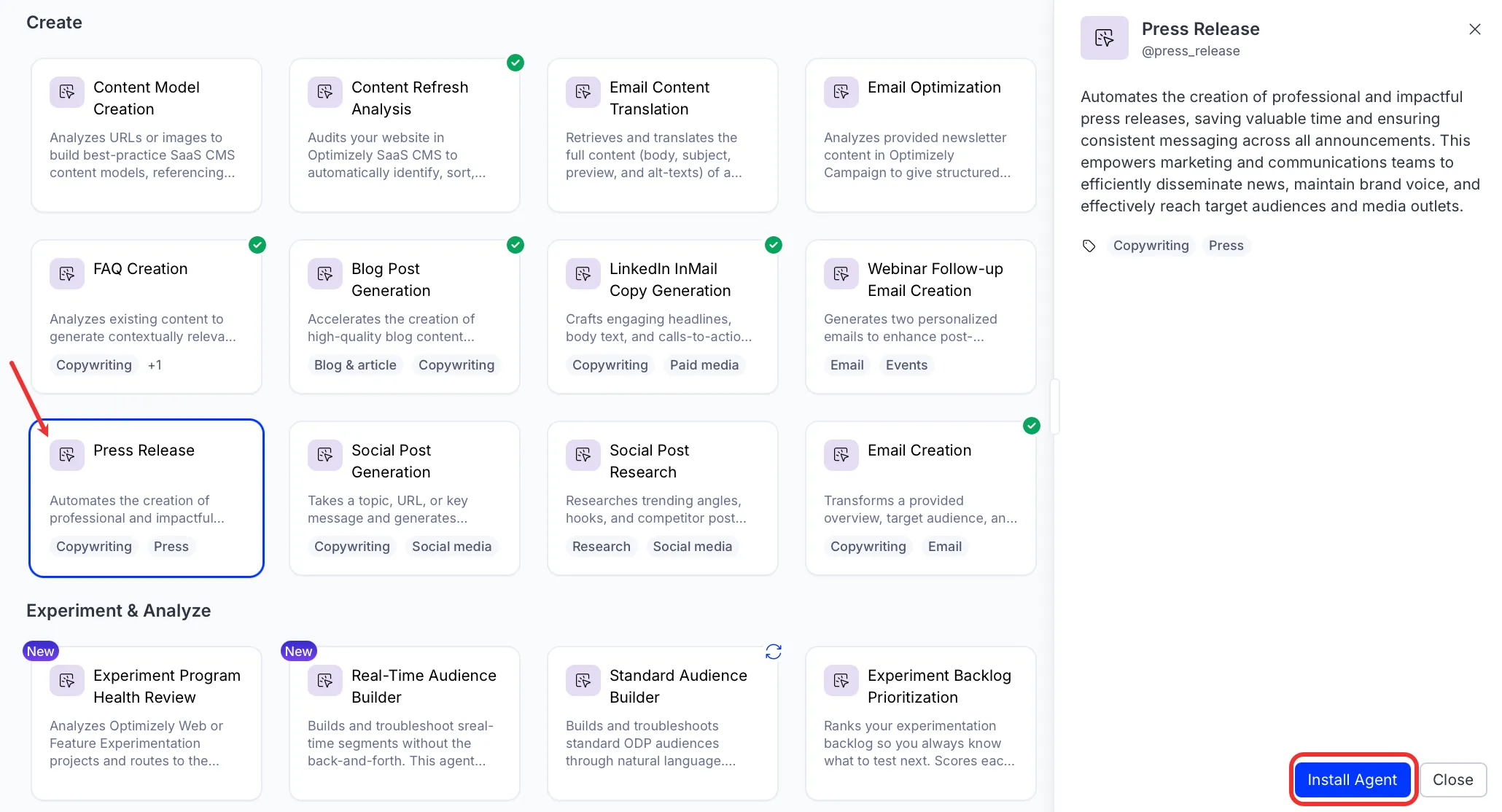
- Go to Agents > Agent Directory.
- Select Press Release.
- Click Install Agent to add it to your Opal instance.
Use the agent
In Opal chat, enter@press_release and provide the following details:
- overview – Details of what the press release is about and any input (quotes or testimonials, for example) to include.
- (Optional) target audience – Who you are targeting.
- (Optional) date – Launch date of the press release.
- (Optional) call to action – What you want people to do after reading this release.
The agent delivers the press release as formatted text with a headline, introduction, body paragraphs, call-to-action, boilerplate, and media contact.
To use the Press Release agent in a workflow agent, drag and drop it into your workflow. See the Create a workflow agent.
Details
These are the default details of the Press Release agent. After you install the agent in your Opal instance, you can customize these details based on your organization's needs. See Manage agents for instructions.
Input variables
The Press Release agent takes the following input:
- overview
- (Optional) target audience
- (Optional) date
- (Optional) call to action
Tools
The Press Release agent does not use any tools.
Additional details
The agent uses the following default configuration:
- Inference level – Balanced. Provides reliable answers with additional reasoning.
- Files – None.
- Output – Text.
Note
If you use Opti ID, administrators can turn off generative AI in the Opti ID Admin Center. See Turn generative AI off across Optimizely applicationsTurn generative AI off across Optimizely applications.