The LinkedIn Ads connector tools in Optimizely Opal let you plan, launch, and measure your LinkedIn advertising campaigns directly within Opal, without switching between platforms. Use these tools to size and validate target audiences, get competitive bid and budget guidance, forecast campaign delivery before you spend, discover similar targeting entities to expand your reach, report on campaign and account performance, and review engagement on individual sponsored posts. All tools operate on LinkedIn Ads accounts that your connected LinkedIn account can access.
Beta
The LinkedIn Ads connector tools are in beta.
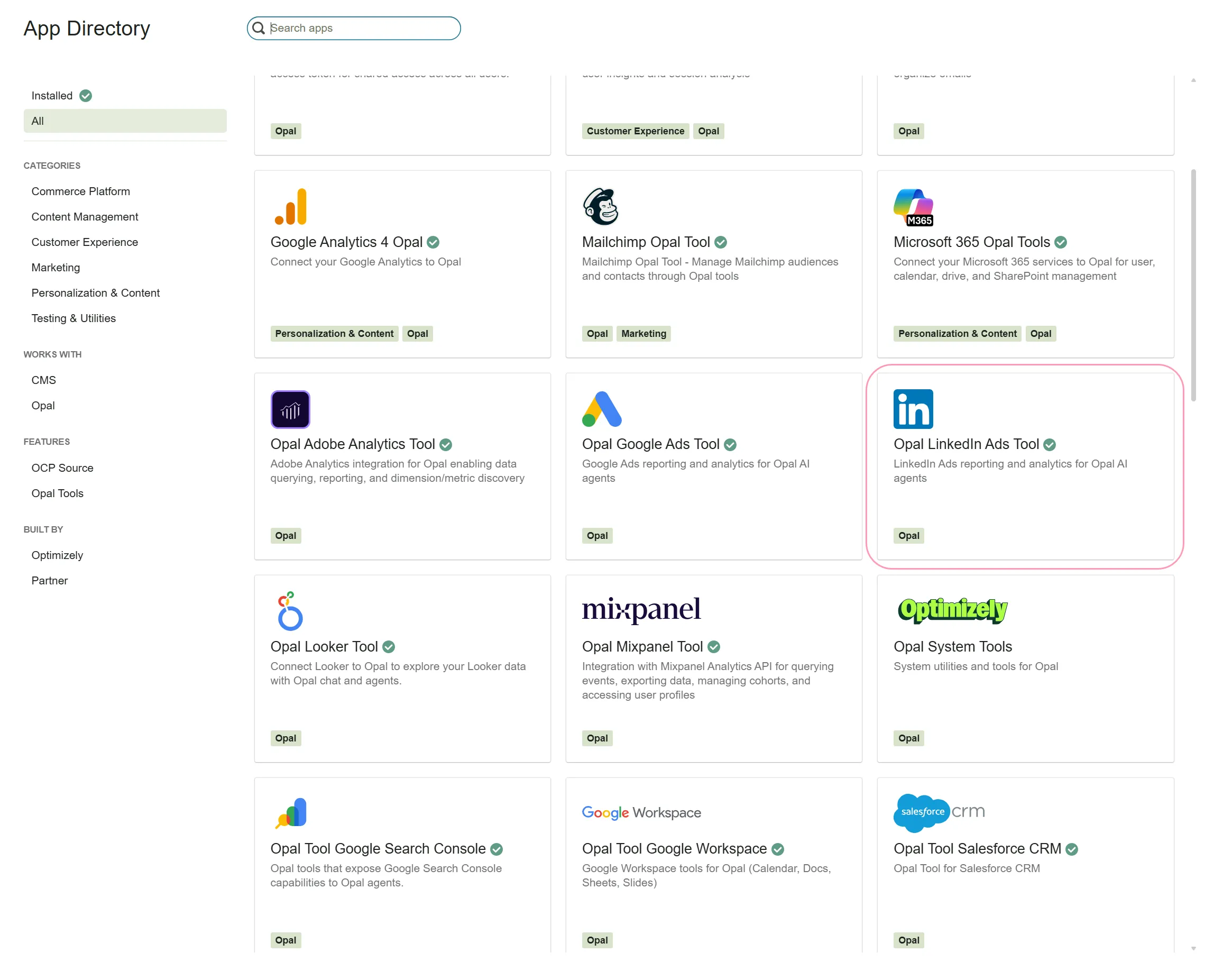
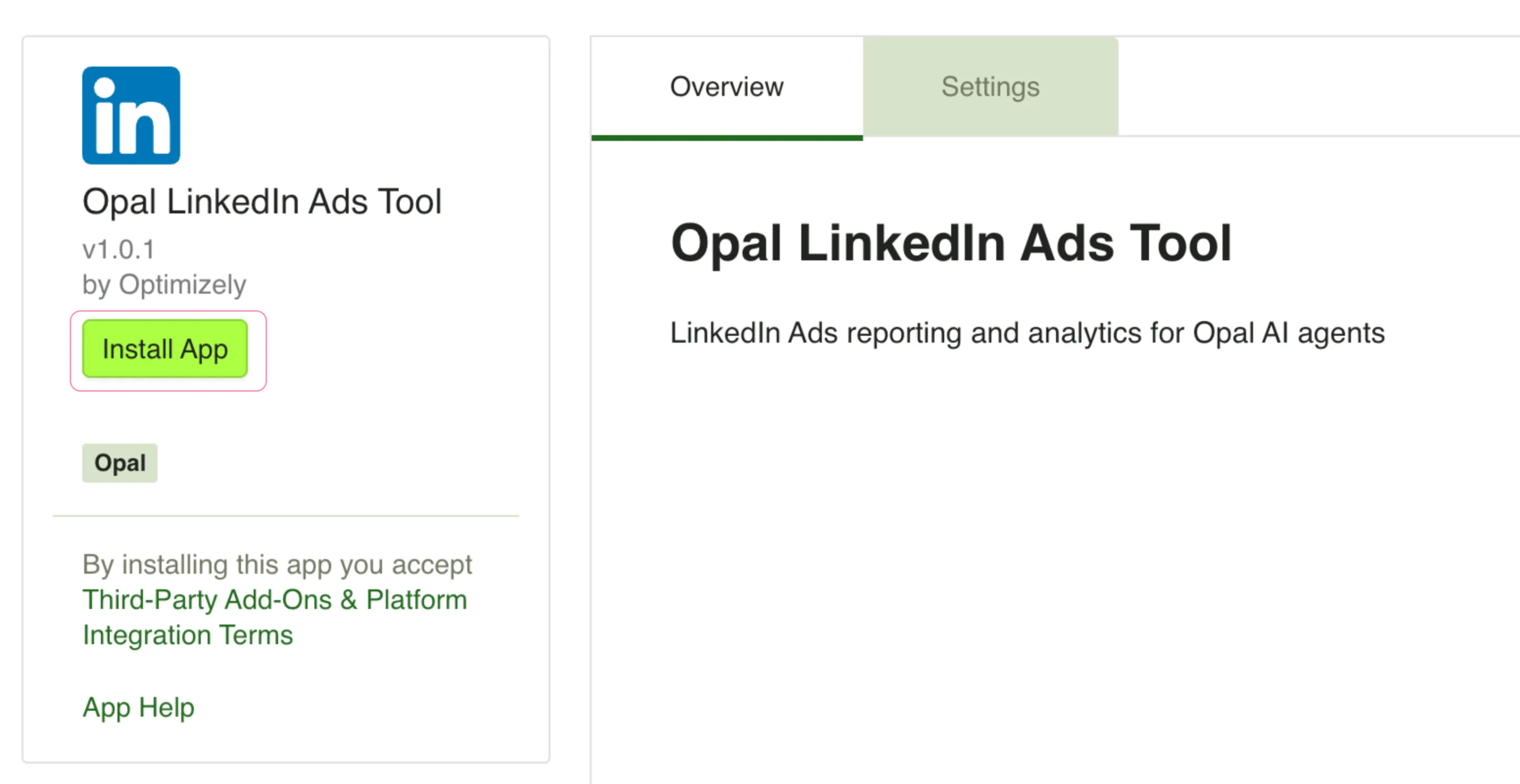
First, an Opal administrator must connect Opal with LinkedIn Ads. After an administrator installs the connector in Optimizely Connect Platform (OCP), you can log in to LinkedIn Ads from Opal to access your data. Administrators only need to install the LinkedIn Ads connection in OCP once.
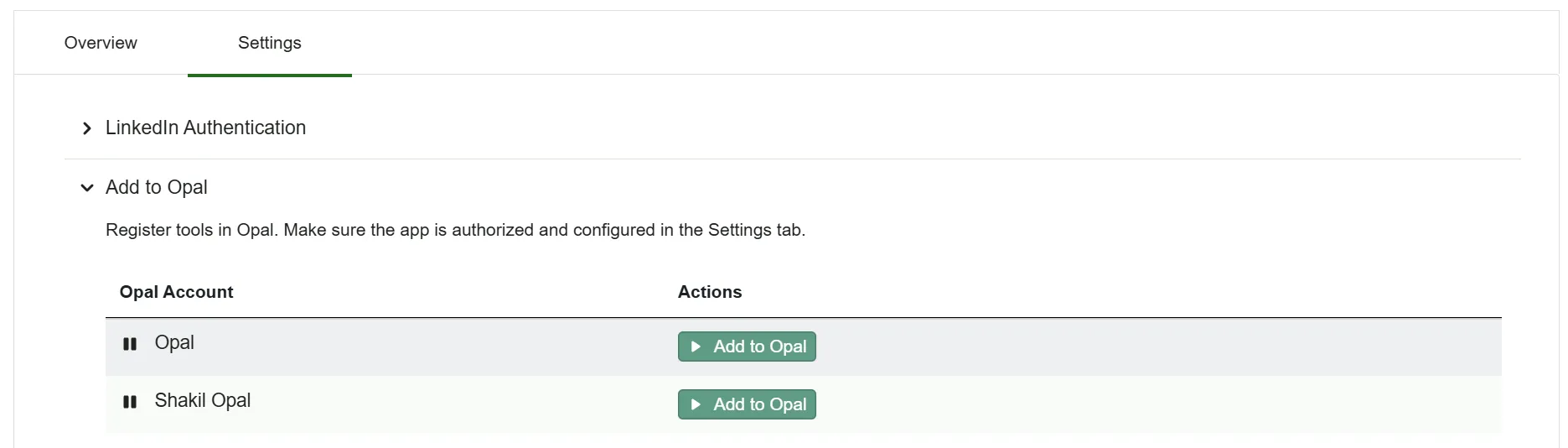
Click Add to Opal for the Opal Account you want to add the LinkedIn Ads connector tools to.
Click Remove from Opal to remove the connection.
After you complete the steps in this section, each Opal user in your account can follow the steps in Authenticate with LinkedIn Ads to connect their own LinkedIn Ads login.
(Optional) Configure instance-level Opal OAuth
Configure this only if your organization manages its own OAuth provider. Most administrators can skip this section.
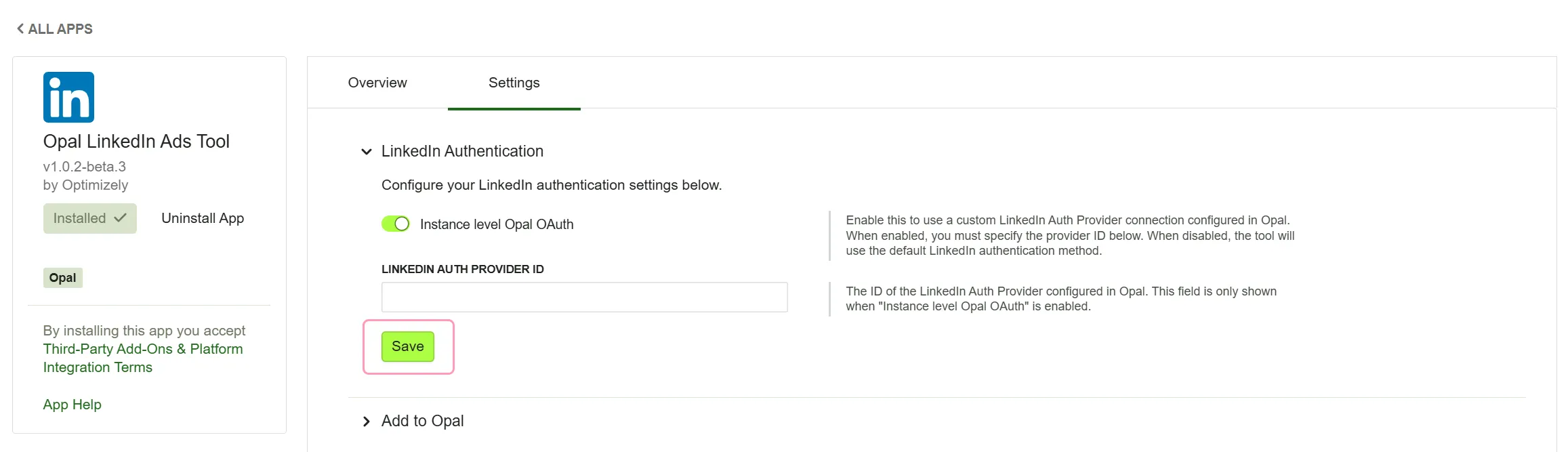
Go to the Settings tab of the LinkedIn Ads Opal tool.
Expand the LinkedIn Authentication section.
Toggle Instance level Opal OAuth on if you want to use a custom LinkedIn Ads authentication provider connection.
Enter your LinkedIn Auth Provider ID.
Click Save.
Authenticate with LinkedIn Ads
After an administrator connects Opal with LinkedIn Ads, log in from Opal to access your data. The LinkedIn Ads connector tools use user-level authentication, so you can only access data you have permission to view in your LinkedIn account.
To authenticate, complete the following steps in Opal:
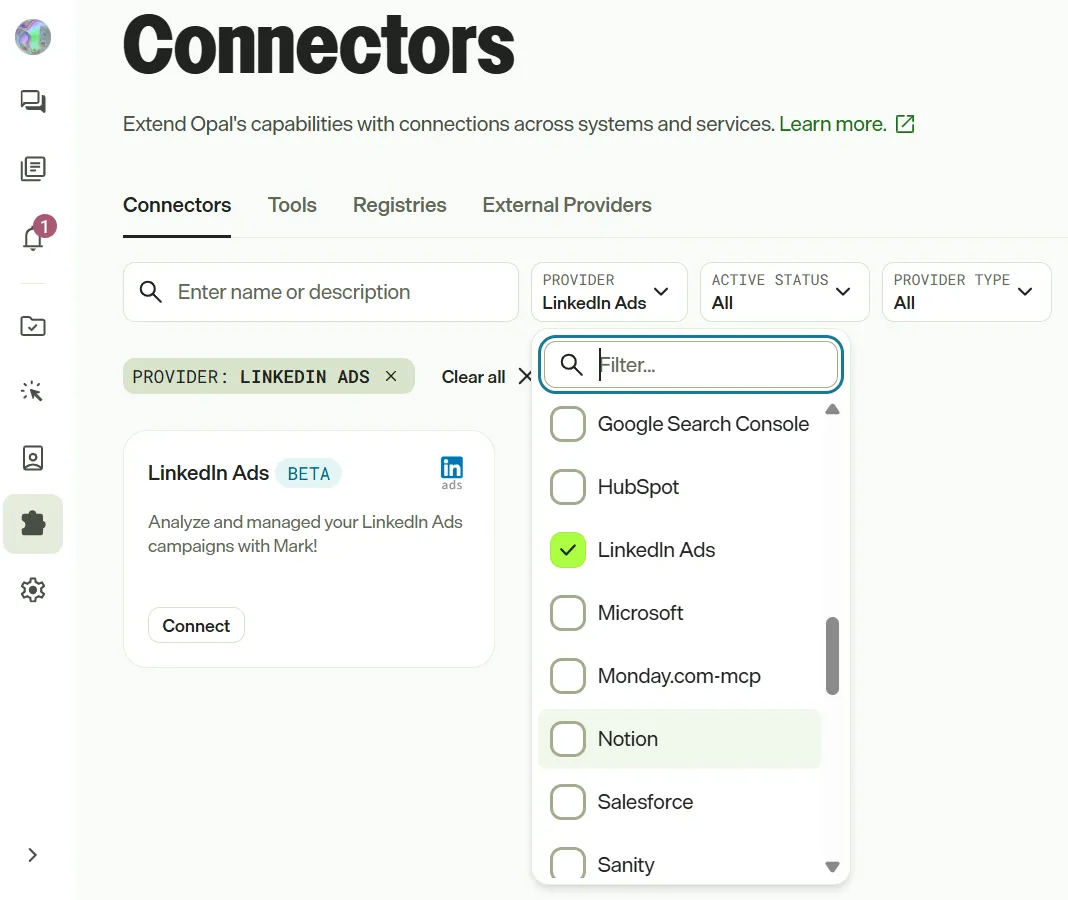
Go to Connectors and select LinkedIn Ads from the Provider drop-down list.
Click Connect.
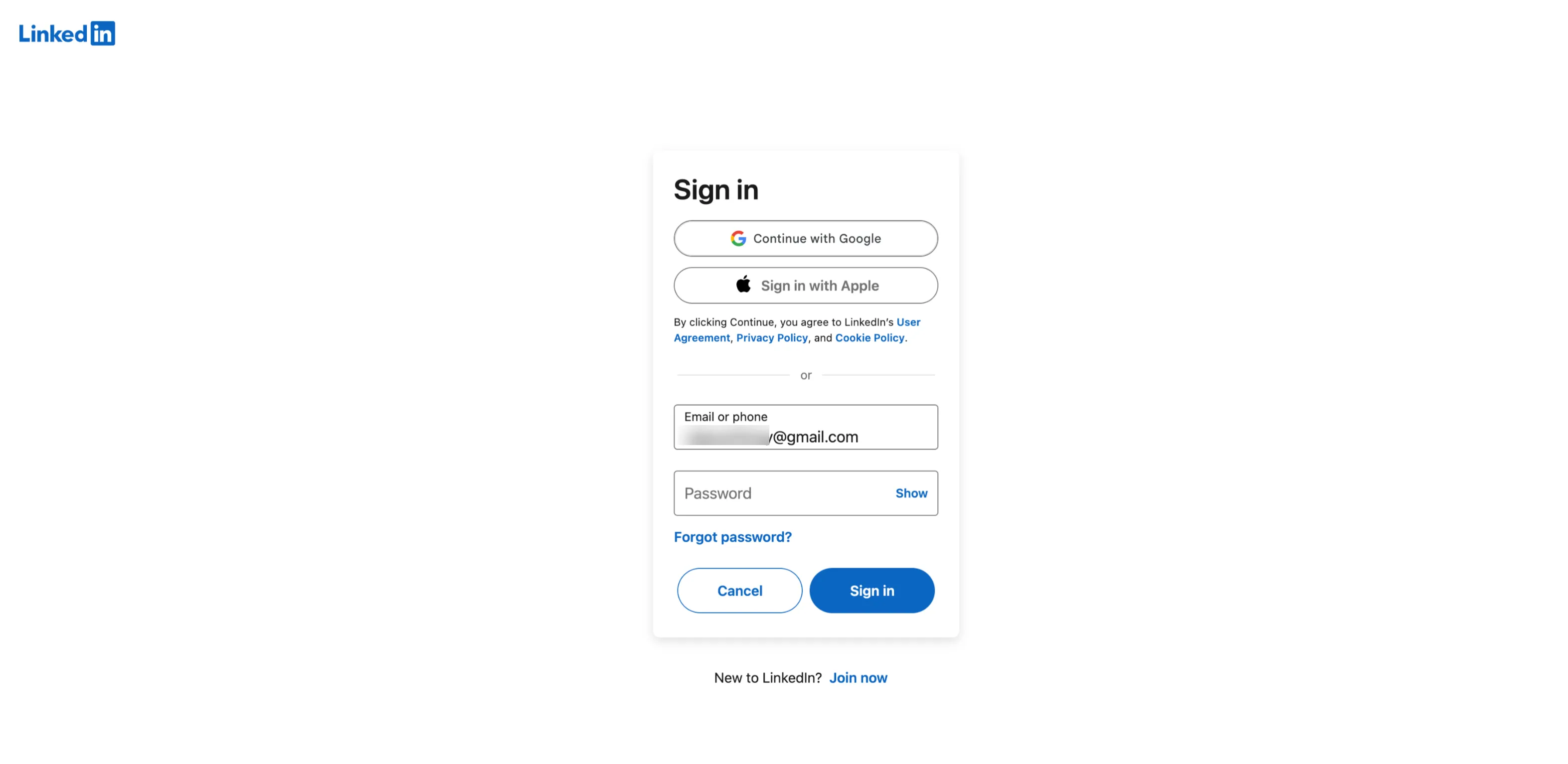
Log in to LinkedIn in the window Optimizely displays and click Allow.
After an Opal administrator installs the Opal LinkedIn Ads Tool in OCP and you authenticate with LinkedIn Ads, call the following tools in Opal. Click a tool to expand it and learn when to use it, available parameters, and example prompts. If you do not provide a required parameter, Opal prompts you for it.
Forecast how a planned LinkedIn campaign would deliver (impressions, clicks, reach, and spend) for a target audience, budget, and future time window.
When to use
Estimate the expected impressions, clicks, reach, and spend for a planned LinkedIn campaign before launching it.
Compare projected delivery across different budget levels or audience targeting options.
Validate whether a proposed campaign budget and targeting will produce meaningful reach for your goals.
Use a suggested bid from linkedin_ads_get_bid_recommendations as the competing bid input for a more accurate forecast.
Parameters
account – Ad account URN or numeric ID, for example "urn🇱🇮sponsoredAccount:503123456" or "503123456".
campaignType – Ad format to forecast. Valid values: SPONSORED_UPDATES, SPONSORED_INMAILS, DYNAMIC.
startDate – Forecast window start, YYYY-MM-DD. Must be in the future. For example: "2026-08-01".
endDate – Forecast window end, YYYY-MM-DD. Must be after startDate. For example: "2026-08-31".
included – JSON object mapping targeting facet names to arrays of entity URNs. Facets are AND-ed, and values within a facet are OR-ed. Include at least one location facet. For example: "{\"locations\":[\"urn🇱🇮geo:103644278\"]}".
(Optional) excluded – JSON object of facets to exclude, same shape as included. For example: "{\"staffCountRanges\":[\"urn🇱🇮staffCountRange:(10001,2147483647)\"]}".
(Optional) dailyBudget – Daily budget in currency units. Provide either dailyBudget or totalBudget. For example: 300.
(Optional) totalBudget – Total lifetime budget in currency units. Provide either totalBudget or dailyBudget. For example: 5000.
(Optional) bidType – Competing (manual) bid model. Provide together with bidAmount. Valid values: CPM (per 1,000 impressions), CPC (per click), CPV (per view).
(Optional) bidAmount – Competing bid amount in currency units. Provide together with bidType. For example: 10.
(Optional) currency – Three-letter ISO 4217 currency code for budget and bid amounts. Must match the account currency. Default: USD.
Example prompts
Forecast what a $300 per day Sponsored Content campaign targeting IT decision makers in the US would deliver next month.
If I spend $5,000 total on Sponsored InMails targeting senior HR leaders in Germany from August 1 to August 31, what reach should I expect?
What impressions and clicks can I expect for a Sponsored Updates campaign in the UK with a $50 per day budget and a CPM bid of $12 from September 1 to September 30?
Get LinkedIn Ads performance metrics (impressions, clicks, cost, conversions) for one or more campaigns or ad accounts over a specified date range.
When to use
Review daily, monthly, or total performance metrics for specific LinkedIn campaigns.
Get an account-level overview of impressions, clicks, cost, and conversions over a time window.
Analyze performance by creative to determine which ad content is most effective.
Compare campaign performance across multiple campaigns side by side.
Parameters
startDate – Start of reporting window in YYYY-MM-DD (inclusive). For example: "2026-06-01".
endDate – End of reporting window in YYYY-MM-DD (inclusive). For example: "2026-06-30".
(Optional) campaigns – JSON array of campaign identifiers (URNs or numeric IDs). Provide either campaigns or accounts, not both. For example: "[198765432, 198765433]".
(Optional) accounts – JSON array of ad account identifiers (URNs or numeric IDs). Provide either accounts or campaigns, not both. For example: "[503123456]".
(Optional) timeGranularity – How results are aggregated over time. Valid values: DAILY (one row per day), MONTHLY (one row per month), ALL (one row for the entire window). Default: DAILY.
Show me the daily performance for my LinkedIn campaigns 198765432 and 198765433 in June 2026.
What were the total impressions, clicks, and spend for my LinkedIn ad account in Q2 2026, aggregated monthly?
Give me a per-creative breakdown of performance across all campaigns in my account from January to June 2026.
Estimate how many LinkedIn members match a set of targeting criteria, before building or launching a campaign.
When to use
Validate that a target audience is large enough to run a LinkedIn campaign (minimum 300 members required).
Explore different targeting combinations to find the right audience size for your campaign.
Check the estimated active member count for a specific set of targeting facets before investing in a campaign.
Compare audience sizes across different industry, seniority, or geographic targeting options.
Parameters
included – JSON object mapping targeting facet names to arrays of entity URNs to include. Facets are AND-ed, and values within a facet are OR-ed. Facet names can be short (for example "locations", "seniorities", "industries", "titles", "skills", "staffCountRanges") or full URNs ("urn🇱🇮adTargetingFacet:locations"). Values must be entity URNs. For example: "{\"locations\":[\"urn🇱🇮geo:103644278\"],\"seniorities\":[\"urn🇱🇮seniority:7\"]}".
(Optional) excluded – JSON object of facets to exclude, same shape as included. Members matching any excluded value are removed from the audience. For example: "{\"seniorities\":[\"urn🇱🇮seniority:1\"]}".
Example prompts
How many VPs are on LinkedIn in the United States?
Estimate the audience size for members in the Software industry in the US, excluding entry-level seniority.
Is my audience of marketing directors in the UK and Germany large enough to run a LinkedIn campaign?
Get LinkedIn suggested bid and budget guidance for a target audience, so you can bid competitively without guessing.
When to use
Determine a competitive CPM, CPC, or CPV bid for a specific LinkedIn target audience.
Get daily budget guidance to help plan campaign spending.
Understand the allowable bid range before setting up a campaign.
Use the suggested bid as input to linkedin_ads_forecast_campaign_delivery for a more accurate delivery forecast.
Parameters
account – Ad account URN or numeric ID, for example "urn🇱🇮sponsoredAccount:503123456" or "503123456".
campaignType – Ad format to price. Valid values: TEXT_AD, SPONSORED_UPDATES, SPONSORED_INMAILS.
included – JSON object mapping targeting facet names to arrays of entity URNs. Facets are AND-ed, and values within a facet are OR-ed. For example: "{\"locations\":[\"urn🇱🇮geo:103644278\"]}".
(Optional) excluded – JSON object of facets to exclude, same shape as included. For example: "{\"seniorities\":[\"urn🇱🇮seniority:1\"]}".
(Optional) dailyBudget – Daily budget (in currency units) used to inform the suggested bid. For example: 300.
(Optional) currency – Three-letter ISO 4217 currency code for the returned amounts. Default: USD.
What is a competitive CPM bid for Sponsored Content targeting members in the United States?
Get me CPC bid recommendations for a Text Ad campaign targeting large companies (501–1000 employees) with a $300 daily budget.
What should I bid for Sponsored InMails targeting senior HR leaders in the US and Canada?
Get engagement for a LinkedIn share or sponsored post, like count, comment count, and the actual comment text.
When to use
Check how many likes and comments a specific LinkedIn sponsored post has received.
Read the actual comment text on a post to understand audience sentiment and reactions.
Identify which creative content is resonating most with your audience.
Audit engagement on your most-liked or most-commented posts.
Parameters
shareUrn – URN of the share, activity, or ugcPost to inspect, for example "urn🇱🇮activity:6230438468758052864" or "urn🇱🇮share:123".
(Optional) includeComments – Whether to fetch comment text (not just the count). Default: true.
(Optional) commentCount – Maximum number of comment texts to return when includeComments is true. Default: 10.
Example prompts
How many likes and comments does my LinkedIn post urn:li:activity:6230438468758052864 have?
Show me the top comments on my sponsored post urn:li:share:123456789.
Get the engagement counts for post urn:li:activity:7890123456 without fetching the comment text.
Discover LinkedIn targeting entities similar to ones you already use, to expand reach intelligently and surface targeting blind spots.
When to use
Find industries similar to one you are already targeting to expand your campaign reach.
Discover employers or companies similar to a specific organization for competitive or lookalike targeting.
Explore related job titles, skills, or groups to broaden your audience without losing relevance.
Surface targeting blind spots by seeing what related entities you may have missed.
Parameters
facet – Targeting facet to return suggestions for. Facet name (for example "industries", "employers", "titles", "skills") or full URN "urn🇱🇮adTargetingFacet:...".
entities – JSON array of seed entity URNs to find similar entities for. For example: "[\"urn🇱🇮organization:1003\"]" or "[\"urn🇱🇮industry:12\",\"urn🇱🇮industry:4\"]".
(Optional) entityType – Restrict results to a single entity type. Valid values: AGE, COMPANY, COMPANY_SIZE, DEGREE, FIELD_OF_STUDY, FUNCTION, GENDER, GROUP, INDUSTRY, LOCALE, SCHOOL, SENIORITY, SKILL, TITLE, YEARS_OF_EXPERIENCE.
(Optional) localeCountry – Two-letter ISO 3166 country code for entity names. Default: US.
(Optional) localeLanguage – Two-letter ISO 639 language code for entity names. Default: en.
Example prompts
What industries are similar to Biotechnology on LinkedIn?
Find employers similar to urn:li:organization:1003 for LinkedIn ad targeting.
Suggest job titles related to "Data Scientist" to expand my LinkedIn campaign targeting.
List LinkedIn Ads accounts that the authenticated user can access.
When to use
Discover your LinkedIn ad account URNs before calling any campaign, reporting, or audience tool.
Check which ad accounts you have access to and their current status.
Find the account URN needed as input for other LinkedIn Ads tools.
Verify whether a specific ad account is active, a sandbox, or in another state.
Parameters
(Optional) status – Filter by account status. Valid values: ACTIVE, CANCELED, DRAFT, PENDING_DELETION, REMOVED. Default: returns all accounts the user can access (no status filter).
Example prompts
List all my LinkedIn ad accounts.
Show me only my active LinkedIn ad accounts.
What LinkedIn Ads accounts do I have access to?
List LinkedIn Ads campaigns under a specific ad account.
When to use
Discover campaign URNs needed for reporting, forecasting, and creative tools.
Review all campaigns in an ad account, including their status, type, and budget.
Filter campaigns by status (for example active, paused, or archived) to focus on relevant ones.
Find campaigns scheduled to run during a specific date range.
Parameters
adAccount – Ad account identifier. Preferred format: URN like "urn🇱🇮sponsoredAccount:503123456" (as returned by linkedin_ads_list_ad_accounts). Raw numeric ID like "503123456" is also accepted.
(Optional) status – Filter by campaign status. Pass one status or a comma-separated list to match any of them (for example "ACTIVE" or "ACTIVE,PAUSED"). Valid values: DRAFT, ACTIVE, PAUSED, ARCHIVED, COMPLETED, CANCELED, PENDING_DELETION, REMOVED. Default: returns all campaigns in the account.
(Optional) startDate – Start of a date-range filter, YYYY-MM-DD (inclusive). When provided with endDate, only campaigns whose run schedule overlaps the range are returned. Must be paired with endDate.
(Optional) endDate – End of the date-range filter, YYYY-MM-DD (inclusive). Must be provided together with startDate and be on or after it.
Example prompts
List all campaigns in my LinkedIn ad account 503123456.
Show me only the active and paused campaigns in my LinkedIn account.
Which LinkedIn campaigns were scheduled to run in June 2026?