The OpenAI Ads connector tools in Optimizely Opal give you direct access to your OpenAI (ChatGPT) advertising performance data. Use them to retrieve campaign, ad group, and ad-level metrics, then ask Opal to identify wasted spend, model budget scenarios, and flag underperforming creative. This supports data-backed decisions about where to cut, shift, or increase ad spend.
First, an Opal administrator must connect Opal with OpenAI Ads using an OpenAI Ads API key in Optimizely Connect Platform (OCP). After an administrator installs the connector in OCP, you can log in to OpenAI Ads from Opal to access your data. Administrators only need to install the OpenAI Ads connection in OCP once.
The following use cases show how you can use OpenAI Ads connector tools in Opal to turn ad performance data into spend and creative decisions.
Spend and budget optimization Goal – Identify wasted spend and reallocate budget with confidence.
Spend efficiency triage – Use the openai_ads_get_insights and openai_ads_get_conversion_insights tools to pull the last 14 days of performance by campaign and ad group, rank the results by cost per conversion, and flag any ad group where cost per click (CPC) rose while conversions fell. Find stranded budget – Use the openai_ads_list_campaigns and openai_ads_list_ad_groups tools to review status, budget, and bid across your account, then use openai_ads_list_ads and openai_ads_list_conversion_event_settings to find ad groups that are active with no eligible ads or that are spending with no conversion event attached. Budget reallocation plan – Use the openai_ads_get_insights and openai_ads_get_conversion_insights tools to compare spend against conversions across all campaigns over the last 30 days and recommend specific dollar amounts to cut or increase, without applying any changes. Goal – Correct bidding pressure and cut underperforming creative.
Bid pressure check – Use the openai_ads_get_insights tool to show CPC and cost per mille (CPM) trends by ad group over the last 30 days, then use openai_ads_get_ad_group to compare the current bid against conversion value and recommend a corrected maximum bid. Creative cost check – Use the openai_ads_get_insights and openai_ads_get_conversion_insights tools to rank all ads by cost per conversion over 30 days, use openai_ads_get_ad to pull the copy for the top and bottom three ads, and draft replacement variants with openai_ads_create_ad or openai_ads_update_ad .
Audience and geographic targeting Goal – Refine who and where your ads reach before you scale spend.
Geo targeting setup – Use the openai_ads_search_geo tool to resolve city, region, or country names into targetable geo IDs before you build a new campaign or ad group. Audience segment review – Use the openai_ads_list_custom_audiences tool to see which custom audience segments are available, then apply the best-performing segment to a new or existing ad group.
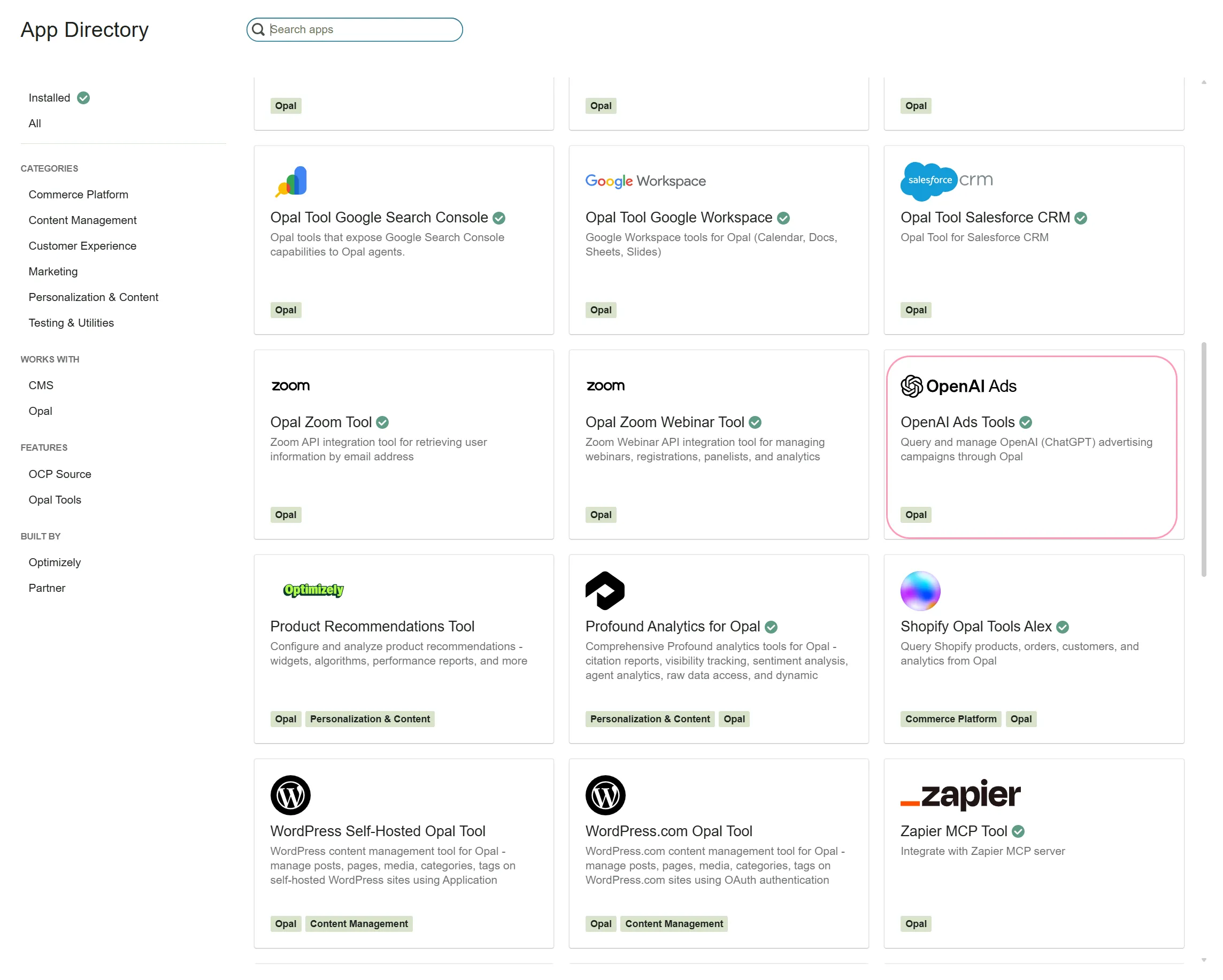
Connect Opal with OpenAI Ads In the OCP App Directory , complete the following steps:
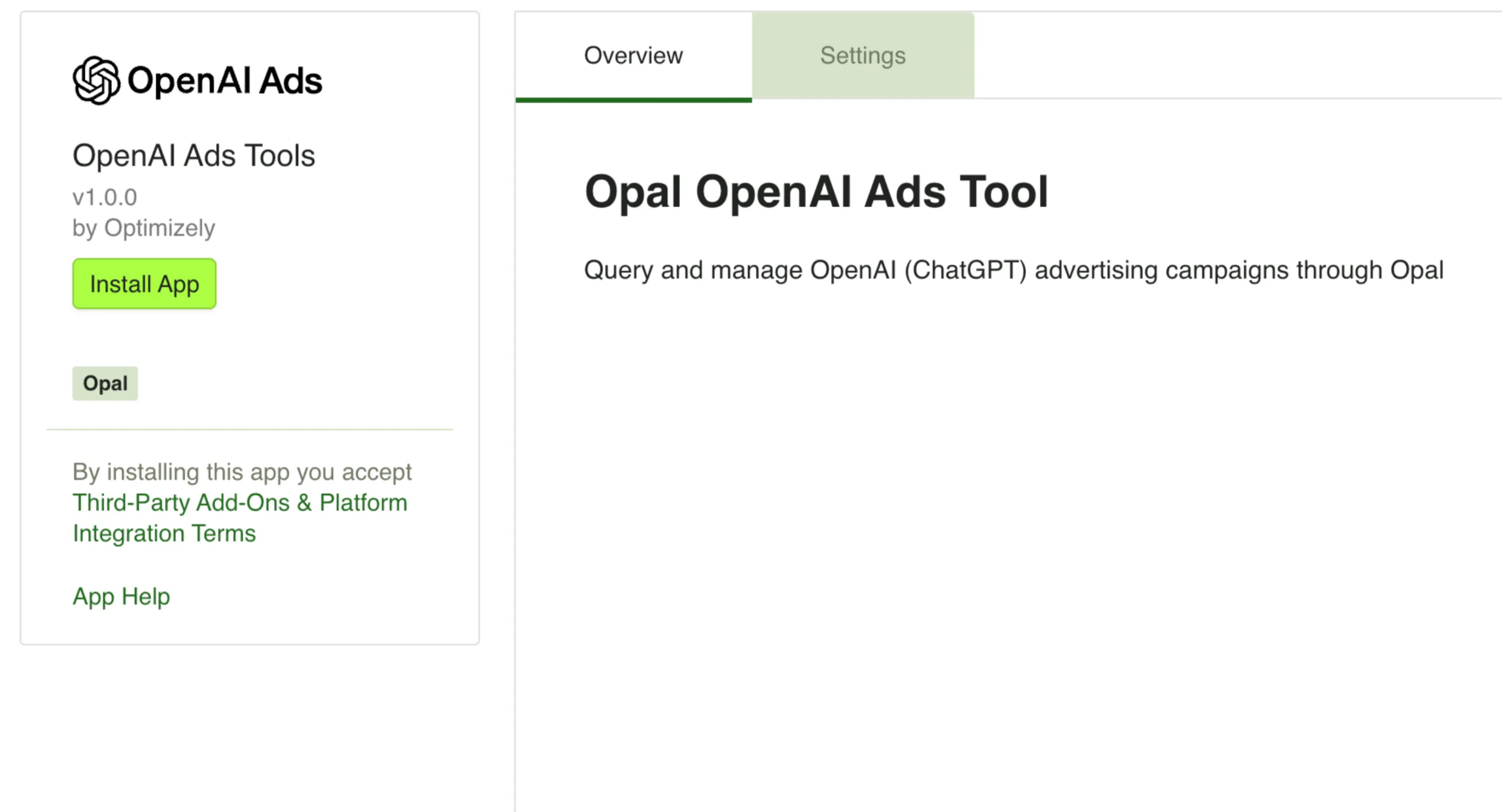
Locate or click the OpenAI Ads Tools app. Connect this tool to your OpenAI (ChatGPT) ad account using an OpenAI Ads API key.
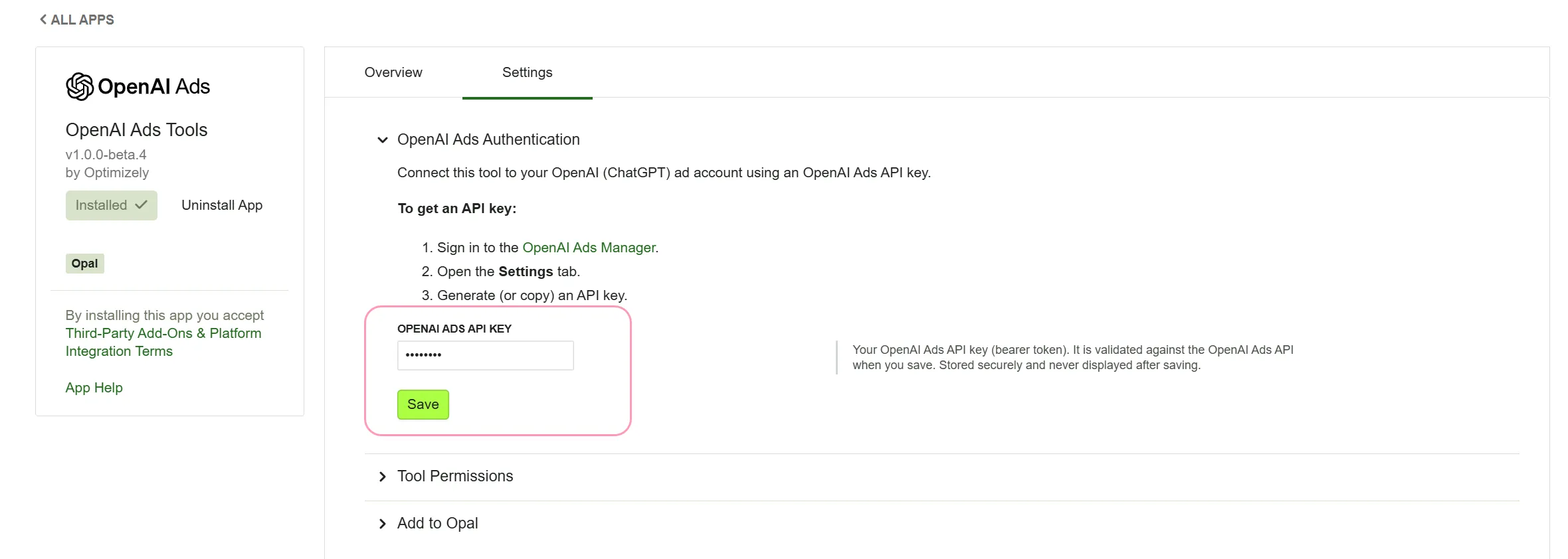
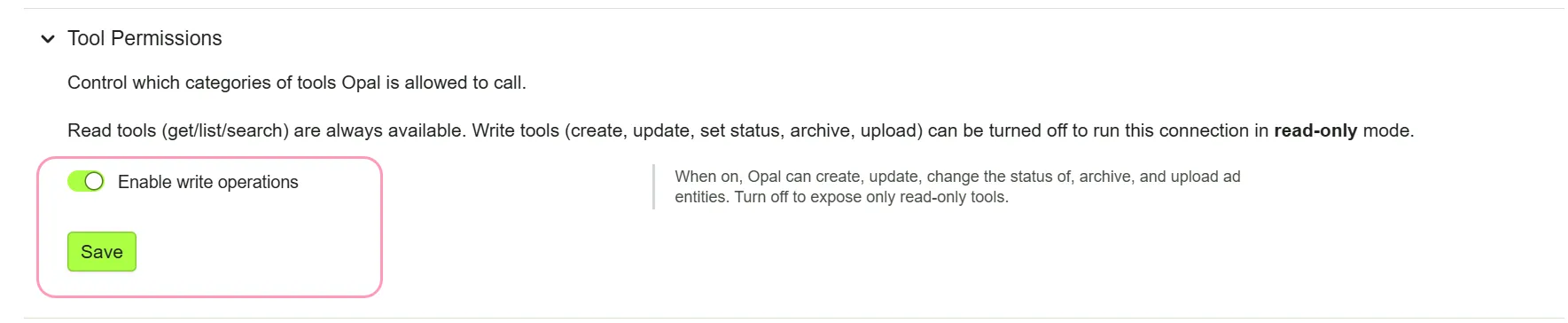
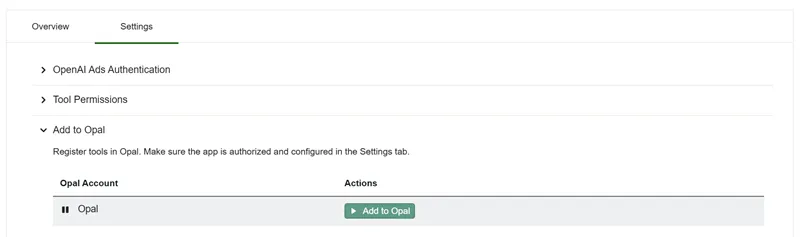
Go to the Settings > OpenAI Ads Authentication tab. Enter your OpenAI Ads API key. To get an API key, complete the following steps: Log in to OpenAI Ads Manager . Generate (or copy) an API key. Enter your OpenAI API Key in the configuration field. Expand the Tools Permissions section. (Optional) Manage write tools: To prevent Opal from executing live changes in your ad account, disable the optional Write tools. To enable automated actions (such as updating bids and budgets), keep write tools enabled. After you install the app in OCP and configure API authentication, complete the following steps to connect the tools to Opal:
Click Add to Opal for the Opal account you want to add the OpenAI Ads connector tools to. Click Remove from Opal to remove the connection.
The OpenAI Ads connector tools use this account-level API key for authentication. Individual Opal users do not need to connect a personal OpenAI Ads login before using these tools.
After an Opal administrator installs the Opal OpenAI Ads Tool in OCP and configures API authentication, call the following tools in Opal. Click a tool to expand it and learn when to use it, available parameters, and example prompts. If you do not provide a required parameter, Opal prompts you for it.
Account and campaign management
openai_ads_archive_campaign – Permanently archive a campaign in the connected OpenAI (ChatGPT) ad account. Permanently retire a campaign you no longer intend to run (cannot be reactivated). Remove an obsolete or finished campaign from the active set. Retire a campaign when pausing is not enough (stops its ad groups and ads permanently). campaign_id – The ID of the campaign to archive. Example: "campaign_abc123". Archive campaign campaign_abc123 permanently. Retire the "Spring Launch" campaign for good. Close out and archive our finished holiday campaign.
openai_ads_create_campaign – Create a new advertising campaign in the connected OpenAI (ChatGPT) ad account. Launch a new advertising initiative in OpenAI Ads Manager. Set up a paused campaign with budget limits (lifetime ceiling and/or average daily) to review before spending. Configure campaign bidding type, flight dates, geo-targeting, and conversion event tracking. name – Campaign name (3–1000 characters). Example: "Spring Launch". (Optional) lifetime_spend_limit_micros – Total lifetime budget cap in micros (min 1,000,000; hard ceiling on total spend). Provide at least one of lifetime or daily spend limit. (Optional) daily_spend_limit_micros – Average daily budget in micros (min 1,000,000). Note: Spend may reach 2x this on a single day, up to 7x across any 7-day period. (Optional) bidding_type – Bidding type: impressions or clicks . (Optional) status – Initial status: active or paused (default: paused ). (Optional) start_time – Start time as an ISO date/datetime in UTC (for example, "2026-06-01"). (Optional) end_time – End time as an ISO date/datetime in UTC (for example, "2026-12-31"). (Optional) description – Free-text description of the campaign. (Optional) targeting – Targeting JSON object string (for example, location inclusions). (Optional) conversion_event_setting_ids – Conversion event setting IDs as a JSON array string. (Optional) mode – Campaign mode: product_feed for retail/feed campaigns; omit for standard campaigns. Create a new paused campaign called "Spring Launch" with a $50 lifetime budget cap. Set up an always-on campaign with a $10 daily budget bidding on clicks. Launch a campaign scheduled to start on June 1, 2026. Confirm which ad account is connected and retrieve its ID, name, status, currency, and timezone. Verify API key configuration and account review status before creating campaigns. Check account-level defaults before setting up budgets. What is our connected OpenAI ad account? Check the status and currency of our ad account. Get our OpenAI Ads account details and timezone.
openai_ads_get_campaign – Get a single OpenAI (ChatGPT) advertising campaign by its ID. Inspect a campaign's full configuration, status, and flight schedule. Check current lifetime budget caps and daily spend limits before making changes. Confirm campaign status before activating, pausing, or updating it. campaign_id – The ID of the campaign to retrieve. Example: "campaign_abc123". Get the configuration of campaign campaign_abc123. What is the budget limit on our Spring Launch campaign? Check if campaign campaign_xyz is currently active or paused.
openai_ads_list_campaigns – List advertising campaigns in the connected OpenAI (ChatGPT) ad account. View all campaigns along with their status, bidding type, and budget limits. Find campaign IDs needed to manage ad groups, ads, or performance reporting. Page through large sets of campaigns using pagination cursors. (Optional) limit – Maximum number of campaigns to return (default: "25"). (Optional) order – Sort order by creation time: asc or desc . (Optional) after – Pagination cursor to return campaigns after this ID. (Optional) before – Pagination cursor to return campaigns before this ID. What campaigns do we have in OpenAI Ads? List our active advertising campaigns. Show all campaigns sorted by newest first.
openai_ads_set_campaign_status – Activate or pause a campaign in the connected OpenAI (ChatGPT) ad account. Start a paused campaign serving and spending (once its ads pass review). Stop a running campaign immediately without losing its configuration or structure. Quickly toggle campaign spend on or off in response to performance or budget concerns. campaign_id – The ID of the campaign to transition. Example: "campaign_abc123". action – activate (starts serving/spending) or pause (stops serving; reversible). Activate campaign campaign_abc123 to start spending. Pause our Spring Launch campaign immediately. Resume the paused campaign.
openai_ads_update_campaign – Update an existing campaign in the connected OpenAI (ChatGPT) ad account. Raise or lower a campaign's lifetime budget cap or average daily budget. Rename a campaign or update its description, start time, or end time. Change status or replace targeting and conversion event settings. campaign_id – The ID of the campaign to update. Example: "campaign_abc123". (Optional) name – New campaign name (3–1000 characters). (Optional) status – New status: active , paused , or archived . (Optional) lifetime_spend_limit_micros – New lifetime budget cap in micros (min 1,000,000). Hard ceiling on total spend. (Optional) daily_spend_limit_micros – New average daily budget in micros (min 1,000,000). (Optional) start_time – New start time as an ISO date/datetime in UTC. (Optional) end_time – New end time as an ISO date/datetime in UTC. (Optional) description – New description. (Optional) targeting – Replacement targeting as a JSON object string. (Optional) conversion_event_setting_ids – Replacement conversion event setting IDs as a JSON array string. Increase the lifetime budget for campaign campaign_abc123 to $75. Rename our campaign to "Spring Launch (v2)" and pause it. Extend the end date of campaign campaign_123 to December 31, 2026.
openai_ads_archive_ad_group – Permanently archive an ad group in the connected OpenAI (ChatGPT) ad account. Permanently retire an ad group so it and its ads stop serving for good (irreversible). Clean up ad groups you are certain you will never run again. Remove obsolete or discontinued ad groups from the account. ad_group_id – The ID of the ad group to archive. Example: "ad_group_abc123". Permanently archive ad group ad_group_abc123. Retire the "Summer Promo" ad group. Archive this ad group and stop all its ads permanently.
openai_ads_create_ad_group – Create a new ad group under a campaign in the connected OpenAI (ChatGPT) ad account. Add an ad group container to an existing campaign with a bidding configuration. Set up prospecting or product-feed ad groups with specific max bids and billing event types. Establish targeting hints, custom audience bid multipliers, or product sets. campaign_id – The parent campaign ID. Example: "campaign_abc123". name – Ad group name (3–1000 characters). Example: "US Prospecting". billing_event_type – What you pay per: impression or click . max_bid_micros – Maximum bid in micros (1,000,000 micros = 1 currency unit). Example: "500000" = 0.50 units. (Optional) status – Initial status: active or paused (default: paused ). (Optional) description – Free-text description of the ad group. (Optional) context_hints – Context hints as a JSON array string, for example, ['running shoes', 'trail'] . (Optional) custom_audience_bid_multipliers – Bid multipliers as a JSON array string. (Optional) product_set – Product set as a JSON object string for product feed campaigns. Create an ad group called "US Prospecting" under campaign campaign_abc123 bidding on clicks with a $0.50 max bid. Add a paused ad group to my campaign with impression billing. Set up an ad group with context hints for "trail running".
openai_ads_get_ad_group – Get a single OpenAI (ChatGPT) ad group by its ID. Inspect an ad group's bidding config, max bid, billing event, and status in full detail. Confirm ad group settings and targeting hints before updating or activating it. Check parent campaign association and delivery settings. ad_group_id – The ID of the ad group to retrieve. Example: "adgroup_abc123". Show me the settings for ad group adgroup_abc123. What is the current max bid on this ad group? Get the full configuration of our prospecting ad group.
openai_ads_list_ad_groups – List ad groups in the connected OpenAI (ChatGPT) ad account, optionally filtered to one campaign. View ad groups under a specific campaign (pass campaign_id ). Discover ad group IDs before creating ads or modifying bids. Audit ad group structure, bidding strategies, and delivery status across the account. (Optional) campaign_id – Only return ad groups belonging to this campaign. Example: "campaign_abc123". (Optional) limit – Maximum number of ad groups to return (default: "25"). (Optional) order – Sort order by creation time: asc or desc . (Optional) after – Pagination cursor to return ad groups after this ID. (Optional) before – Pagination cursor to return ad groups before this ID. List all ad groups in campaign campaign_abc123. Show me all ad groups in our account. What ad groups exist under our Spring Launch campaign?
openai_ads_set_ad_group_status – Activate or pause an ad group in the connected OpenAI (ChatGPT) ad account. Start an ad group serving (activate) so it can begin spending. Stop an ad group from serving (pause) without archiving it. Quickly toggle ad group spend on or off without altering bids or targeting. ad_group_id – The ID of the ad group to transition. Example: "ad_group_abc123". action – activate (starts serving/spending) or pause (stops serving; reversible). Activate ad group ad_group_abc123 so it starts serving. Pause spend on ad group ad_group_123. Temporarily stop this ad group.
openai_ads_update_ad_group – Update an existing ad group in the connected OpenAI (ChatGPT) ad account. Raise or lower an ad group's max bid to optimize performance or adjust spend. Rename an ad group or change its status ( active , paused , archived ). Update context hints, custom audience bid multipliers, or product set. ad_group_id – The ID of the ad group to update. Example: "ad_group_abc123". (Optional) name – New ad group name (3–1000 characters). (Optional) status – New status: active , paused , or archived . (Optional) billing_event_type – New billing event type: impression or click (required together with max_bid_micros ). (Optional) max_bid_micros – New max bid in micros (required together with billing_event_type ). (Optional) description – New description. (Optional) context_hints – Replacement context hints as a JSON array string. (Optional) custom_audience_bid_multipliers – Replacement bid multipliers as a JSON array string. (Optional) product_set – Replacement product set as a JSON object string. Raise the max bid on ad group ad_group_abc123 to $0.75. Rename this ad group to "US High-Intent Prospecting". Update context hints for ad group ad_123 to include "trail running shoes".
openai_ads_archive_ad – Permanently archive an ad in the connected OpenAI (ChatGPT) ad account. Permanently retire an ad you no longer need (cannot be undone or reactivated). Remove a finished or rejected ad from the active set. Clean up ads that will never run again rather than just pausing them. ad_id – The ID of the ad to archive. Example: "ad_abc123". Archive ad ad_abc123 permanently. Remove this rejected ad from my account. Clean up old inactive ads by archiving them.
openai_ads_create_ad – Create a new ad under an ad group in the connected OpenAI (ChatGPT) ad account. Add a chat card or product ad template creative to an existing ad group. Attach a click-through URL and an uploaded image to the creative. Turn approved copy and imagery into a live-eligible ad (created paused by default). ad_group_id – The parent ad group ID. Example: "ad_group_abc123". creative_type – Creative type: chat_card or product_ad_template . name – Ad name (3–1000 characters). Example: "Spring Hero Ad". title – Creative title (3–50 characters). Example: "Meet the new runner". body – Creative body text (max 100 characters). (Optional) file_id – Image asset ID. Required for chat_card . Upload first with openai_ads_upload_image . (Optional) target_url – Click-through URL (max 2048 characters). Required for chat_card . (Optional) price – Price text (max 100 characters). Required for product_ad_template . (Optional) status – Initial status: active or paused (default: paused ). Create a chat card ad named "Spring Hero" in ad group ad_group_abc123. Build an ad with title "Meet the new runner" and link to https://example.com/shoes . Set up a paused ad creative with my uploaded image file_abc123.
openai_ads_get_ad – Get a single OpenAI (ChatGPT) ad by its ID. Retrieve full details for a specific ad, including creative copy, image, price, and status. Inspect review/approval state and serving status of an ad. Read an existing creative's file_id and target_url before updating or duplicating. ad_id – The ID of the ad to retrieve. Example: "ad_abc123". Get the details for ad ad_abc123. What does ad ad_123 look like right now? Check the approval status of my ad.
openai_ads_list_ads – List ads in the connected OpenAI (ChatGPT) ad account, optionally filtered to one ad group. Audit which ads exist across the account or within a specific ad group. Check review/approval status and serving eligibility for ads. Find ad IDs to retrieve details, adjust copy, or toggle serving status. (Optional) ad_group_id – Only return ads belonging to this ad group. Example: "adgroup_abc123". (Optional) limit – Maximum number of ads to return (default: "25"). (Optional) order – Sort order by creation time: asc or desc . (Optional) after – Pagination cursor to return ads after this ID. (Optional) before – Pagination cursor to return ads before this ID. Which ads are live in ad group adgroup_abc123? List all ads across our OpenAI ad account. Check which ads are pending review in this ad group.
openai_ads_set_ad_status – Activate or pause an ad in the connected OpenAI (ChatGPT) ad account. Activate a paused ad so it becomes eligible to serve and spend (subject to review). Pause an active ad to stop it immediately without deleting or archiving it. Toggle an ad's delivery state without touching creative copy or imagery. ad_id – The ID of the ad to transition. Example: "ad_abc123". action – activate (starts serving/spending) or pause (stops serving; reversible). Activate ad ad_abc123 so it starts spending. Pause ad ad_abc123 to stop serving it. Turn off this ad temporarily.
openai_ads_update_ad – Update an existing ad in the connected OpenAI (ChatGPT) ad account. Rename an ad or change its status ( active , paused , archived ). Replace the ad's creative copy, price, image, or click-through URL. Adjust an ad in place after review feedback (creative is replaced as a whole). ad_id – The ID of the ad to update. Example: "ad_abc123". (Optional) name – New ad name. (Optional) status – New status: active , paused , or archived . (Optional) creative_type – Creative type: chat_card or product_ad_template (required if changing creative). (Optional) title – Creative title (required if changing creative). (Optional) body – Creative body text (required if changing creative). (Optional) file_id – Image asset ID (required for chat_card if changing creative; resend existing ID if unchanged). (Optional) target_url – Click-through URL, max 2048 characters (required for chat_card if changing creative). (Optional) price – Price text, max 100 characters (for product_ad_template ). Rename ad ad_abc123 to "Spring Hero Ad (v2)". Update the headline on ad ad_123 to "New runner in stock". Change the click-through URL for my ad to https://example.com/shoes-v2 .
openai_ads_upload_image – Upload an image (by URL) to the connected OpenAI (ChatGPT) ad account and get back a file ID. Register a hosted image with the OpenAI ad account and obtain its file_id . Prepare an image asset before creating a chat card ad creative with openai_ads_create_ad . Upload account imagery or a favicon from a public URL. (Optional) purpose – Only account_favicon is supported; omit for ad creatives. Upload the image at https://example.com/creative.png to my ad account. Register this public image URL so I can use it in a chat card ad. Upload our company logo as the account favicon.
openai_ads_get_custom_audience – Get a single custom audience by ID from the connected OpenAI (ChatGPT) ad account. Retrieve the full details of a specific custom audience. Verify an audience exists and check its status before referencing it in campaign targeting. Inspect customer list metadata. custom_audience_id – The ID of the custom audience to fetch. Example: "custaud_abc123". Get details for custom audience custaud_abc123. Check the status of our VIP customers audience list. Look up custom audience custaud_xyz.
openai_ads_list_custom_audiences – List custom audiences in the connected OpenAI (ChatGPT) ad account. View all custom customer lists available for targeting. Look up custom audience IDs to reference in ad group bid multipliers or targeting. Audit available audience segments before building campaigns. (Optional) limit – Maximum number of custom audiences to return (default: "25"). (Optional) order – Sort order by creation time: asc or desc . (Optional) after – Pagination cursor to return audiences after this ID. (Optional) before – Pagination cursor to return audiences before this ID. Which custom audiences can we target? List all custom audiences in our OpenAI ad account. Find the ID of our high-value customer audience.
openai_ads_search_geo – Search for locations (geo targeting IDs) in the OpenAI (ChatGPT) Ads platform. Resolve a free-text location name (city, region, country) into the location ID needed for campaign targeting. Disambiguate locations by canonical name, type, and country code. Prepare location inclusions or exclusions for campaign targeting. q – Free-text location query. Examples: "New York", "California", "United Kingdom". (Optional) limit – Max number of results to return (for example, "10"). Find the geo targeting ID for "New York". Search for location IDs in the United Kingdom. Look up the location ID for California to target in our campaign.
openai_ads_create_conversion_event_setting – Create a conversion event setting in the connected OpenAI (ChatGPT) ad account. Track a new conversion event (purchases, leads, checkouts, and so on) in the ad account. Attach a conversion event to one or more existing conversion sources (pixels with IDs like "cds_..."). Set the attribution window for campaign performance tracking. Note: This tool cannot update or rename existing settings. name – A name for the event setting (for example, "Orders"). event_type – Conversion event type: order_created , lead_created , checkout_started , page_viewed , items_added , contents_viewed , appointment_scheduled , app_installed , app_opened , or custom . attribution_window_days – Attribution window in days (currently accepts "30"). source_ids – JSON array string of conversion source (pixel) IDs (for example, ["cds_abc123"] ). (Optional) custom_event_name – Custom event name when using event_type = custom . Create a conversion event setting for "order_created" tied to pixel cds_123. Set up lead tracking with a 30-day attribution window. Track "checkout_started" events on my pixel.
openai_ads_get_conversion_insights – Get conversion insights (conversion counts) for a set of entities in the connected OpenAI (ChatGPT) ad account. Measure conversion counts driven by campaigns, ad groups, or ads. Compare conversion volumes across specific date ranges. Generate conversion reporting for specific entity IDs. aggregation_level – Aggregation level: campaign , ad_group , or ad . entity_ids – JSON array string of entity IDs matching the aggregation level, for example, ["cmpn_abc123"] . time_ranges – JSON array string of time-range objects, for example, [{"type":"date_range","since":"2026-06-01","until":"2026-06-30"}] . How many conversions did campaign cmpn_abc123 drive in June? Get conversion counts for my top three ad groups last month. Show conversion reporting for ad ad_123. Pull metrics (impressions, clicks, spend, CTR, CPC, CPM) at account, campaign, ad group, or ad level. Break results down by time bucket (hourly, daily, monthly) and entity grain. Report advertising spend and engagement performance over time. level – Scope of the insights: ad_account , campaign , ad_group , or ad . (Optional) id – Entity ID for the chosen level. Required for campaign , ad_group , ad ; omit for ad_account . (Optional) fields – JSON array string of metric names, for example, ['impressions', 'clicks', 'spend', 'ctr', 'cpc'] . (Optional) time_granularity – Time bucket size: hourly , daily , monthly , or none . (Optional) time_ranges – JSON array string of time-range objects with "since" and "until" dates in UTC (YYYY-MM-DD). (Optional) aggregation_level – Entity grain within scope: ad_account , campaign , ad_group , or ad . (Optional) limit – Max insight rows to return (for example, "50"). Show total spend, clicks, and impressions for our ad account this month. Get daily performance insights for campaign campaign_abc123. What is the CTR and CPC for ad group adgroup_xyz over the last 30 days?
openai_ads_list_conversion_event_settings – List conversion event settings in the connected OpenAI (ChatGPT) ad account. See which conversion events (for example, purchases, leads) are currently tracked and attributed. Look up conversion event setting IDs to attach to campaigns. Audit pixel associations and attribution windows before launching new campaigns. (Optional) limit – Maximum number of settings to return (default: "25"). (Optional) order – Sort order by creation time: asc or desc . (Optional) after – Pagination cursor to return settings after this ID. (Optional) before – Pagination cursor to return settings before this ID. What conversions are we tracking? List all conversion event settings in our ad account. Find the conversion event setting ID for order purchases.