Crunchbase connector tools
The Crunchbase connector tools in Optimizely Opal provide AI-powered access to the world's most comprehensive dataset of companies, investors, funding rounds, and key business personnel. This integration lets you discover insights, track market trends, and identify opportunities through natural language queries in Opal.
After you install and configure the Crunchbase Opal Tool in Optimizely Connect Platform (OCP), the tools become available in Opal Chat, agents, and workflows.
Complete the following steps to enable the Crunchbase Opal tools.
Obtain your Crunchbase API key
Go to Crunchbase, and complete the following steps:
- Log in to your Crunchbase account.
- Go to Account Settings > API Keys.
- Generate a new API key or copy an existing one.
Add the Crunchbase Opal Tool in OCP
In the OCP App Directory, complete the following:
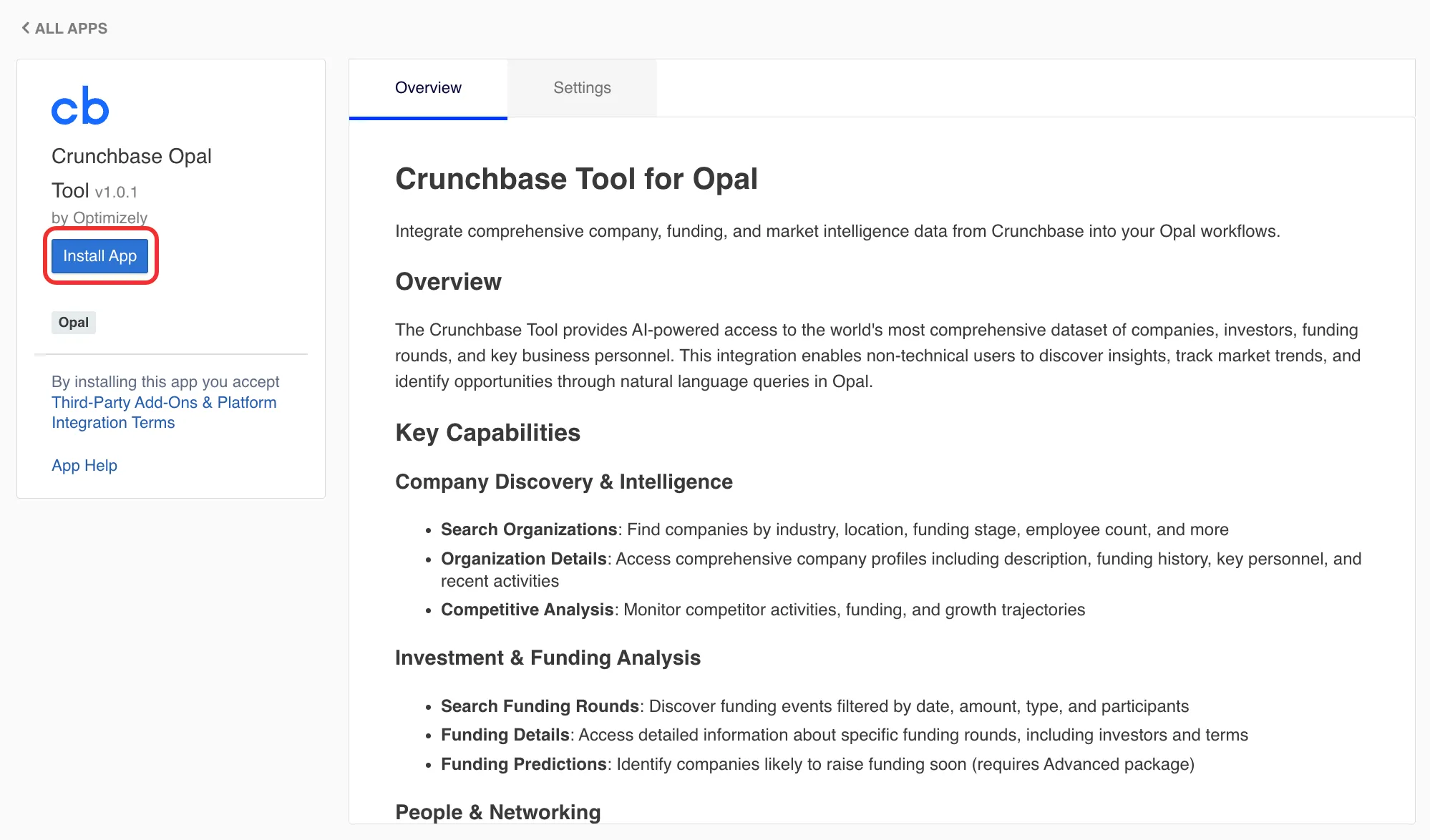
- Click on the Crunchbase Opal Tool connector tool.
- Click Install App.
Add your API key in OCP
From the Crunchbase Opal Tool in OCP, complete the following:
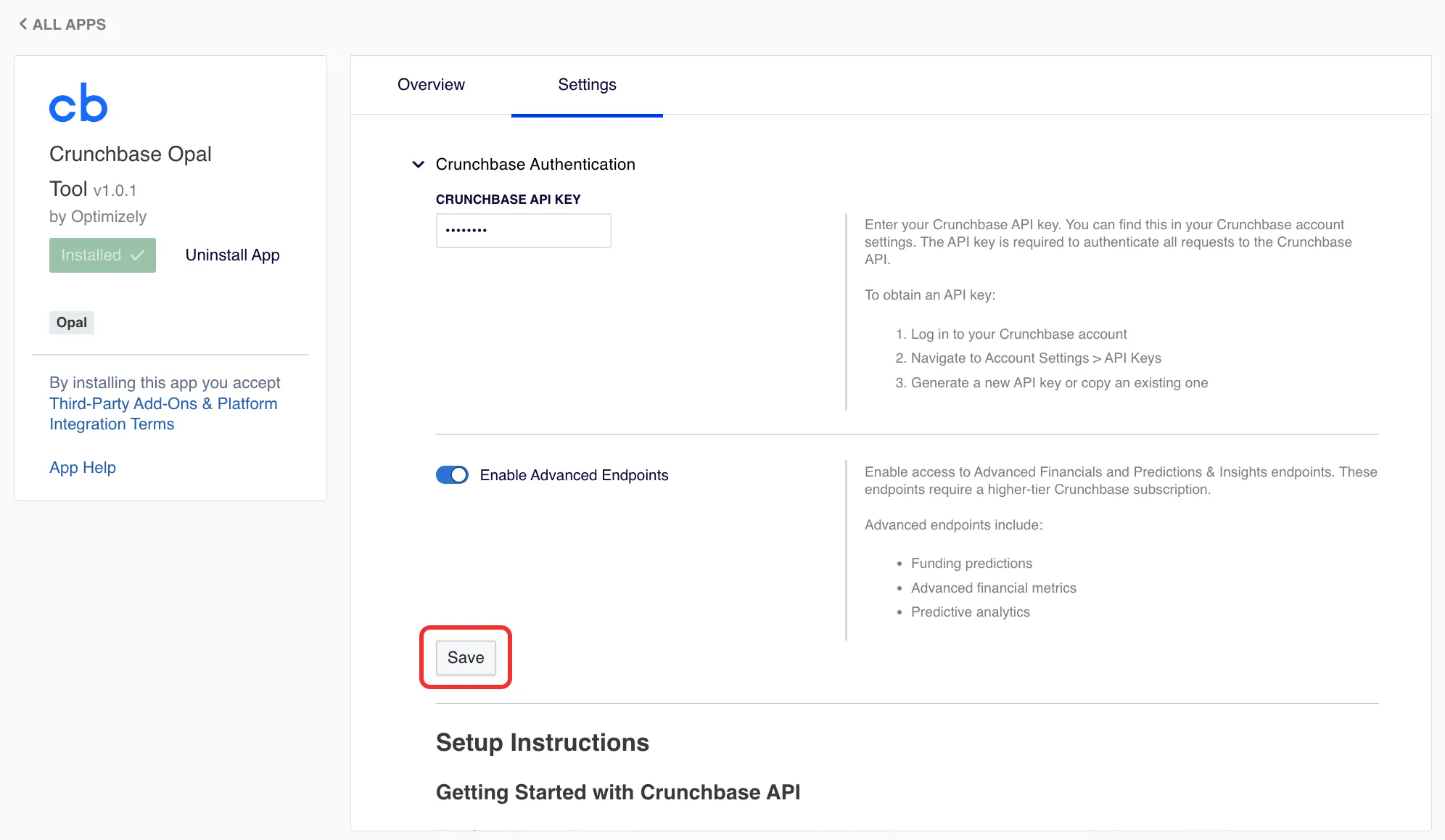
- Go to Settings > Authentication.
- Enter your Crunchbase API key.
- (Optional) Toggle Advanced Endpoints on if you have access to premium features.
- Click Save to validate credentials.
Connect the Crunchbase Opal Tool to Opal
From the Crunchbase Opal Tool in OCP, complete the following:
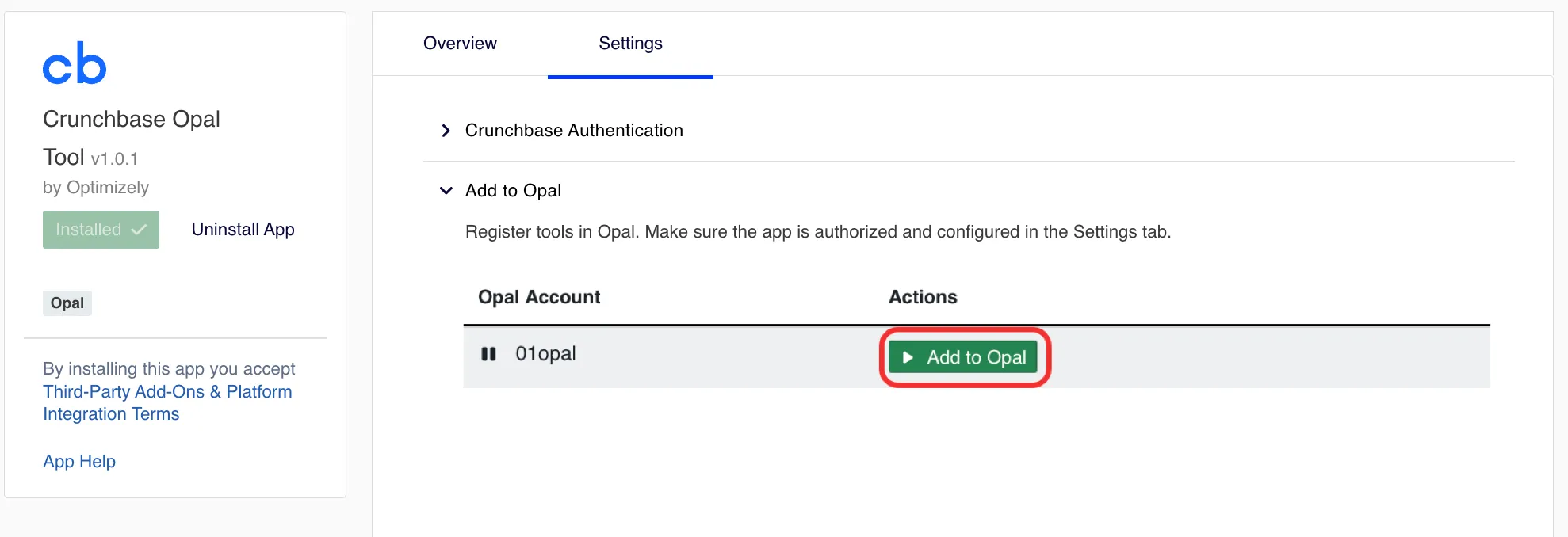
- Expand the Add to Opal section.
- Click Add to Opal to register the Crunchbase Opal Tool to the corresponding Opal instance.
Crunchbase rate limits
Note the following rate limits when calling the Crunchbase Opal Tool:
- The standard rate limit is 200 API calls per minute.
- The tool automatically handles rate limiting.
- You should consider batching requests for large operations.
Crunchbase connector tools
After you add and register the Crunchbase Opal Tool in OCP, you can call the following tools in Opal. Click on a tool's name to expand it and learn more about when to use the tool, required and optional parameters, and example prompts on how to call the tool. If you do not provide a required parameter, Opal prompts you for it.
Tips for best results
Keep the following tips in mind when calling Crunchbase connector tools:
- Be specific – Include relevant criteria like location, industry, funding stage, or employee count.
- Use filters – Leverage date ranges, amounts, and categories to narrow results.
- Iterate – Start broad, then refine based on initial results.
- Combine searches – Use organization search followed by funding round search for deeper analysis.
- Check data freshness – Crunchbase data is regularly updated but may have delays for recent events.
Troubleshoot
Invalid API key
- Verify your API key is correct in the OCP tool settings.
- Ensure your Crunchbase subscription is active.
- Check that you have not exceeded your account limits.
Rate limit exceeded
- Wait 60 seconds before retrying.
- Reduce the frequency of requests.
- Consider implementing delays between large batch operations.
403 forbidden errors
- This endpoint may require a higher-tier subscription.
- Enable Advanced Endpoints in the OCP tool settings if you have access.
- Contact Crunchbase to upgrade your data package.
No results found
- Try broader search criteria.
- Check spelling and formatting.
- Verify the entity exists in Crunchbase's database.
Additional resources
See the following Crunchbase documentation for additional information:
Note
If you use Opti ID, administrators can turn off generative AI in the Opti ID Admin Center. See Turn generative AI off across Optimizely applicationsTurn generative AI off across Optimizely applications.