Content Model Creation agent (CMS 13)
Content Model Creation is an agent in Mark (Optimizely Agent Platform). It builds a content model for Optimizely Content Management System (CMS 13) from a URL or an image. The agent references your existing content types to avoid duplicates.
- Challenge – Analyzing and creating content models that use the latest product features is complex and time-consuming.
- Agent outcome – Creates content type suggestions based on a URL or image.
- Value – Faster development when creating new content types or adding features to existing ones.
See Define content types in the developer documentation.
Required Optimizely products
The Content Model Creation agent requires Optimizely CMS 13.
Install agent
Note
Mark Administrators, Agent Builders, and users with the Add, edit, and install specialized agents attribute for a custom role can add agents to their organization's Mark instance. See Add users and set permissions.
Install the agent from the Directory.
- Go to Directory > Agents.
- (Optional) Enter Content Model Creation or use the drop-down list filters to narrow the list.
- Click Install on the Content Model Creation agent with the ID @content_model_creation-paas. This adds it to your Mark instance.
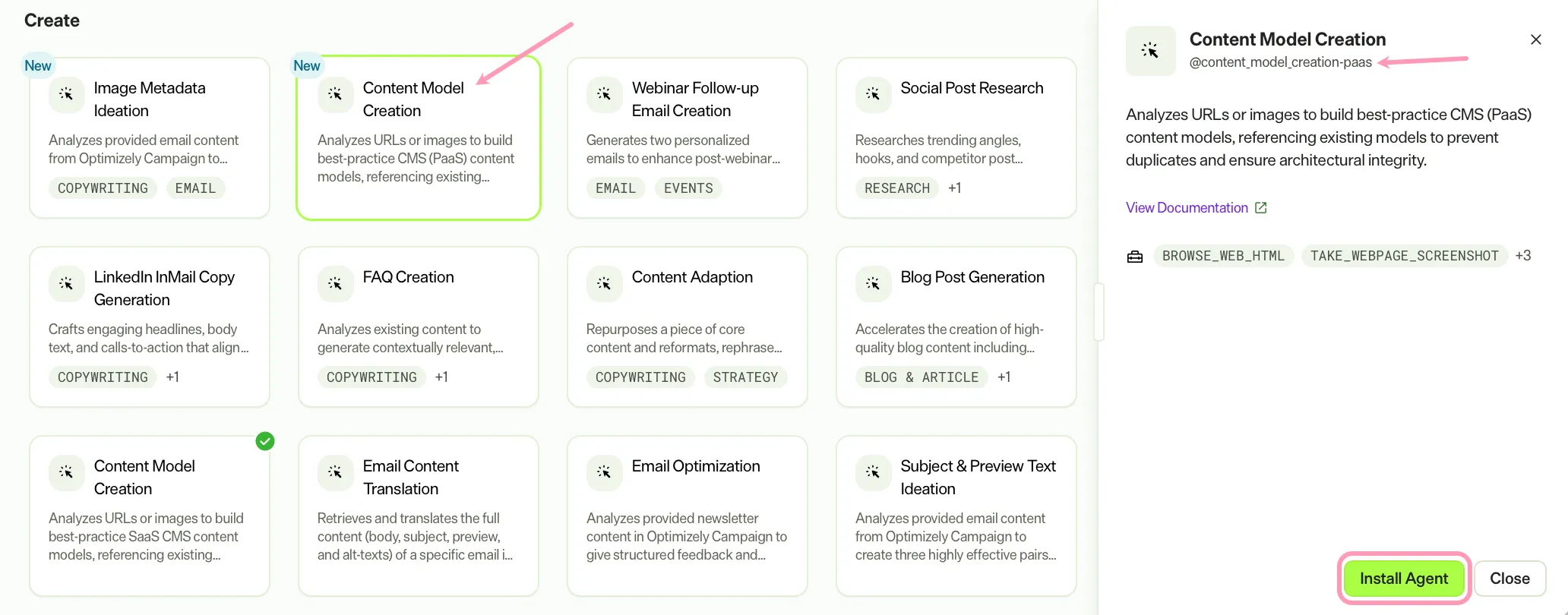
If Install is disabled, ensure you have the Required Optimizely products connected to your Mark instance.
Use the agent
Note
Before you use the Content Model Creation agent, you must install the Mark tools in your CMS 13 instance. See Get started with Mark tools for information.
In Mark chat, enter @content_model_creation-paas and provide one of the following details:
- url – A website URL to generate a content model for.
- image – An uploaded image to generate a content model for.
The agent suggests a content model as a list of content types. Each is marked New or Modified, with the affected properties and the full JSON for each type. It ends by asking whether to apply the suggestions to your CMS 13 instance.
To use the Content Model Creation agent in a workflow agent, add it to your workflow. See Create a workflow agent.
Default agent details
These are the default details for the Content Model Creation agent. After you install the agent in your Mark instance, customize these details for your organization's needs. See Manage agents for instructions.
Input variables
The Content Model Creation agent takes the following input:
- (Optional) url
- (Optional) image
Tools
The Content Model Creation agent uses the following tools internally to process your request:
- browse_web_html
- take_webpage_screenshot
- paas_cms_get_content_type_details
- paas_cms_list_content_types
- paas_cms_list_property_groups
You must install the Mark tools in your CMS 13 instance before using the Content Model Creation agent. See Get started with Mark tools for information.
Default configuration
The agent uses the following default configuration:
- Inference level – Complex, which provides advanced reasoning and detail.
- Files – None.
- Output – Text.
Note
If you use Opti ID, administrators can turn off generative AI in the Opti ID Admin Center. See Turn generative AI off across Optimizely applications.