E-E-A-T Checker agent
E-E-A-T Checker is an agent in Mark (Optimizely Agent Platform). It evaluates web content against Google's Experience, Expertise, Authoritativeness, and Trustworthiness (E-E-A-T) quality signals. The agent returns a ranked list of improvement actions. See the Google documentation for information.
- Challenge – Search engines and audiences increasingly demand content that demonstrates E-E-A-T. Manually auditing every article for signals such as primary research, expert citations, and verified data is time-consuming and inconsistent. High-value content often underperforms in search results as a result.
- Agent outcome – The agent evaluates content against E-E-A-T benchmarks, identifies gaps in authority or transparency, and provides ranked recommendations to strengthen credibility.
- Value – Accelerate editorial review and publish authoritative content that ranks higher, with every piece audited for maximum visibility and trust.
Install agent
Note
Mark Administrators, Agent Builders, and users with the Add, edit, and install specialized agents attribute for a custom role can add agents to their organization's Mark instance. See Add users and set permissions.
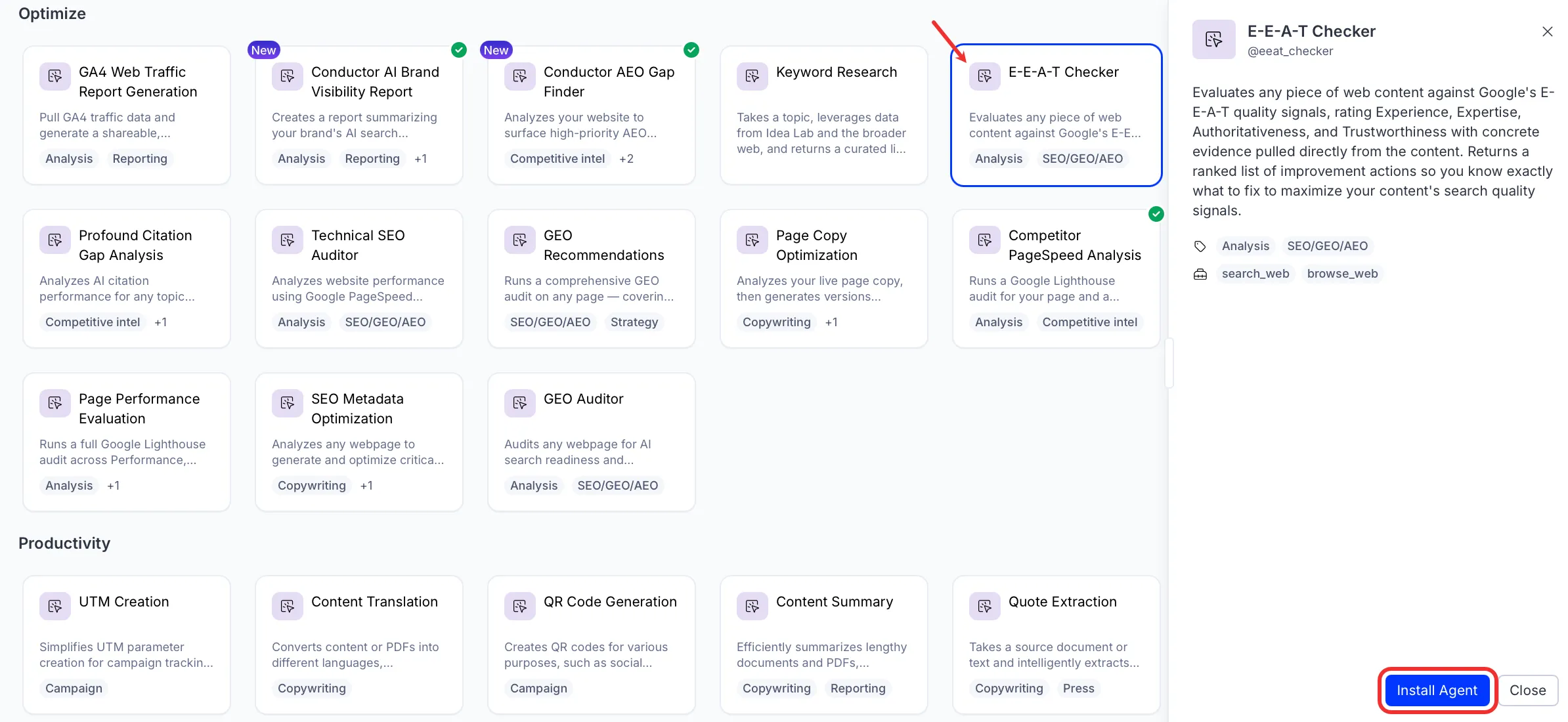
Install the agent from the Directory.
- Go to Directory > Agents.
- (Optional) Enter E-E-A-T Checker or use the drop-down list filters to narrow the list.
- Click Install on E-E-A-T Checker to add it to your Mark instance.
Use the agent
In Mark chat, enter @eeat_checker and provide details for the following parameters:
- Content – The content to evaluate. Paste a URL, paste raw text, or attach a PDF or document.
The agent returns ratings for each E-E-A-T dimension with evidence from the content. It then provides a ranked list of improvement actions.
To use the E-E-A-T Checker agent in a workflow agent, add it to your workflow. See Create a workflow agent.
Default agent details
These are the default details of the E-E-A-T Checker agent. After you install the agent in your Mark instance, customize these details for your organization's needs. See Manage agents for instructions.
Input variables
The E-E-A-T Checker agent takes the following input:
- Content
Tools
The E-E-A-T Checker agent uses the following tools internally to process your request:
- search_web
- browse_web
Default configuration
The agent uses the following default configuration:
- Inference level – Pro, which provides maximum reasoning depth.
- Files – None.
- Output – Text.
Note
If you use Opti ID, administrators can turn off generative AI in the Opti ID Admin Center. See Turn generative AI off across Optimizely applications.