Mixpanel connector tools
The Mixpanel connector tools in Optimizely Opal provide a powerful integration that lets you query detailed user profiles and export raw event data for in-depth behavioral auditing. By utilizing JavaScript Query Language (JQL), you can perform sophisticated analytics, such as funnel and retention reporting, to uncover hidden patterns in user interactions. Furthermore, the ability to manage and create cohorts lets you translate these insights into targeted segments.
Complete the following steps to add the Mixpanel connector tools to your Opal instance:
Add the Opal Mixpanel Tool in OCP
Install the Opal Mixpanel Tool in OCP
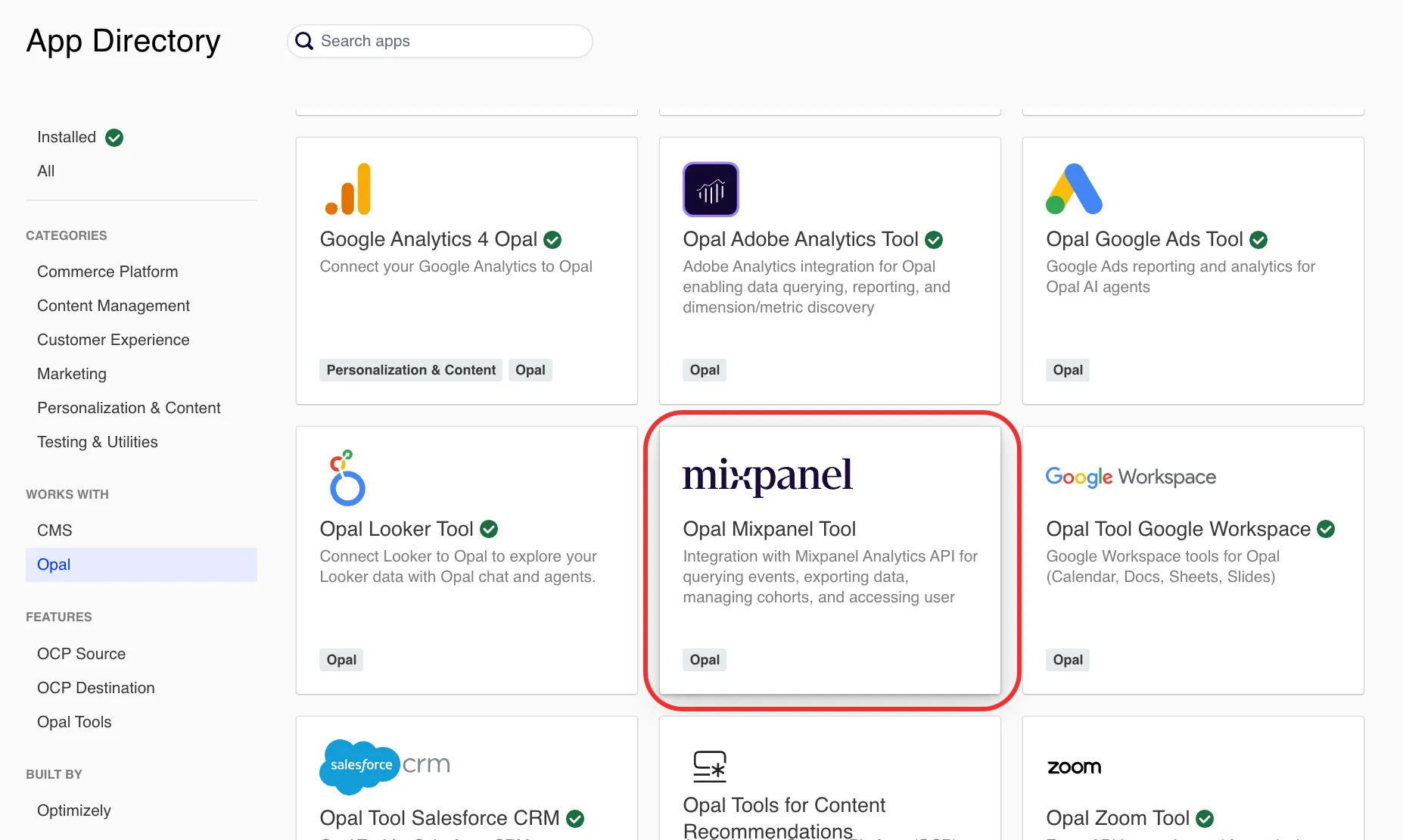
In the OCP App Directory, complete the following:
- Click Opal Mixpanel Tool.
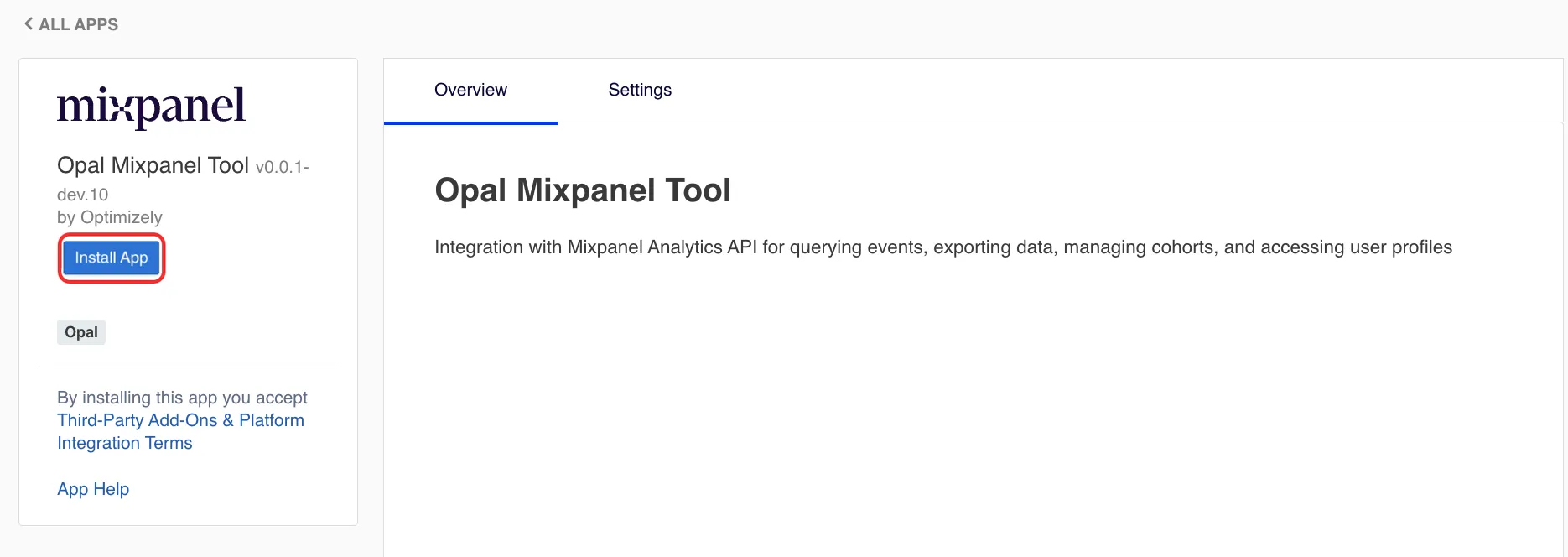
- Click Install App.
Configure your Mixpanel service account (optional)
If you already have a Mixpanel service account, skip this section and go to Mixpanel connector tools. You need your service account username and secret to complete step 5.
A Mixpanel service account is a special type of user intended to represent a non-human entity such as a script or back-end service. To create a service account, complete the following steps:
- Go to your Mixpanel organization or project settings.
- Click Service Accounts.
- Click Add Service Account.
- Copy the Username and Secret. You use these credentials in the next section.
For information, go to Service accounts in the Mixpanel documentation.
Complete Mixpanel authentication in OCP
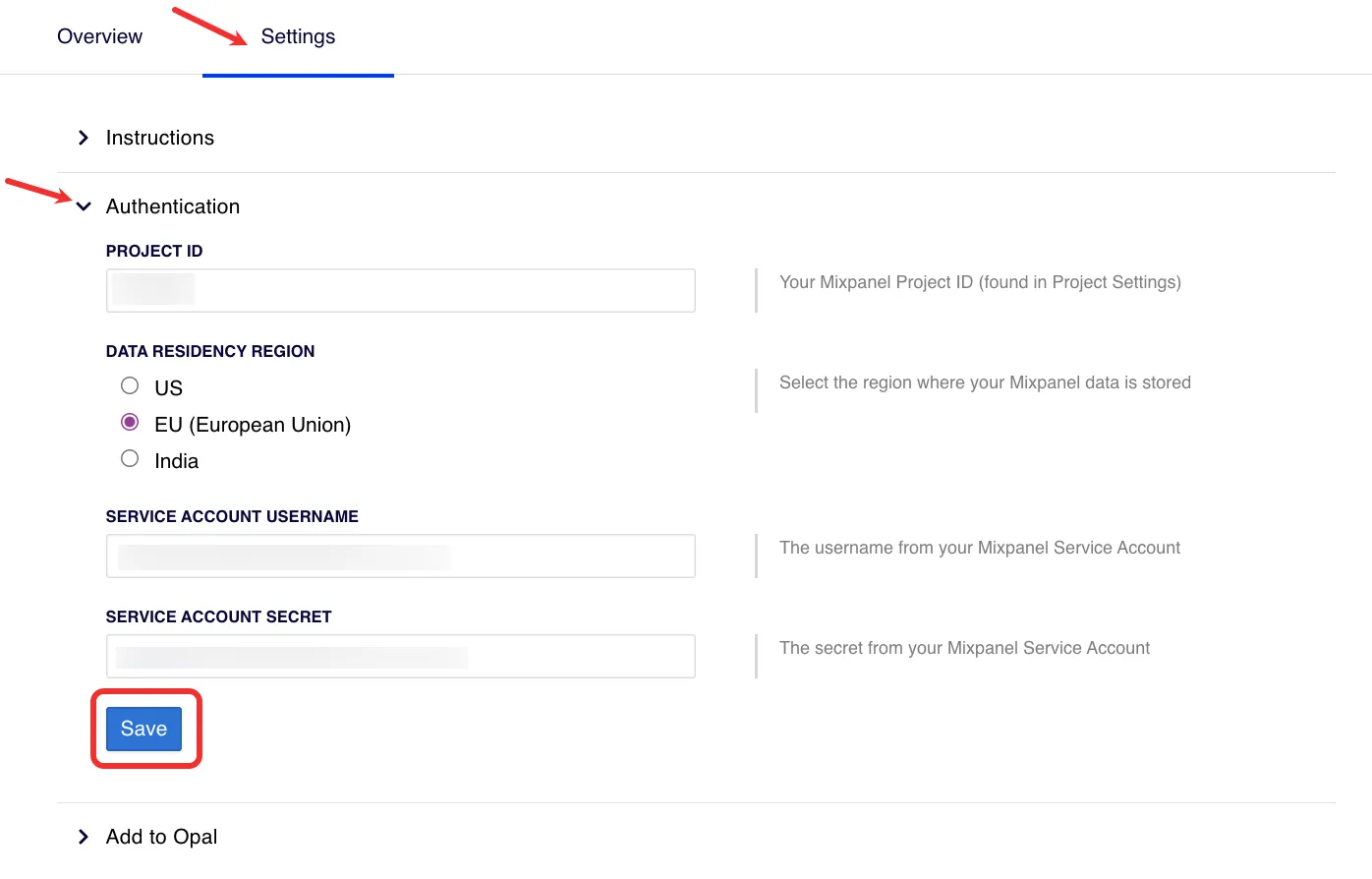
- In the Opal Mixpanel Tool in the OCP App Directory, complete the following:
- Go to the Settings tab.
- Expand the Authentication section.
- Enter your Mixpanel Project ID. Find this ID in your Mixpanel project settings.
- Select the region where Mixpanel stores your data.
- Enter your Service Account Username and Service Account Secret from your Mixpanel service account.
- Click Save.
Add the Mixpanel connector tools to Opal
After you Add the Opal Mixpanel Tool in OCP, complete the following in OCP:
- Click Settings > Add to Opal.
- Click Add to Opal for the Opal Account you want to add the Mixpanel connector tools to. Click Remove from Opal to remove the connection.
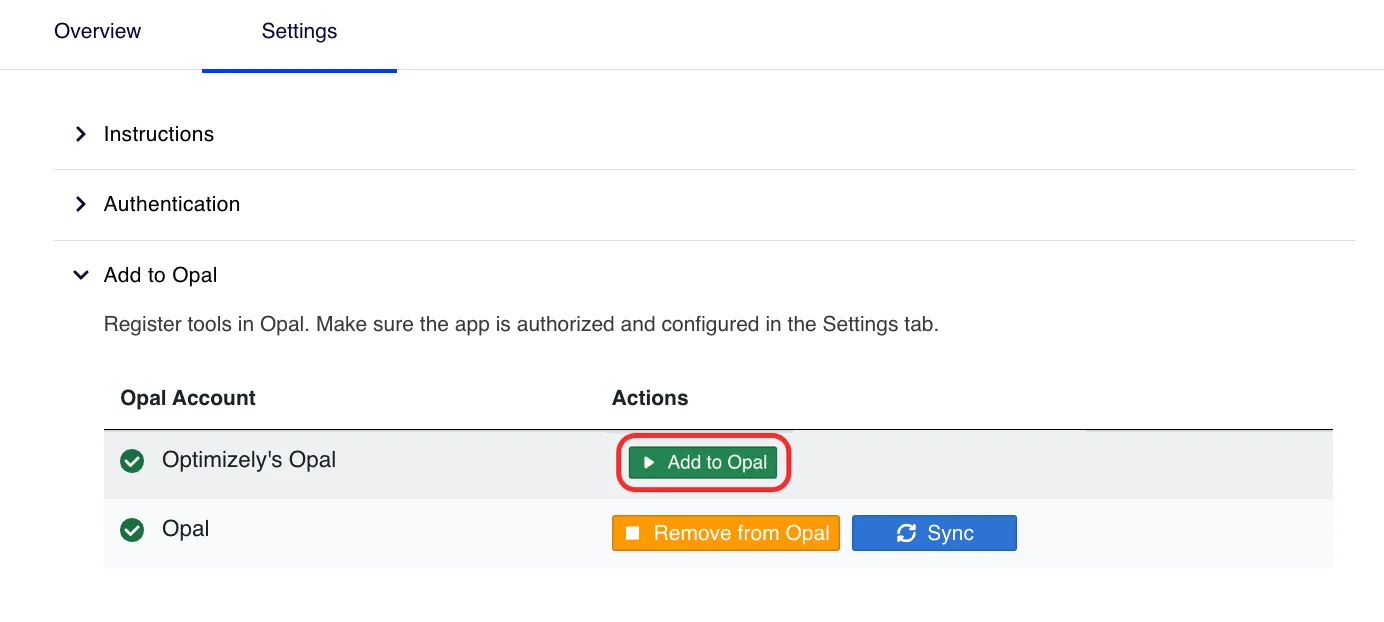
The Mixpanel connector tools are now available in Opal.
Mixpanel connector tools
After you Add the Opal Mixpanel Tool in OCP and Add the Mixpanel connector tools to Opal, the following tools are available in Opal.
Click a tool's name to expand it and learn when to use it, its required and optional parameters, and example prompts for calling the tool. If you do not provide a required parameter, Opal prompts you for it.
Use cases
The following use cases show how to combine the Mixpanel connector tools to support common marketing, experimentation, content, and operations workflows.
Marketing and audience segmentation
- Identify high-value segments for campaigns – Use the mixpanel_query_profiles tool to find users who have a specific "Lifetime Value" or "Plan Type" and reside in a certain region. Use the mixpanel_create_cohort tool to create this group as a "VIP Audience" that syncs to your email or ad platforms for targeted messaging.
- Campaign attribution and funnel analysis – Use mixpanel_execute_jql_query to build a funnel that tracks users from a "Marketing Campaign Click" event to a "Sign up" and finally a "Purchase". This helps you see exactly where potential customers drop off in your marketing journey.
- Identify "At-Risk" users for re-engagement – Query for users who have not performed a key "Value Event" (for example, "Article Read" or "Dashboard Login") in the last 14 days. Use the mixpanel_export_events tool to export these profiles and trigger a personalized "We miss you" email campaign.
A/B experimentation and component optimization
- Analyze experiment results – If you are running an A/B test where the variant is tracked as an event property (for example, variant_id = "A"), use the mixpanel_execute_jql_query tool to compare the conversion rates or average order values between groups.
- Behavioral deep dives for variations – For a specific test variant that performed poorly, use mixpanel_export_events to look at the raw event stream of a sample of users. This can reveal technical errors or friction points unique to that experience.
- Post-test audience creation – When you conclude an experiment, use the mixpanel_create_cohort tool to group users who interacted with the winning feature. This lets you monitor their long-term retention compared to the rest of your user base.
Content pipeline and engagement
- Content performance strategy – Use JQL queries to aggregate which content categories (for example, "Tutorials" and "Case Studies") generate the most downstream conversions. This data informs your Content Marketing Platform (CMP) strategy on what topics to prioritize.
- Personalized content recommendations – Use the mixpanel_query_profiles tool to identify a "Most Viewed Category." Opal can then use this information to suggest similar content pieces or draft personalized newsletters using the content tools.
- Track the content-to-conversion path – Analyze how many "Blog Post Views" a user typically has before they perform a "Trial Start." This helps marketing teams understand the true ROI of their top-of-funnel content.
General operations
- Snapshot reports – Use the mixpanel_execute_jql_query tool to get a count of daily active users or specific event totals to include in your weekly status reports.
- User journey mapping – Export raw event data for "Power Users" to visualize the most common paths they take through your application and optimize the UI for newer users.
Note
If you use Opti ID, administrators can turn off generative AI in the Opti ID Admin Center. See Turn generative AI off across Optimizely applicationsTurn generative AI off across Optimizely applications.