Assign an input guardrail to a specialized agent
Assign an input guardrail to an individual specialized agent when separate agents handle distinct conversations and need their own content policies. A per-agent guardrail enforces its policy only on messages sent to that agent. This gives you targeted control beyond the single instance-level input guardrail.
Per-agent guardrails operate independently of the instance-level active guardrail. An agent has its own guardrail even when no instance-level guardrail is active, and the reverse is also true. When you assign a guardrail to a specialized agent, Opal evaluates each input the agent receives. Opal blocks the message when any input violates a policy.
Prerequisites
The guardrail must already exist and have a trained model with the status Ready. To create and train one, see Create and train an input guardrail.
Assign a guardrail to an agent
To assign a guardrail to an agent, complete the following steps:
- Open a specialized agent in the agent editor. See Manage agents for information on selecting or creating an agent.
- Find the Input Guardrails setting.
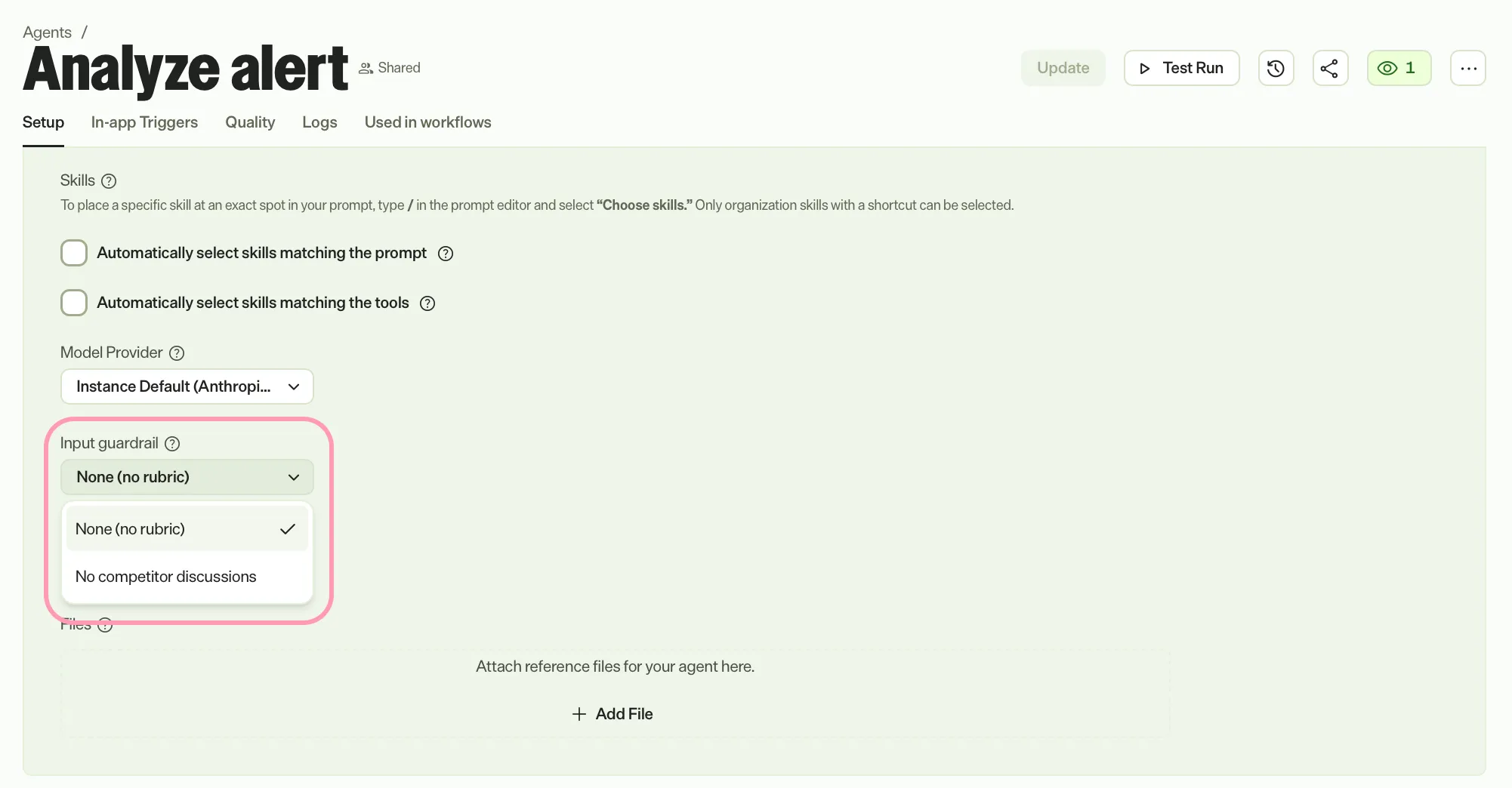
- Select the trained guardrail you want to enforce for this agent from the drop-down list.
- Select the version of the guardrail you want to enforce for this agent from the Select version drop-down list.
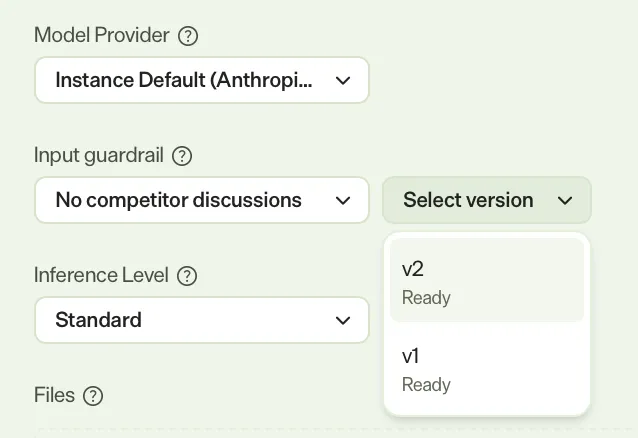
- Do one of the following to save your changes:
- Click Update if you are editing an existing agent.
- Click Save if you are creating an agent.
The guardrail takes effect immediately for conversations with that agent. To change the policy later, select a different guardrail version or clear the setting to remove per-agent enforcement.
Note
If you use Opti ID, administrators can turn off generative AI in the Opti ID Admin Center. See Turn generative AI off across Optimizely applicationsTurn generative AI off across Optimizely applications.