Use MaxMind with Forms
2 min
- Prerequisites Install EPiServer.Forms package from NuGet.
- Install EPiServer.Personalization.MaxMindGeolocation package from NuGet.
- Sign in or sign up at MaxMind.
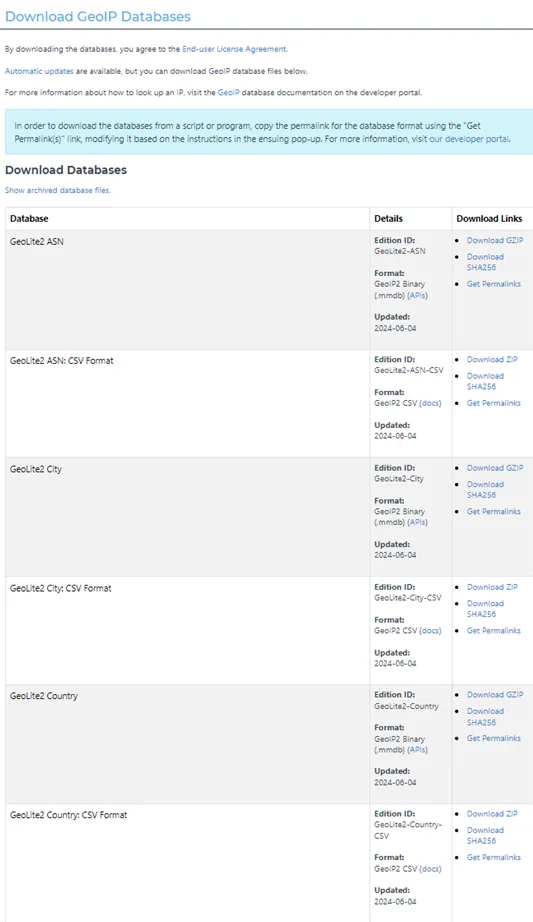
- Download the GeoLite2 database to the data folder in project (for example, App_Data).. You can download ASN, City, or Country data file and .csv location file.
- Open Startup.cs file.
- Add AddMaxMindGeolocationProvider with config to services object as below sample.
services
  .AddCmsAspNetIdentity < ApplicationUser > ()
  .AddCms()
  .AddVisitorGroupsUI()
  .AddCmsHost()
  .AddAlloy()
  .AddAdminUserRegistration()
  .AddEmbeddedLocalization < Startup > ()
  .AddMaxMindGeolocationProvider(configure => {
    configure.DatabasePath = Path.Combine(_webHostingEnvironment.ContentRootPath, "App_Data", "GeoLite2-City.mmdb");
    configure.LocationsDatabasePath = Path.Combine(_webHostingEnvironment.ContentRootPath, "App_Data", "GeoLite2-City-Locations-en.csv");
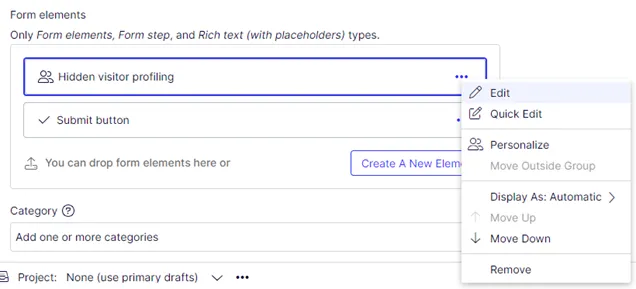
});- Add Hidden visitor profiling into a form container and edit that element.
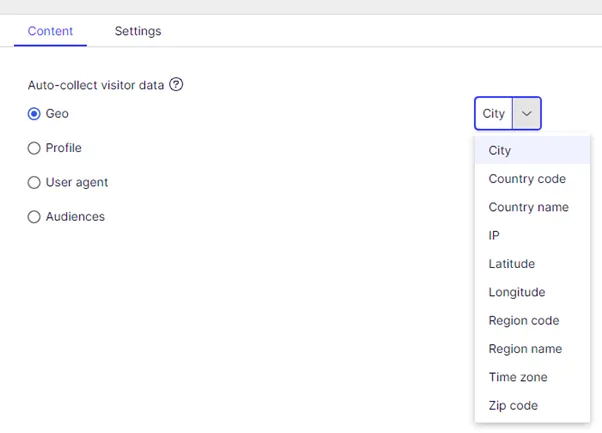
- Select Geo in the Auto-collect visitor data section with any value listed (such as City).
- Drag and drop the form to a page and publish it.
- Submit the form.
- Verify submission data.
