Use FreeOpenLocation with Forms
2 min
- Prerequisites Install EPiServer.Forms package from Nuget.
- Access ipstack and get API key.
- Open Startup.cs file
- Add AddFreeGeolocationProvider to services object as below sample
services
  .AddCmsAspNetIdentity < ApplicationUser > ()
  .AddCms()
  .AddVisitorGroupsUI()
  .AddCmsHost()
  .AddAlloy()
  .AddAdminUserRegistration()
.AddEmbeddedLocalization < Startup > ().AddFreeGeolocationProvider("<http://api.ipstack.com/{0}?access_key=API_KEY")>;- Obtain an API Key from ipstack and replace API_KEY with it.
- Deploy project to the online environment (because Loopback IP is ignored).
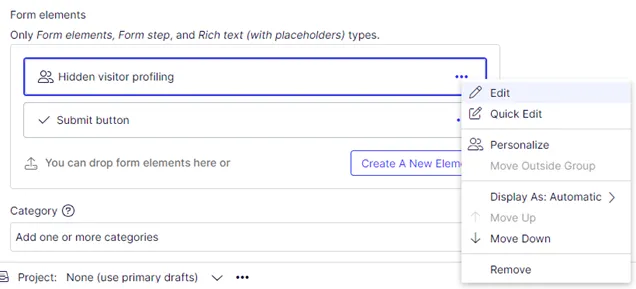
- Add Hidden visitor profiling into a form container and edit that element.
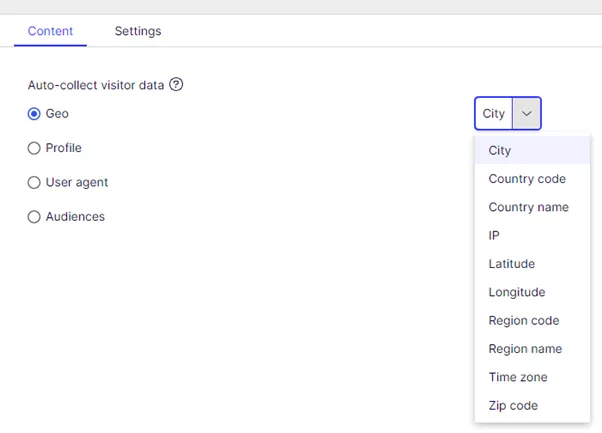
- Select Geo in the Auto-collect visitor data section with any value listed (such as City).
- Drag and drop the form to a page and publish it.
- Submit the form.
- Verify submission data.
