Optimizely Spellchecker for TinyMCE
The spellchecker verifies spelling in the TinyMCE editor. See also Edit content using the TinyMCE rich-text editor.
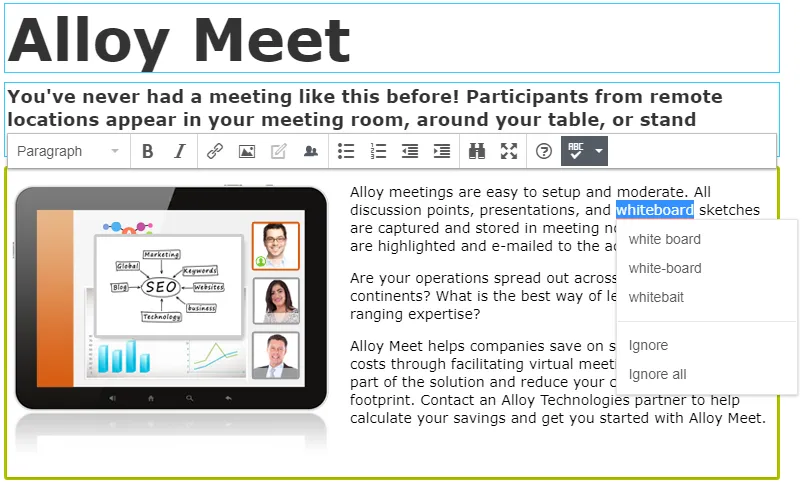
Click Spell Checker to check your spelling in the rich-text editor. Spellchecker highlights words with alternative spellings; you can click the word to see the alternatives.
Note
The Optimizely Digital Experience Platform (DXP) contains many features to support you in your daily work. Depending on how your solution is set up, some features described in this documentation may not be available. See Optimizely World for technical information.
You can select a language from the list of available languages under the spellchecker drop-down list.
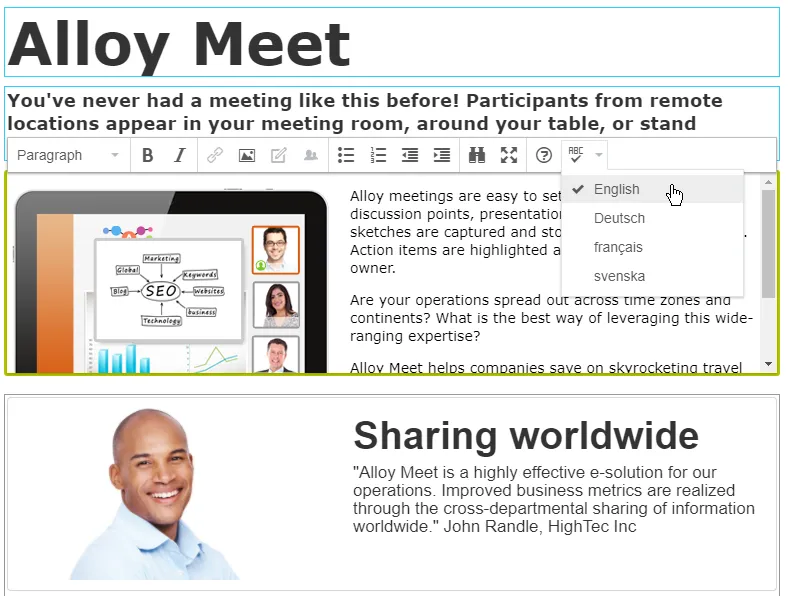
To make a dictionary available in the spellchecker language list, an administrator must enable the language on your website from the CMS admin view; see Manage website languages.
Spellchecker includes the following dictionaries by default:
- Danish (da)
- Dutch (nl)
- English (en-US)
- French (fr)
- German (de)
- Italian (it)
- Norwegian (nb-NO)
- Polish (pl)
- Portuguese (pt)
- Russian (ru)
- Spanish (es)
- Swedish (sv)