CUPED (Controlled-experiment Using Pre-Experiment Data)
The CUPED (Controlled-experiment Using Pre-Experiment Data) functionality is a statistical method that reduces variance in A/B tests, enhancing their sensitivity and making it easier to detect differences between groups. By lowering variance, CUPED lets experiments achieve statistical significance with less data if there is a true treatment effect. Introducing CUPED as an option for Optimizely A/B/n tests addresses challenges like insufficient traffic and high variance, making experiments more efficient.
Here are some important considerations when using this feature. CUPED can help reduce variance, which may enhance the significance of experiment results in certain cases.
- Metric Compatibility – This feature is available only for numeric metrics (not conversion metrics) as it is most effective for these data types.
- Covariate Limitation – Covariates refer to pre-experiment data used for adjustments. Only pre-experiment calculations of the primary and secondary target metrics are used as covariates. User-defined customization of features is not yet supported.
- Supported Platforms – This feature works on Snowflake, BigQuery, and Databricks. Contact Optimizely with requests for additional warehouse support.
- Health Checks – No health checks are available yet for unexpected feature imbalances (similar to sample ratio mismatch (SRM) checks). Unbalanced features, especially with sparse prior data, may increase variance, but this is an empirical issue that may not occur.
- Data Requirement – Prior data spans from two weeks before the experiment's start date to the user's first decision event. If no prior data exists (such as for a new metric), CUPED has no effect.
Enable CUPED
- Create an Experiment Scorecard in Analytics.
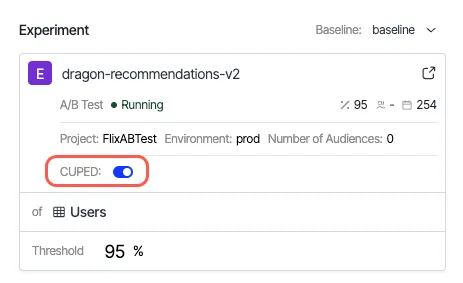
- Choose the preferred Experiment using the selector and enable the CUPED toggle.
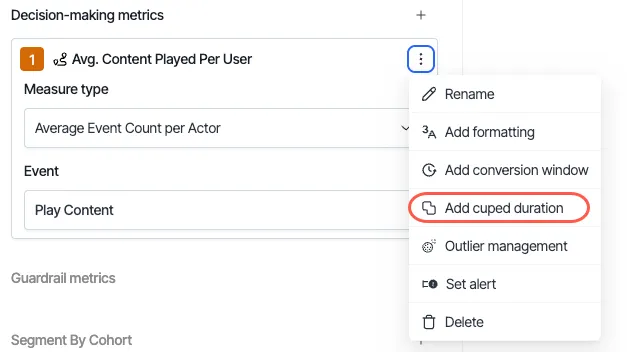
The Add cuped duration option changes the period of data that CUPED uses. By default, CUPED uses two weeks of historical data, but you can change it to a custom period.
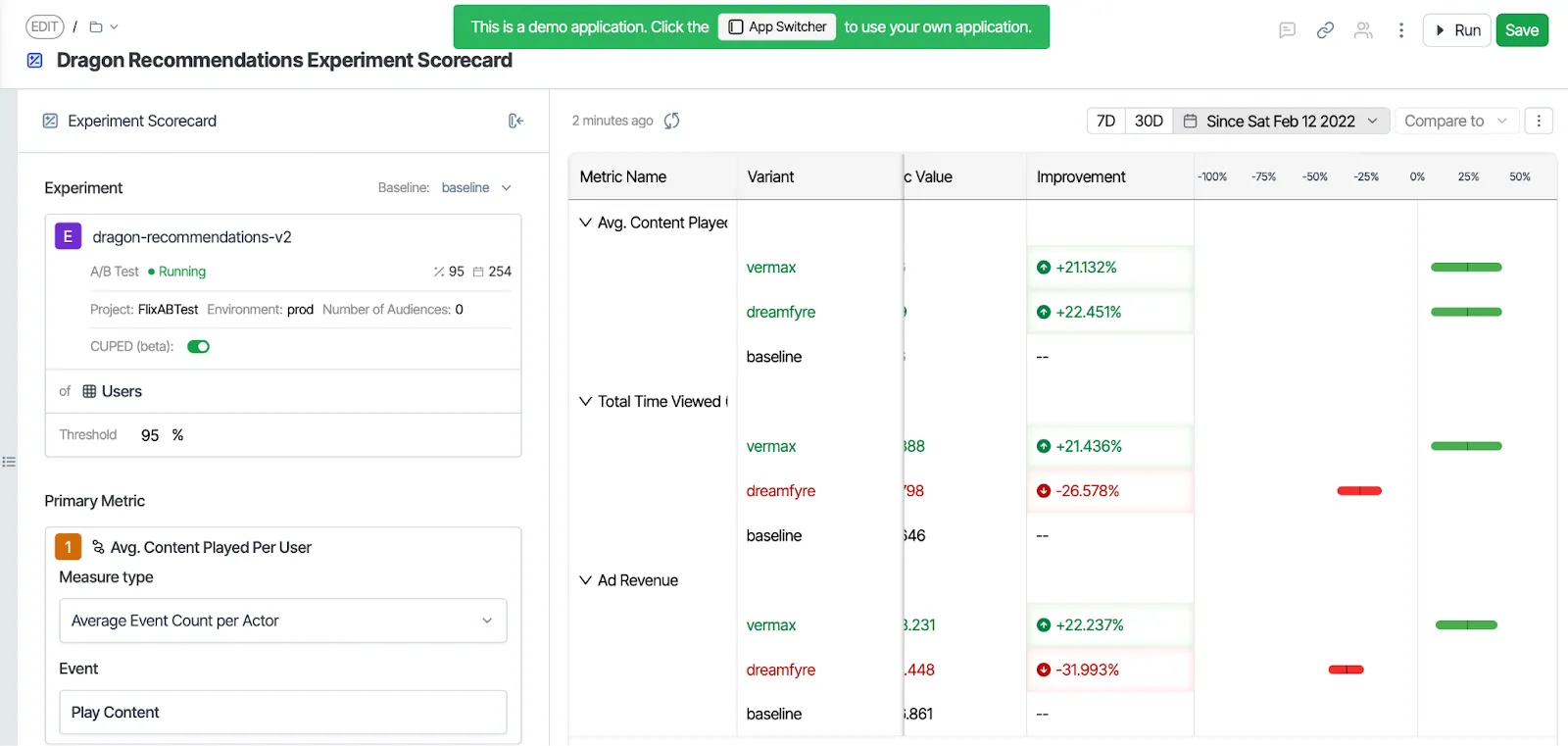
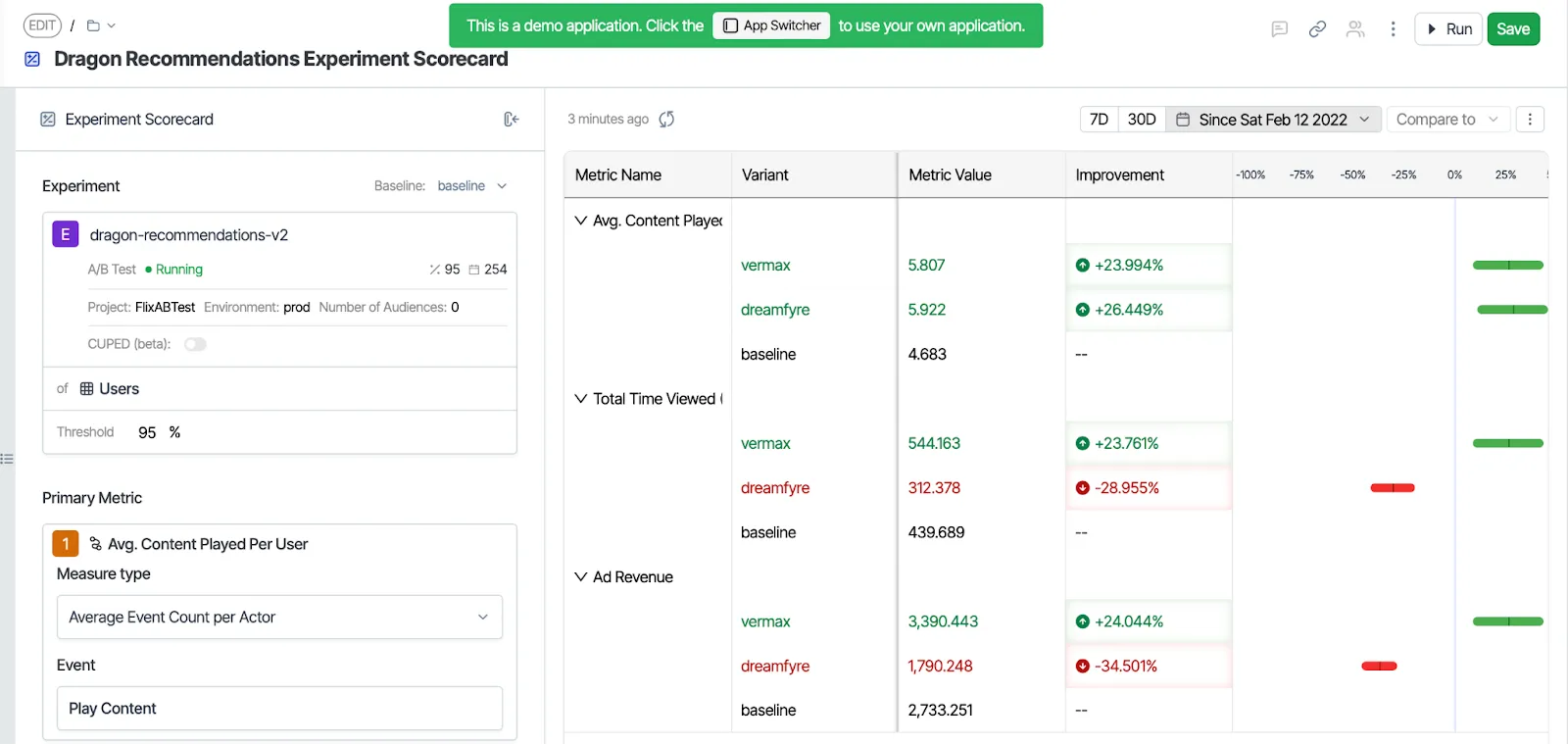
In the Analytics Experiment Scorecard template, using CUPED impacts your experiment metrics' variance reduction and sensitivity. The following are the results of the Dragon Recommendations scorecard built with and without CUPED.
With CUPED
Without CUPED
Statistical methodology
Optimizely CUPED model is a regression-based covariance adjustment method, which is more advanced than the standard CUPED method. It uses a linear regression model to filter out noise by utilizing pre-experiment data:
Y_i = \alpha + \beta T_i + \vec{\gamma}^{\,T} \tilde{X}_i + e_i \quad (i = 1, \ldots, n)The regression equation uses the following variables:
- Y_i – Value of a target metric (numeric metric) for person i.
- T_i – Treatment indicator (0 for control, 1 for treatment).
- \tilde{X}_i – Centered covariates derived from the pre-experiment data.
- \alpha, \beta, and \vec{\gamma} – Regression coefficients.
- **e_i – Error term.
The Ordinary Least Squares (OLS) estimator \hat{\beta} is an unbiased estimator for the true treatment effect.
Having pre-experiment data \tilde{X}_i in the model reduces the variance of \hat{\beta}(that is, variance reduction), resulting in a higher chance of seeing a significant result.
Notice that if \tilde{X}_i contains nothing but the historical value of Y_i, then the CUPED method is reduced to the standard CUPED method; thus, our CUPED method is more general and is preferred over the standard CUPED method.
In practice, our CUPED method works in two steps (following the Frisch-Waugh-Lovell theorem):
- Regress Y_i on \tilde{X}_i and compute the predicted values Y_i - \hat{Y}_i.
- Compute the residuals Y_i - \hat{Y}_i and feed the residuals into our Stats Engine.