Optimizely Agent Platform
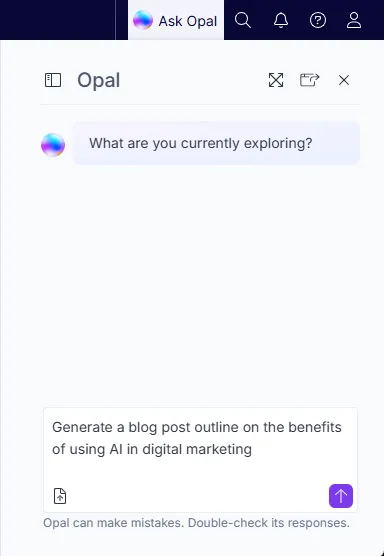
Optimizely Agent Platform is an agent orchestration platform that helps you explore complex questions, provides clear answers about the Optimizely platform, and offers instructions with links to relevant articles. Mark automates tasks, surfaces insights, and guides decision-making. Mark adapts its communication style to your technical expertise, helping you work smarter and complete tasks more efficiently.
Prerequisites
- You must use Optimizely Content Management System (CMS 12) in Optimizely Digital Experience Platform (DXP) to use Agent Platform with CMS 12.
- Have Opti ID enabled for your CMS instance.
- You must have Agent Platform provisioned at the organizational level. Contact your Customer Success Manager (CSM) to know more.
- You must enable third-party cookies.
See Add-ons platform compatibilityAdd-ons platform compatibility for package and version information.
Install the Mark chat NuGet package
- Install Mark chat through NuGet.
Steps to connect CMS 12 to Agent Platform
Configure CMS site
Install and configure the Mark chat add-on for your CMS site.
- Add the following NuGet package to your project.
Optimizely.Cms.OpalChat- In Startup.cs, register Mark chat.
services.AddOpalChat();- Configure local environment –
- Configure Opti ID login on your local machine. Access the PaaS Portal to extract information.
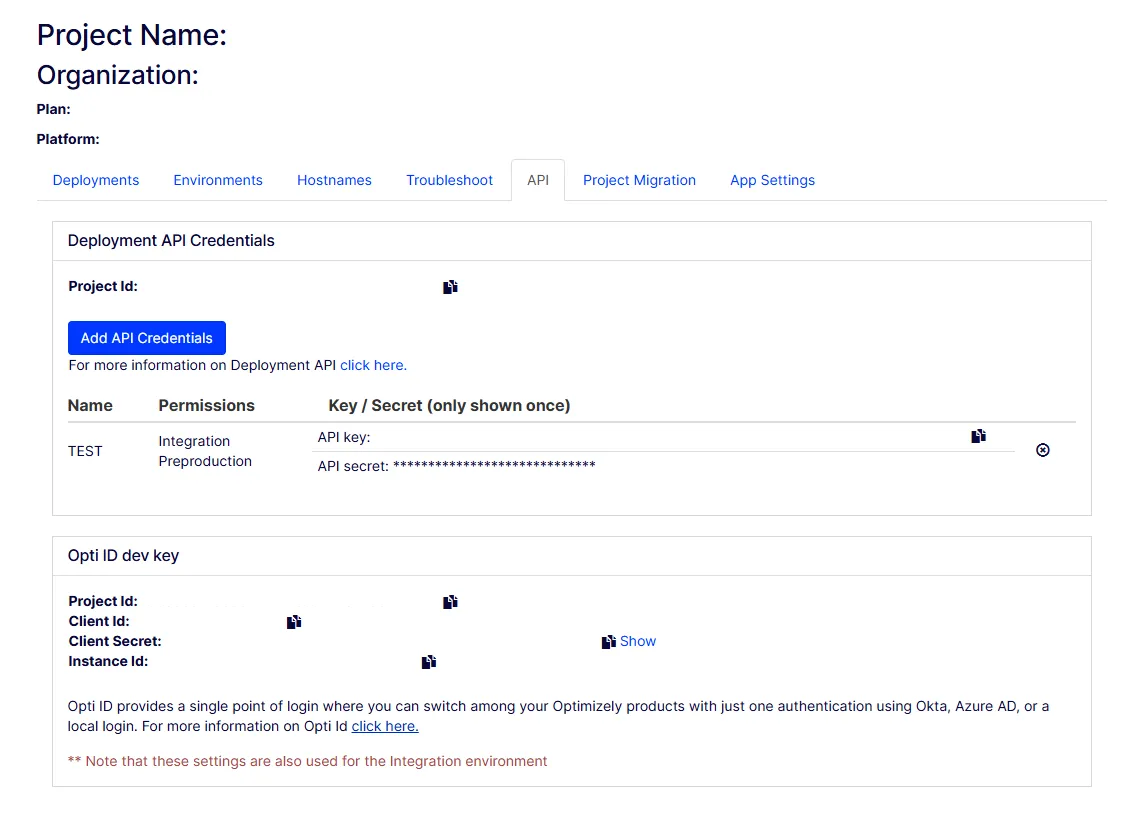
- Copy your Client Id, Client Secret, and Instance Id, and paste them into the configuration as follows.
"EPiServer": {
  "Cms": {
    "OptimizelyIdentity": {
      "Authority": "https://login.optimizely.com/oauth2/default",
      "InstanceId": "Instance Id",
      "ClientId": "Client Id",
      "ClientSecret": "Client secret"
    }
  }
}- Configure Mark chat:
"Optimizely": {
  "OpalChat": {
    "InstanceId": "the same instance ID used in Opti ID configuration",
    "ServiceUrl": "https://opal-backend.optimizely.com"
  }
}- Grant your login username access rights to the CMS instance.
Note For production environment no additional configuration is required.
After completing the configuration, deploy your CMS site to your PaaS Portal project.
Associate CMS with Agent Platform
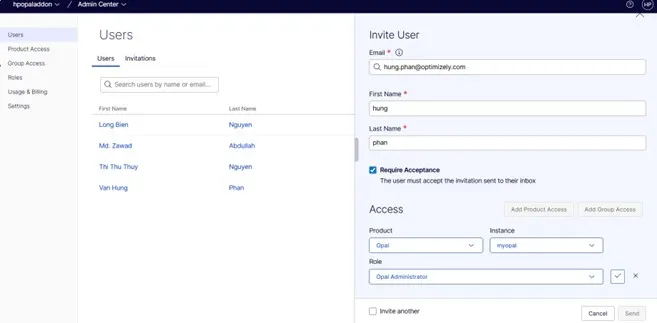
- In your organization's Admin CenterAdmin Center, ensure you have the Opal Administrator roleOpal Administrator role.
Note Contact Optimizely Support if you need access or role assignment.
- From the main menu, select Opal.
- Open the Connections tab.
- Select the instance associated with your CMS site.
- Click Save to complete the association.
When saved, your CMS 12 site is connected to Agent Platform.
Documentation
See Mark chat for Optimizely CMS 12Mark chat for Optimizely CMS 12 for information regarding Mark chat.