Locate IDs used for APIs
When using the Optimizely Web Experimentation APIs you will need several identifiers found in the Optimizely application.
For example:
- Creating the JSON object you use to send information to the Optimizely Event API.
- Exporting Experimentation Events Export data using the Optimizely Authentication API.
Account ID
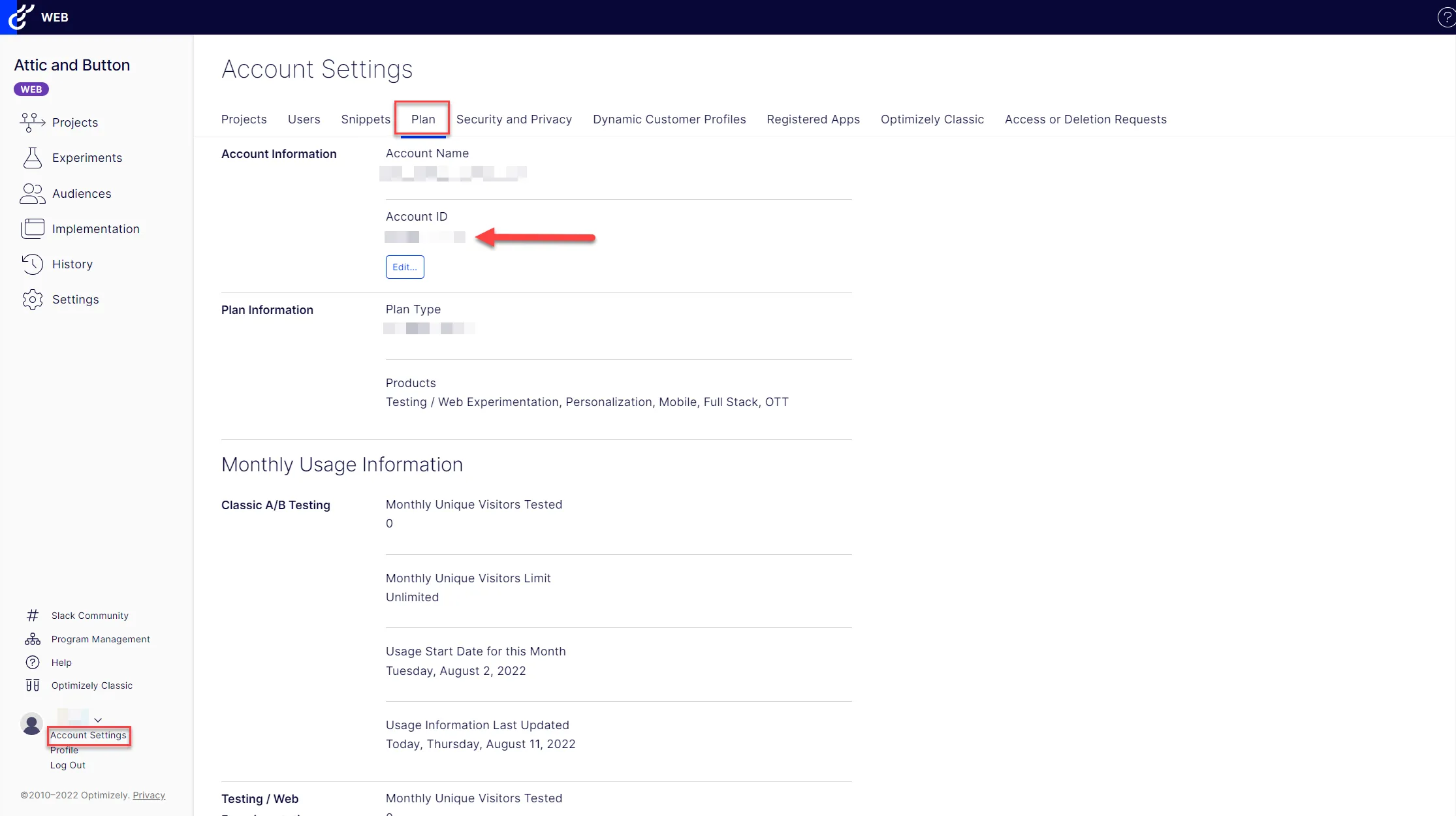
Go to Account Settings > Plan. The Account ID (account_id) is found at the top of the page to the right of the Account Information section.
Campaign ID, Experiment ID, Variation IDs, Entity IDs and keys
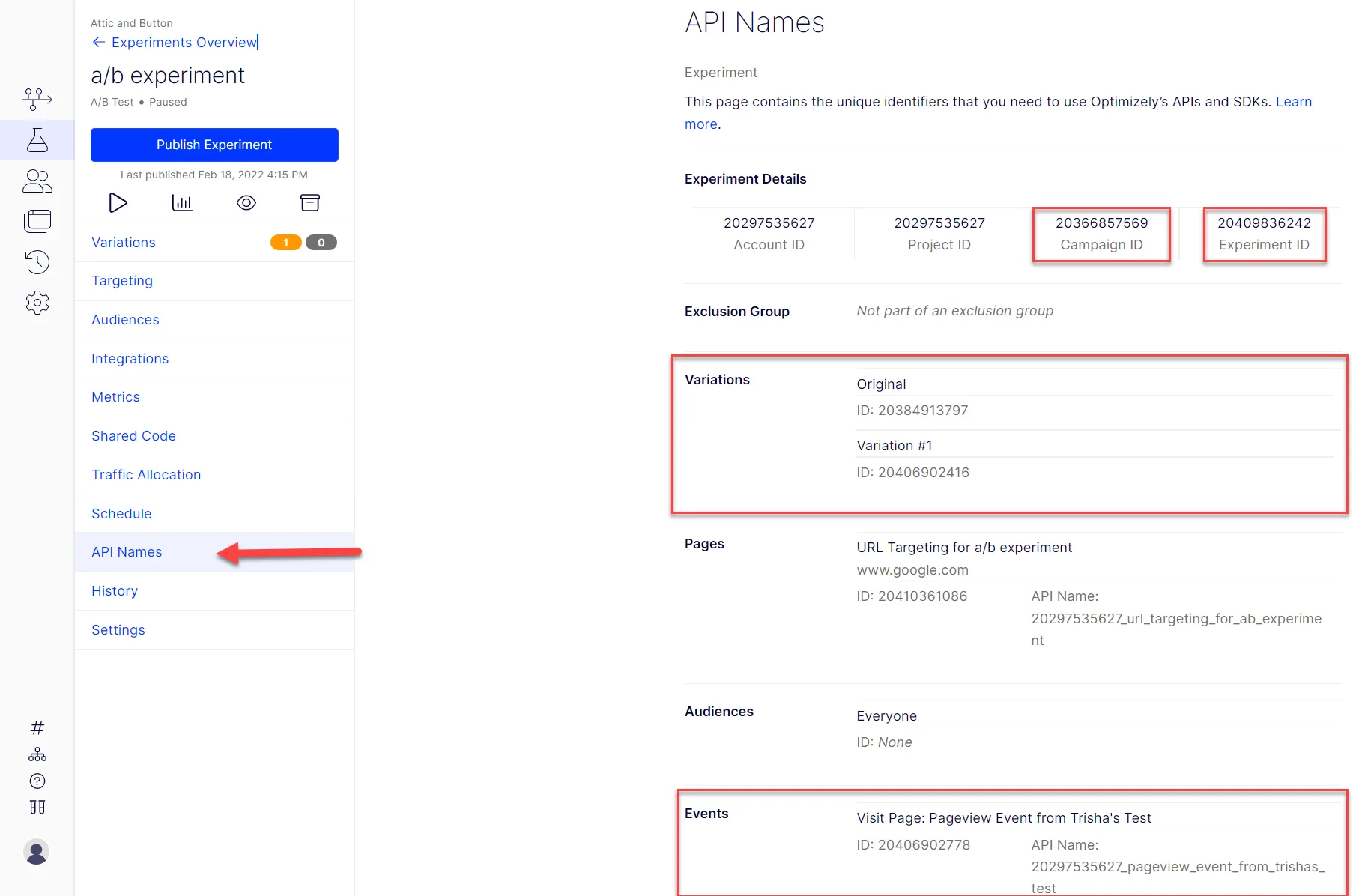
Go to the project you will be sending events for. Click Experiments > [your experiment name] > API Names.
Event API variable | Name on page | Where to find in the UI |
|---|---|---|
campaign\_id | Campaign ID | Under the Experiment Details section. |
experiment\_id | Experiment ID | Last ID in the Experiment Details section. |
variation\_id | Variation ID | In the Variations section. The `variation_id` is shown as the ID below the name of each variation. |
entity\_id | Event ID | In the last section, named Events.\ The `entity_id` is listed as the ID below the name of each event. It is to the left of the API name. |
key | Events > API Name | In the last section, named Events.\ The `key` is listed as the API Name below the name of each event. It is to the right of the event ID. |
The following image highlights each ID shown on the API Names page.