Add templates
3 min
Products
- Optimizely Web Experimentation
- Optimizely Edge Delivery
- Optimizely Personalization
The availability of features may depend on your plan type. Reach out to your Customer Success Manager if you have any questions.
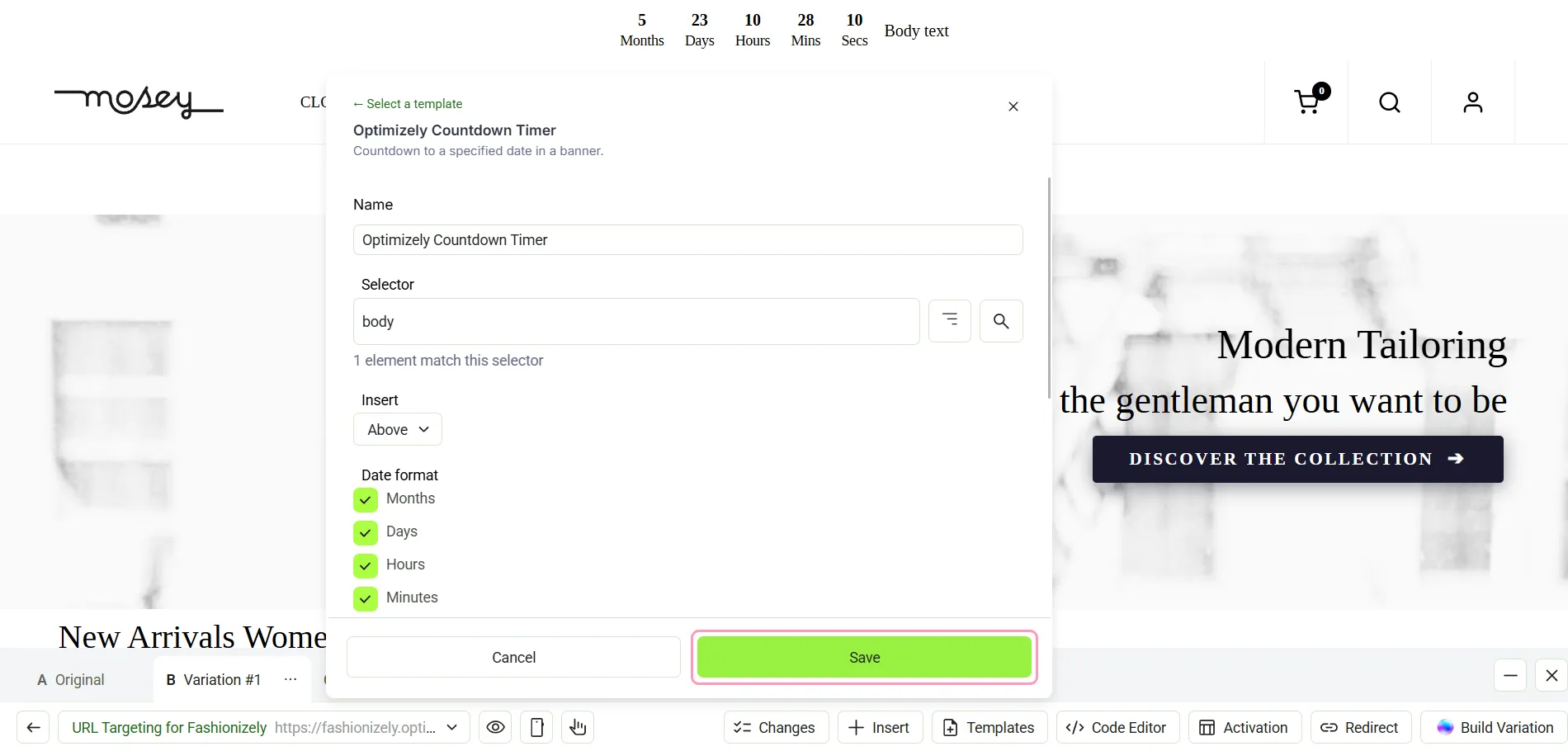
The new Visual Editor lets you add templates to your experiments and campaigns. A template is a reusable element your team builds once and reuses across experiments and campaigns.
You can create templates and then apply them directly in the new Visual Editor.
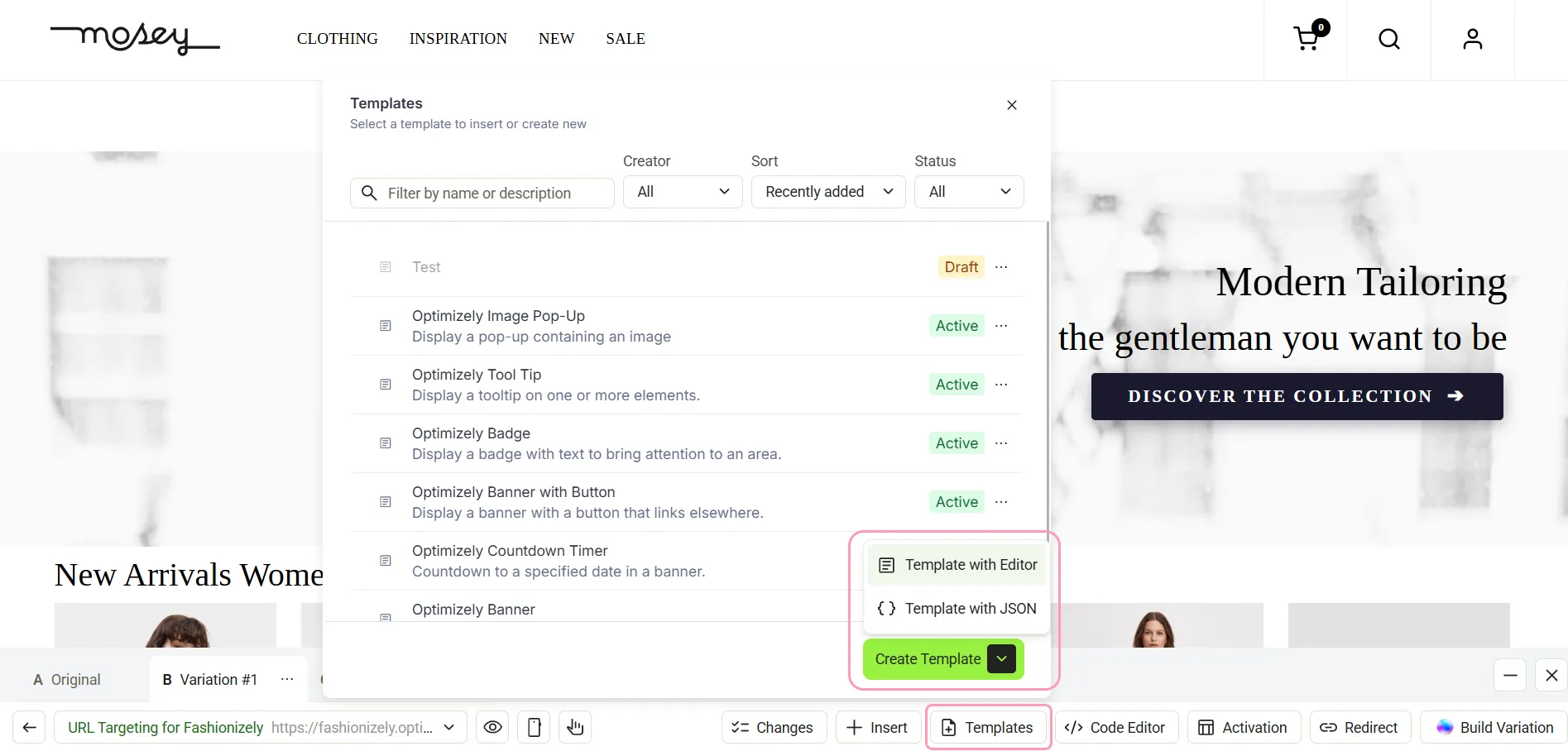
Alternatively, you can create templates from Implementation > Templates > Create Template.
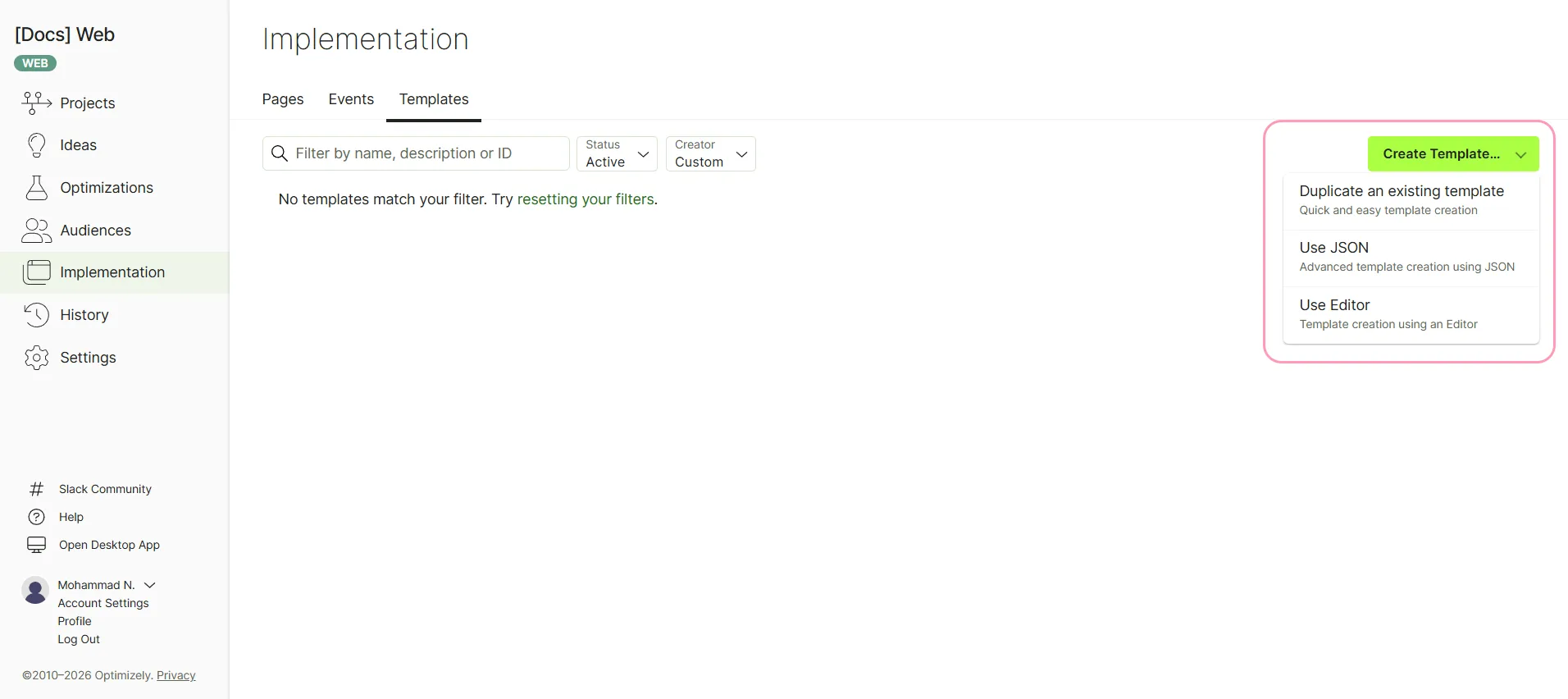
Learn how to create templates.
Apply templates in the new Visual Editor
You can apply the Optimizely templates or your custom templates to campaigns and experiments in the new Visual Editor.
- Select your experiment or campaign.
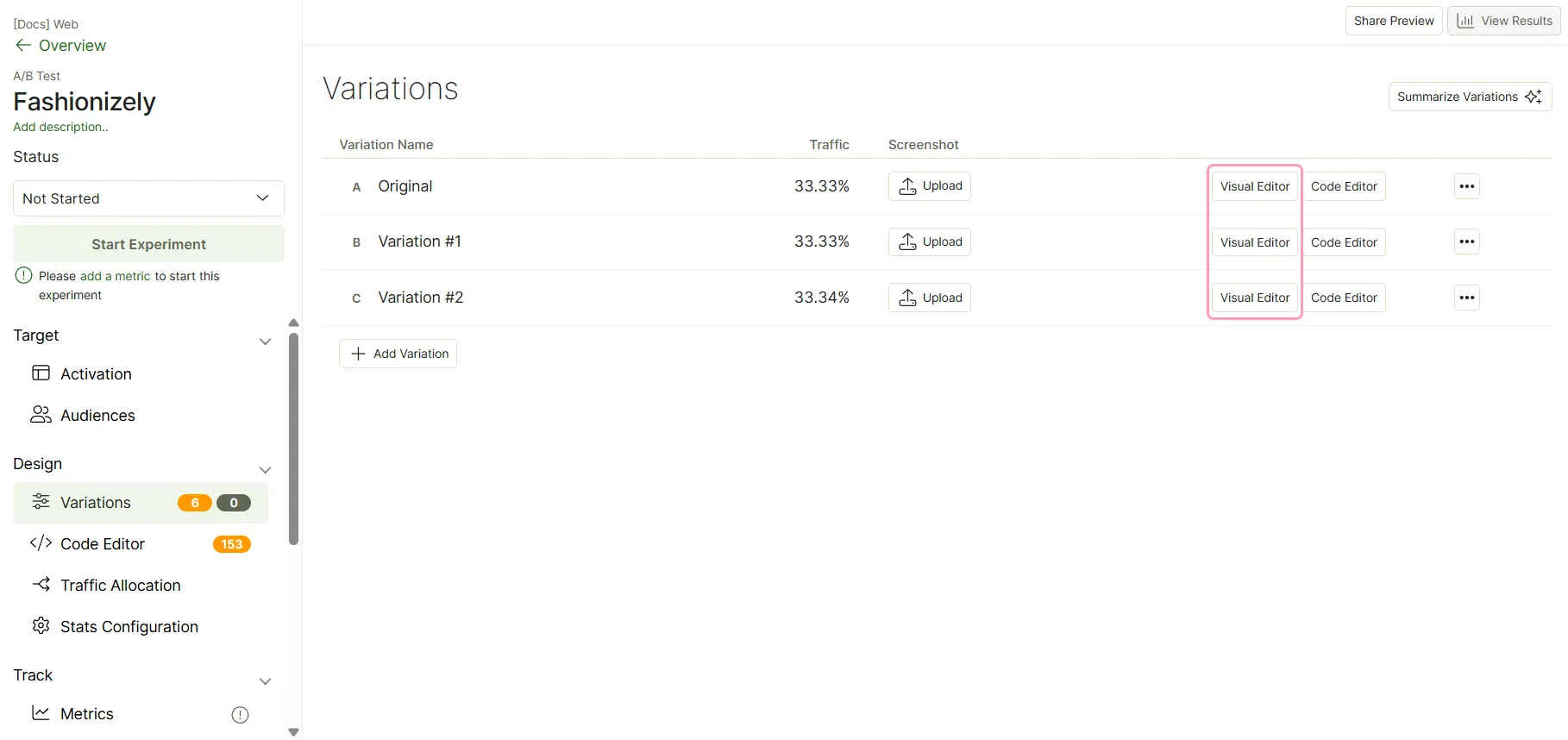
- Go to Design > Variations.
- Click Visual Editor in that variation's row.
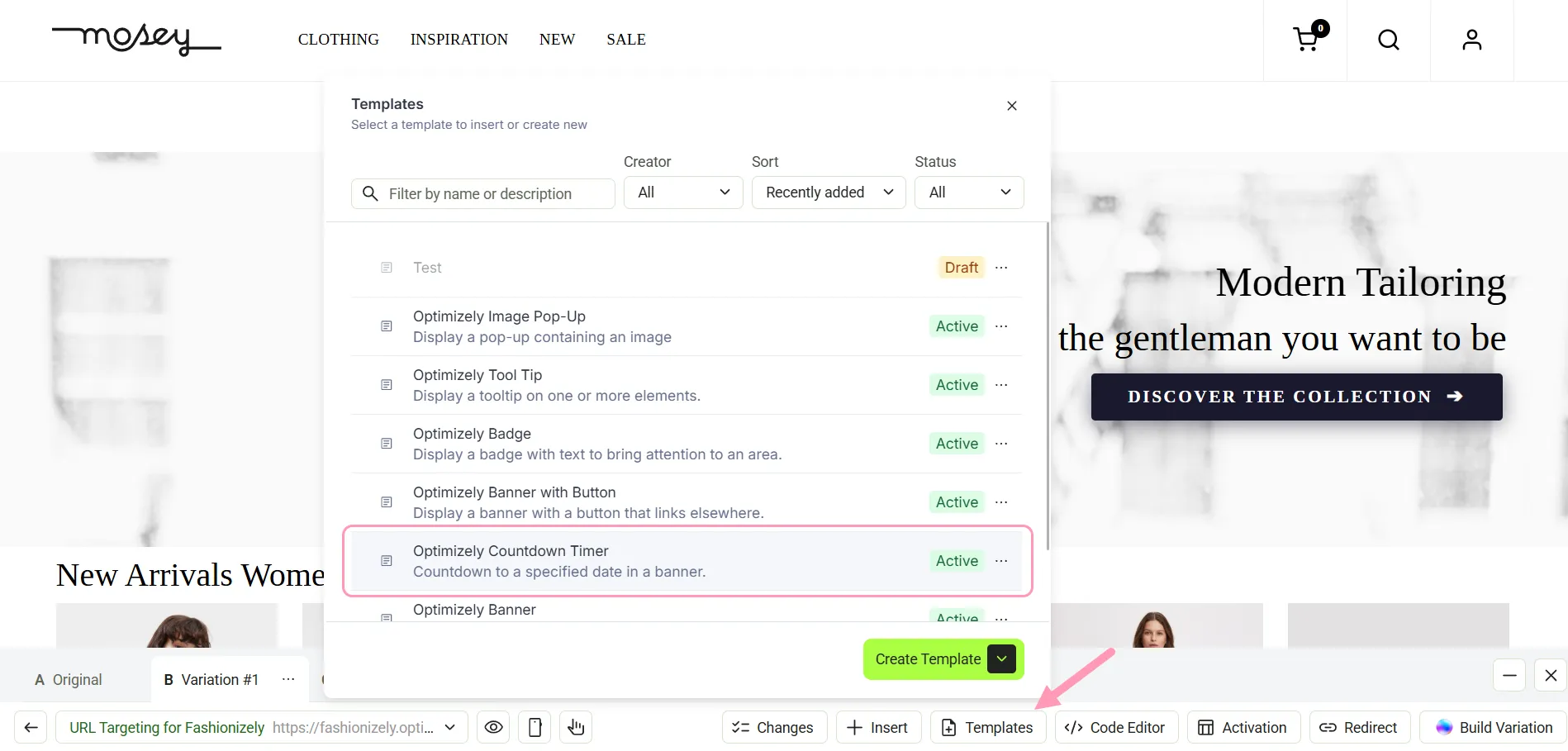
- Click Templates and select the template you want to apply.
- Review the template and make any changes if needed. Click Save.