Configure Payment Service
With Optimizely Commerce's Payment Service, you can add payment gateway providers to your ecommerce. Payment Service uses Spreedly's iFrame to offer more flexibility and stability.
- Use a payment platform without implementing new code.
- Access more payment gateway options.
- Implement multiple payment services on a single website.
See Spreedly's documentation for information on the following:
Payment Service options
Name | Data type | Description | Required |
|---|---|---|---|
PaymentServiceIsEnabled | Boolean | Indicates whether PaymentService is enabled | No |
EnvironmentName | String | Environment name | No |
EnvironmentKey | String | Environment key | Yes |
GatewayToken | String | Gateway token | Yes |
ScaProviderKey | String | Sca provider key when using 3DS | Yes, if 3DS is enabled |
ThreeDsIsEnabled | Boolean | Indicates whether 3DS is enabled | No |
ThreeDsTestMode | Boolean | Indicates whether 3DS is in test mode | No |
ThreeDsTestCallbackUrl | String | 3DS call back URL testing – The URL is accessible from the internet. Optimizely can use webhook.site to expose localhost to the internet. | No |
PaymentServiceUrl | String | Payment Service URL | Yes |
AuthenticationType | String | HMAC or OBO | Yes |
AppKey | String | App key | Yes |
SecretKey | String | Secret key | Yes |
SigningSecret | String | Signing secret when using 3DS mode | Yes, if 3DS is enabled |
InstanceIdentifier | String | Instance Identifier when AuthenticationType is OBO | Yes, if AuthenticationType is OBO |
Integration guide with example
See Configure Payment Service for the steps to integrate Payment Service with Commerce Connect.
Click to download the changed files.
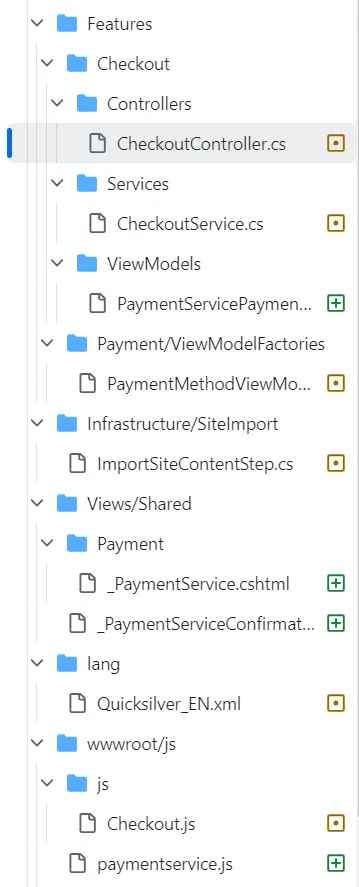
List of files modified
File | Modification | Description |
|---|---|---|
wwwroot/js/paymentservice.js | Added | JavaScript file that handles all Checkout form events with or without 3DS mode and based on Spreedly Iframe link. |
wwwroot/js/js/Checkout.js | Changed | Improved handling for multiple payments for Checkout page. |
Views/Shared/Payment/\_PaymentService.cshtml | Added | Render payment form for end-user. This view uses PaymentService.js to handle all events for Checkout form. The Spreedly JavaScript API tokenizes CC/CVVs. There are some hidden elements for handling 3DS mode. |
Views/Shared/PaymentServiceConfirmation.cshtml | Added | Render confirmation after user successfully places order. |
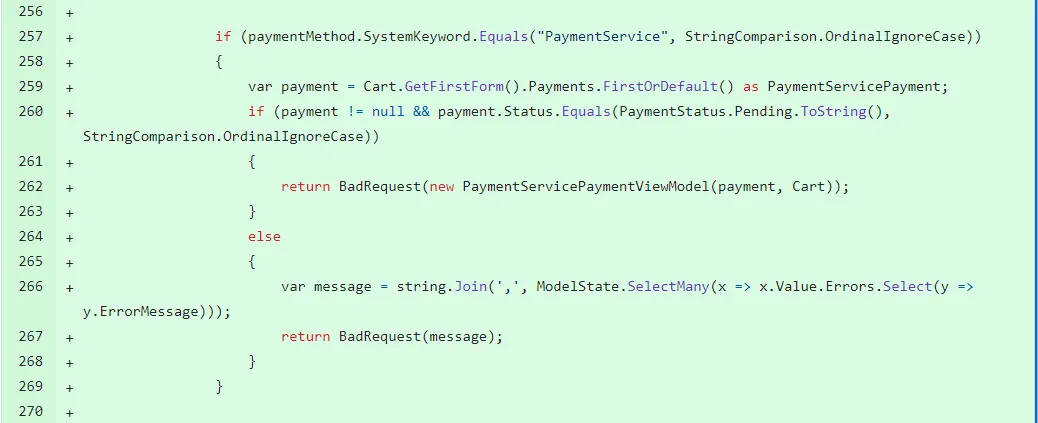
Features/Checkout/Controllers/CheckoutController.cs | Changed | Logic handling for Payment Service. |
Features/Checkout/Services/CheckoutService.cs | Changed | Logic handling for Payment Service. |
Features/Checkout/ViewModels/PaymentServicePaymentViewModel.cs | Added | Model map Payment Service payment for better handling at client side. |
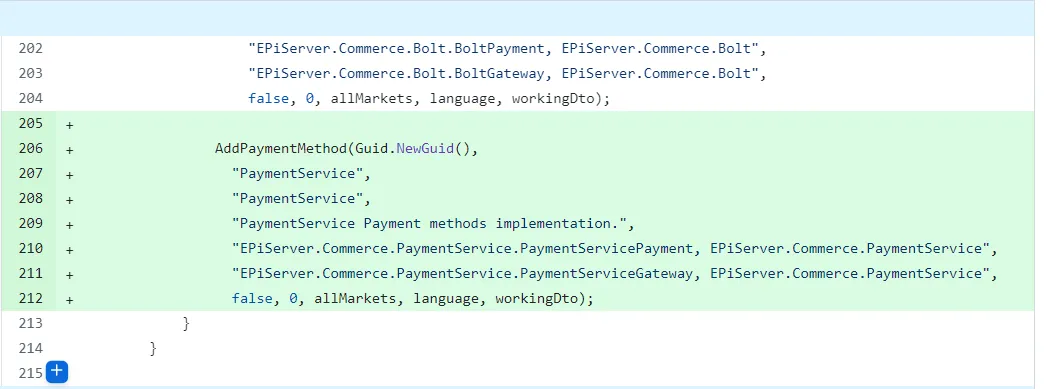
Infrastructure/SiteImport/ImportSiteContentStep.cs | Changed | Step to import Payment Service automatically besides adding Payment Service manually in Administration |
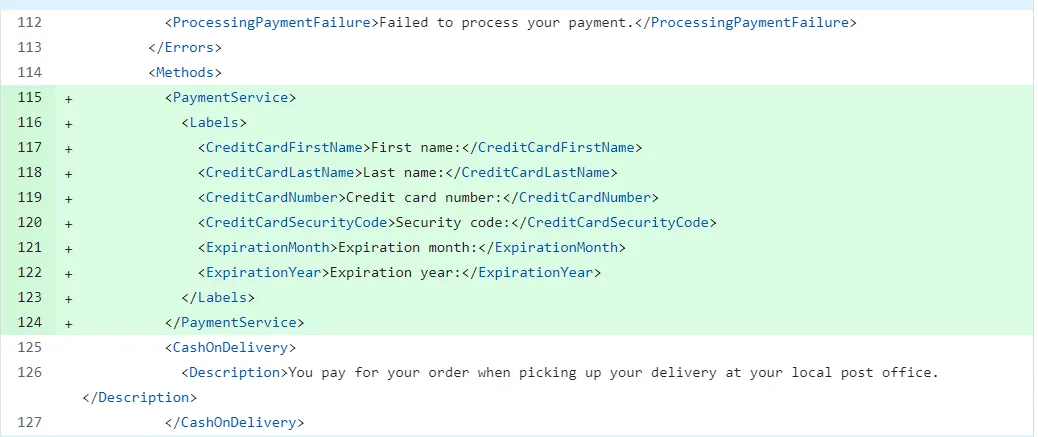
lang/Quicksilver_EN.xml | Changed | Language keys for Payment Service checkout form. |
Details about the described changes
- lang/Quicksilver_EN.xml
- Features/Checkout/Controllers/CheckoutController.cs
- Features/Checkout/Services/CheckoutService.cs
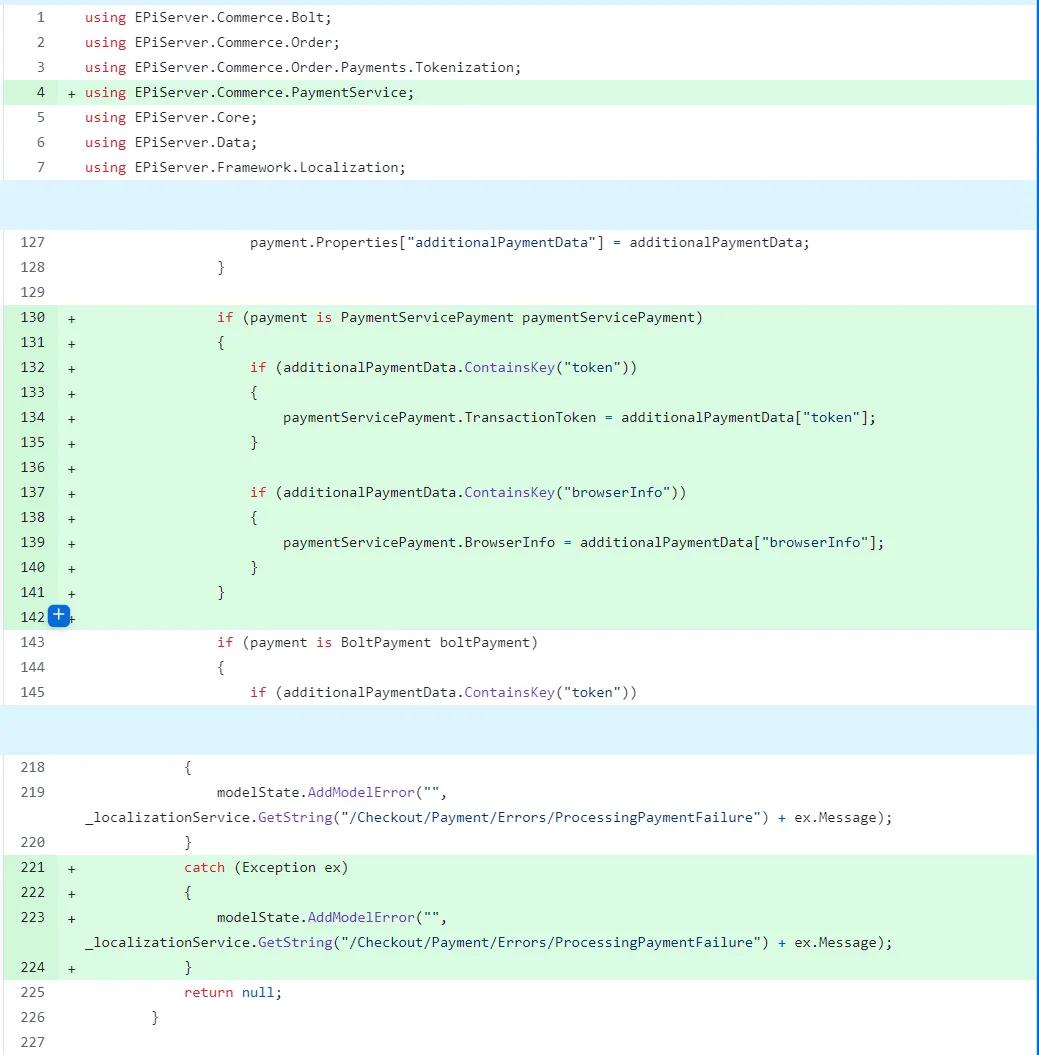
- Infrastructure/SiteImport/ImportSiteContentStep.cs