Settings
0 min
Optimizely Commerce Connect lets you configure and apply specific settings in the administration user interface. These settings affect areas such as markets, payments, and shipping used for catalogs and order management.
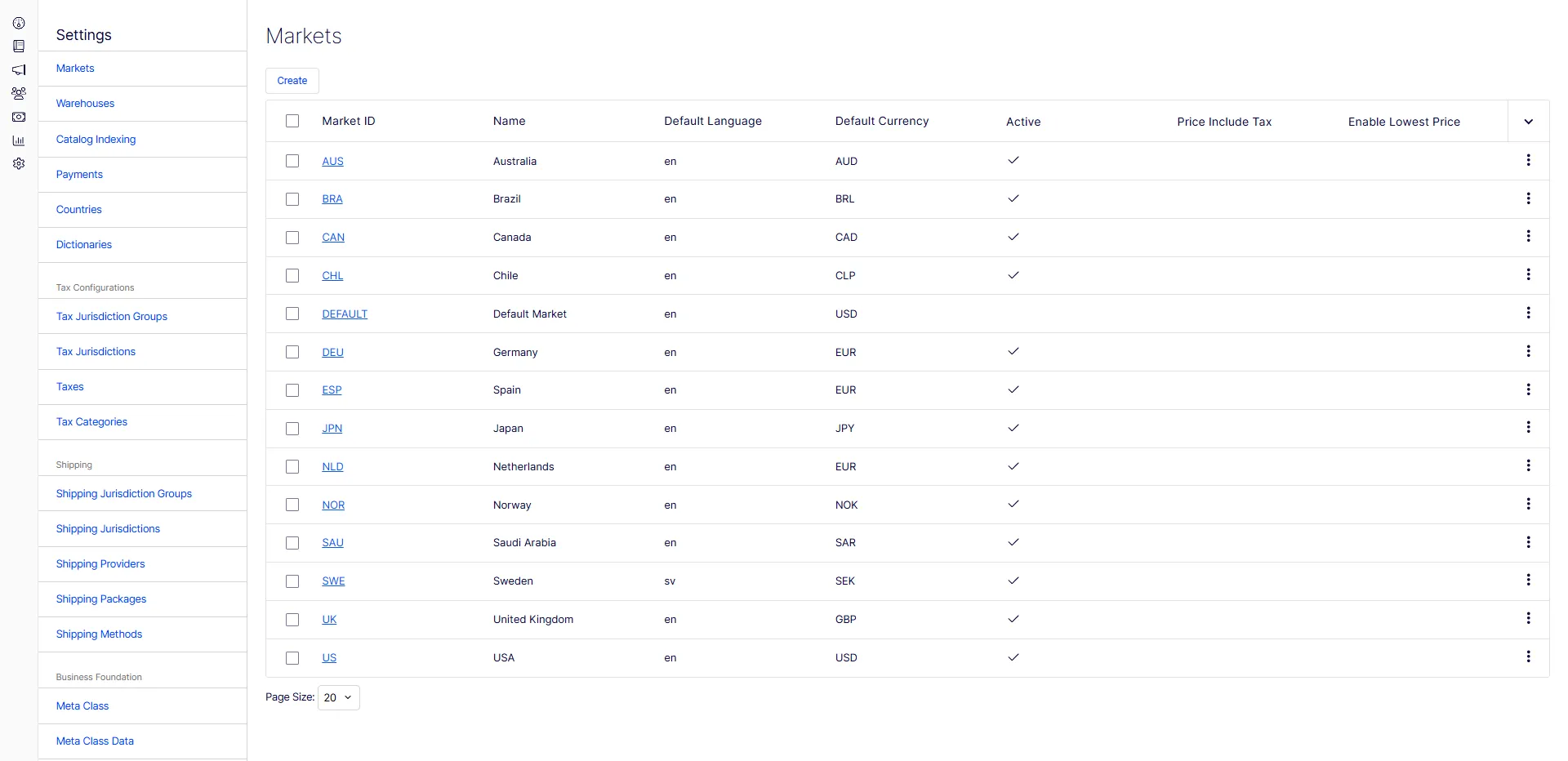
Manage the following from Settings in Commerce Connect:
- MarketsMarkets for things such as catalogs and campaigns.
- WarehousesWarehouses for displaying stock availability information.
- Catalog IndexingCatalog Indexing to reflect product catalog changes.
- PaymentsPayments for the ordering and fulfillment processes.
- CountriesCountries
- DictionariesDictionaries to add property values to extend product data.
- TaxesTaxes for catalog management and the ordering process.
- Tax CategoriesTax Categories
- Tax Jurisdiction GroupsTax Jurisdiction Groups
- Tax JurisdictionsTax Jurisdictions
- ShippingShipping for the ordering and fulfillment processes.
- Shipping Jurisdiction GroupsShipping Jurisdiction Groups
- Shipping JurisdictionsShipping Jurisdictions
- Shipping ProvidersShipping Providers
- Shipping PackagesShipping Packages
- Shipping MethodsShipping Methods
- Business FoundationBusiness Foundation to define objects and the relations between them to track data.
- Meta ClassMeta Class
- Meta Class DataMeta Class Data
Other administrator functions outside of Settings are as follows:
- Access rightsAccess rights
- Scheduled JobsScheduled Jobs