App versioning
Optimizely Connect Platform (OCP) uses the following format for app versioning: <app_name>@<app_version>. Where <app_version> consists of the version number and pre-release tag.
For example, if your app name is my_new_marketing_app, your app version is 0.0.0, and you are currently testing the first iteration of your pre-release dev app, your app's version format would look like, [email protected].
Version number
OCP apps use the following Semantic Versioning (SemVer) specification. Given a version number MAJOR.MINOR.PATCH, increment
- the MAJOR version when you make an incompatible API change.
- the MINOR version when you add functionality in a backward-compatible manner.
- the PATCH version when you make backward-compatible bug fixes.
📘 Note When you update your app version, make sure you update all external API call headers.
Upgrading from one MINOR version to another is performed automatically when the new app version is published. For example, if you have published app version 1.0.0 and then publish 1.0.1, the functions onUpgrade and onFinalizeUpgrade in the Lifecycle.ts file are executed automatically for every install on every client account.
However, upgrading from one MAJOR version to another is not performed automatically when the new app version is published. For example, if you have published app version 1.0.0 and then publish 2.0.0, the functions onUpgrade and onFinalizeUpgrade in the Lifecycle.ts file are executed when the client end-user manually clicks Upgrade in the OCP App Directory UI.
Pre-release tag
OCP uses the following pre-release tag, which releases your app to only your private production account.
- -dev – Versions with a -dev tag are intended for internal testing of your apps, are limited to running in your associated OCP account, are not shareable, and let you bypass the app review process.
Any app with the -dev pre-release tag is not globally visible inside the App Directory and is intended to serve as a work in progress.
Pre-release versioning
Pre-release versioning lets you work on a single train of code that is consistently named MAJOR.MINOR.PATCH, where you increment the pre-release tag as necessary until you are ready for your production release.
For example, imagine your next OCP app release is 2.1.9. During your development work, you end up with four pre-release dev versions before you are ready for the final release. Your versioning would look like this:
- 2.1.9-dev.1 – Your first pre-release version
- 2.1.9_dev.2 – Your second pre-release version
- 2.1.9_dev.3 – Your third pre-release version
- 2.1.9_dev.4 – Your fourth pre-release version
- 2.1.9 – Your release version
The pre-release tag and versioning lets you modify your release without incrementing the MAJOR, MINOR, or PATCH numbers. That way, your release version remains consistent while you work on your code, only incrementing the pre-release tag as you work.
Update your pre-release app version
To update your pre-release dev app version:
- Update the version field in the app.yml file for your app on your local machine. Increment the pre-release dev version by 1 and save your changes. For example, if your current pre-release dev version is 0.0.0-dev.1, update it to 0.0.0-dev.2.
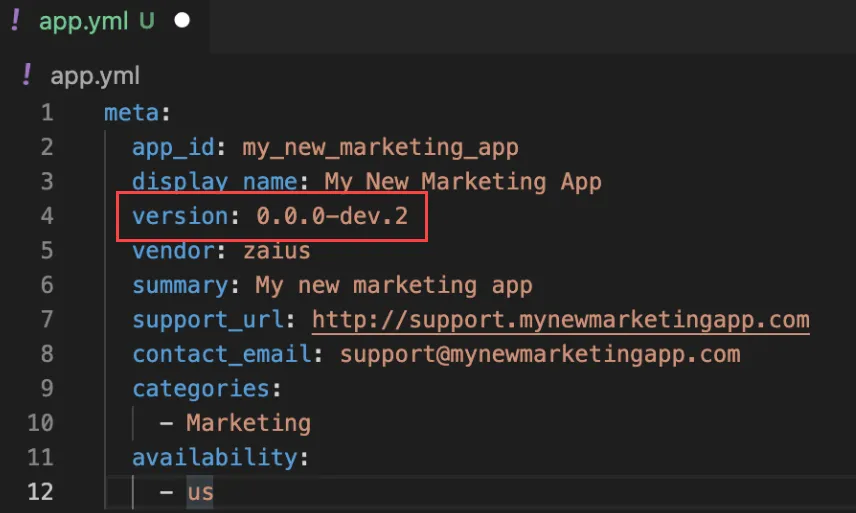
- Run the following command in the OCP CLI to validate, package, upload, and build your pre-release dev app version:
opti app prepare <path>- Publish your pre-release dev app version. In this example, <appVersion> is [email protected]:
opti directory publish <appVersion>Your app running in your personal OCP production account is automatically upgraded to the new app version. You can see this by navigating to the App Directory and clicking the app tile. The current version of your app displays:
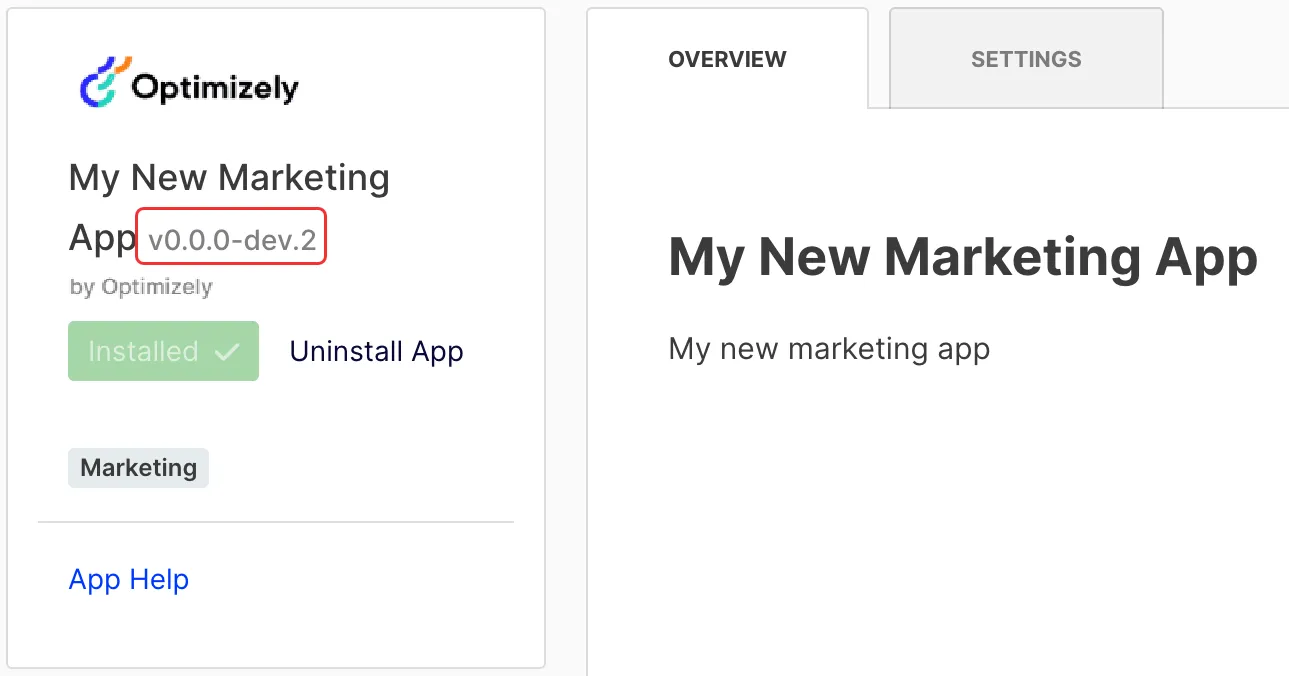
General availability (GA) release versioning
When you are finished testing your app and are ready to release it to GA, you enter the app review process. Your app is approved as a beta app, private app, or released app:
- Beta apps – Use the -beta release tag to release your app as a beta. Versions with a -beta suffix can only be installed using an app beta share link (for example, https://get.optimizely.app/{{app}}?v=1.0.0-beta).
- Private apps – Apps that are released to production, but their availability in the OCP App Directory is limited to one or more accounts.
- Released apps – Apps released to production are generally and publicly available in the OCP App Directory.
Update your GA app version
To update your app version and publish to production:
- Update the version field in the app.yml file for your app on your local machine. Remove the pre-release tag and save your changes. For example, if your current pre-release dev version is 0.0.0-dev.1, update it to 0.0.0.
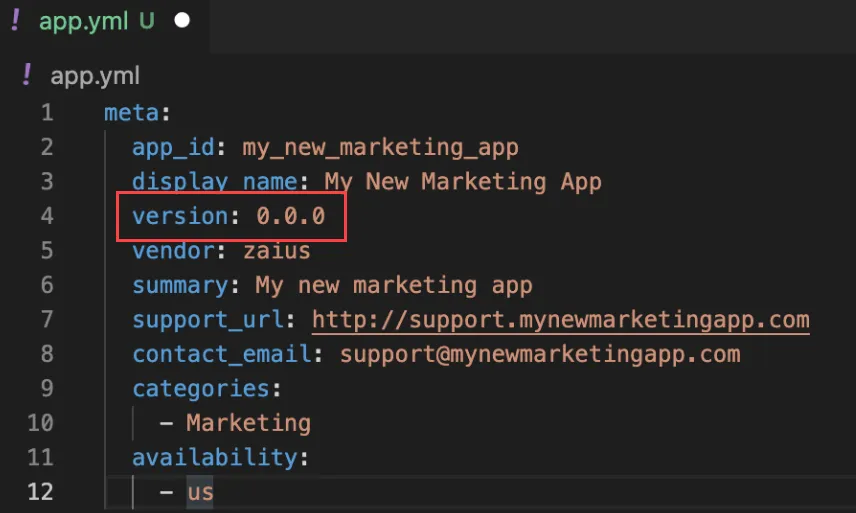
- Run the following command in the OCP CLI to validate, package, upload, and build your production app version:
opti app prepare <path>- Publish your production app version. In this example, <appVersion> is [email protected]:
opti directory publish <appVersion>Your app running in your personal OCP production account is automatically upgraded to the new app version. You can see this by navigating to the App Directory and clicking the app tile.
Examples of valid app versions:
1.0.0
0.0.1-dev.1
1.0.0-beta.2
1.2.3-private
Example of invalid app versions:
Version | Reason |
|---|---|
1.0 | The version number only includes a MAJOR and MINOR number, but is missing the required PATCH number. |
1.2.3.4 | The version number includes four numbers separated by periods, which is not a valid semantic version. |
1.002.3 | The MINOR number has a leading zero. |
1.2.3-dev.01 | The pre-release tag has a leading zero. |
1.2.3-internal | The pre-release tag is invalid; only dev, beta, and private are supported. |
1.2.3- | The version number includes a hyphen followed by nothing, which is not a valid pre-release identifier. |
1.2.3-beta-2 | The pre-release version is followed by a hyphen instead of a dot. |