Download service account key from Firebase
1 min
To enable communication between your Optimizely Configured Commerce instance and Firebase, you must have a service account key. Follow these steps to configure it.
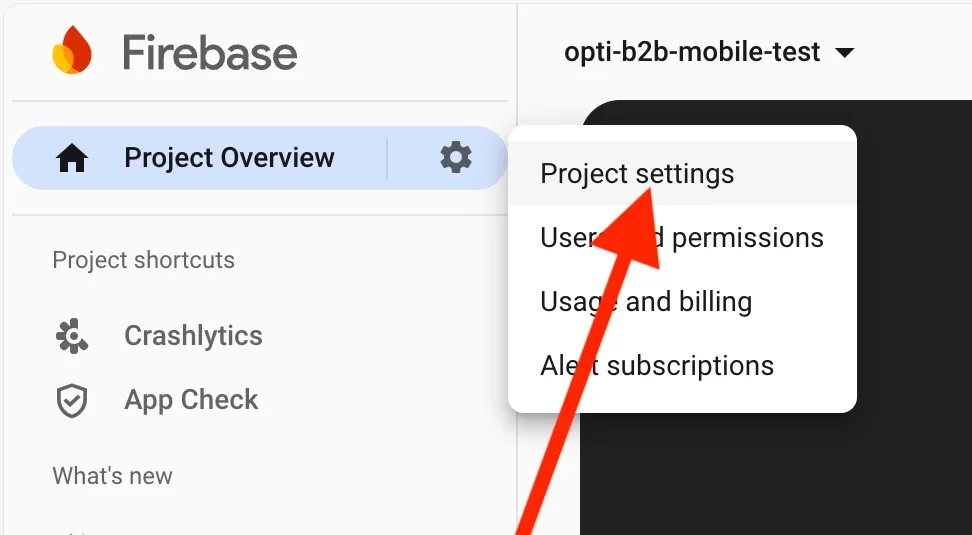
- Go to Project Settings in your Firebase project.
- Open the Service accounts tab.
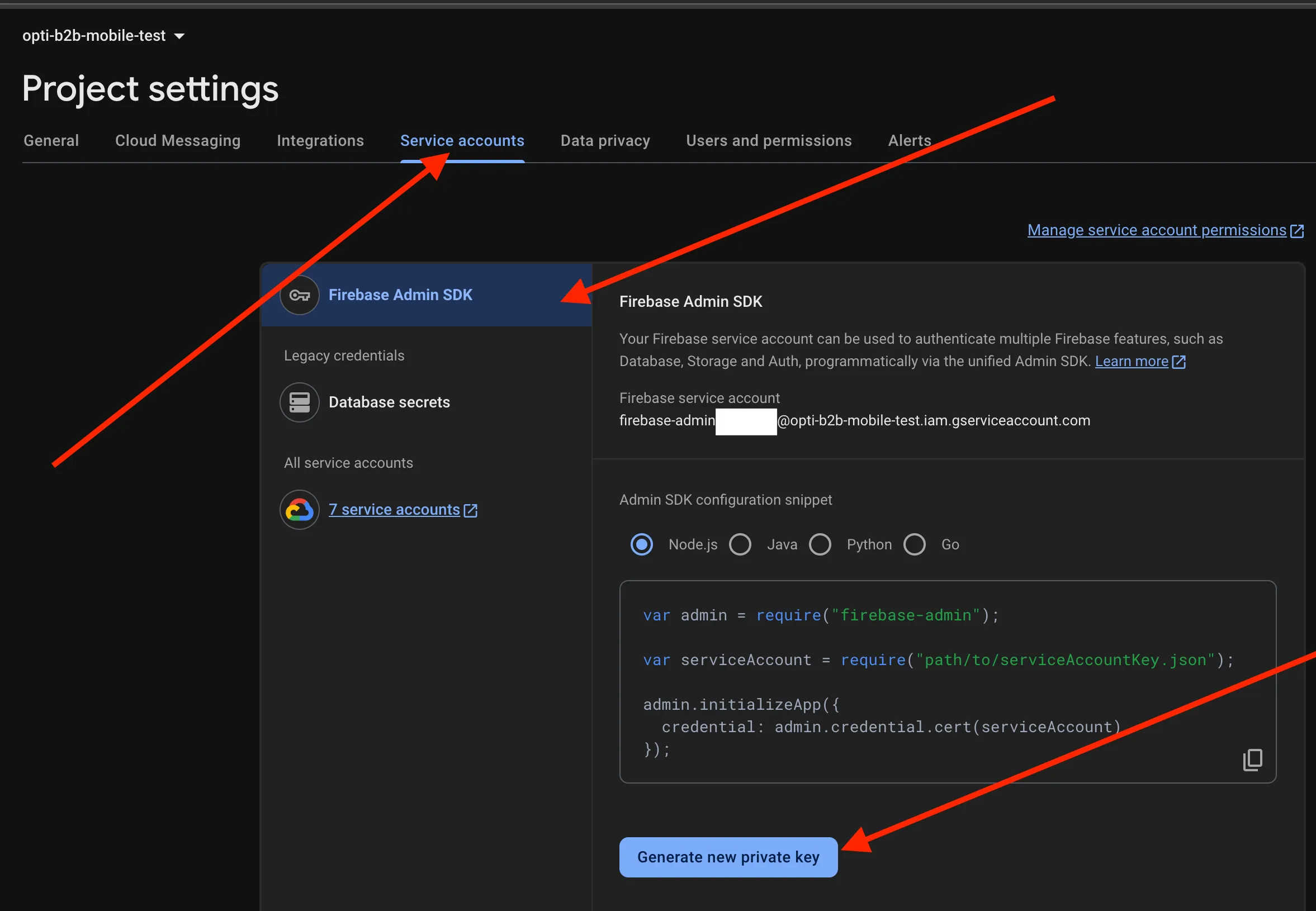
- Click Generate new private key under Firebase Admin SDK.
- Confirm the modal that displays. A .json file downloads automatically, which is your service account key.
- Contact SupportSupport to update the service account key in your vault or run the action through Mission Controlrun the action through Mission Control.