Create beelines from a retention chart
4 min
Beelines are ad hoc data analyses forking off from a point in the result of an exploration. The context of the forking point is propagated to the new analysis, where the user can continue further analysis. You can create the following beelines from a retention chart:
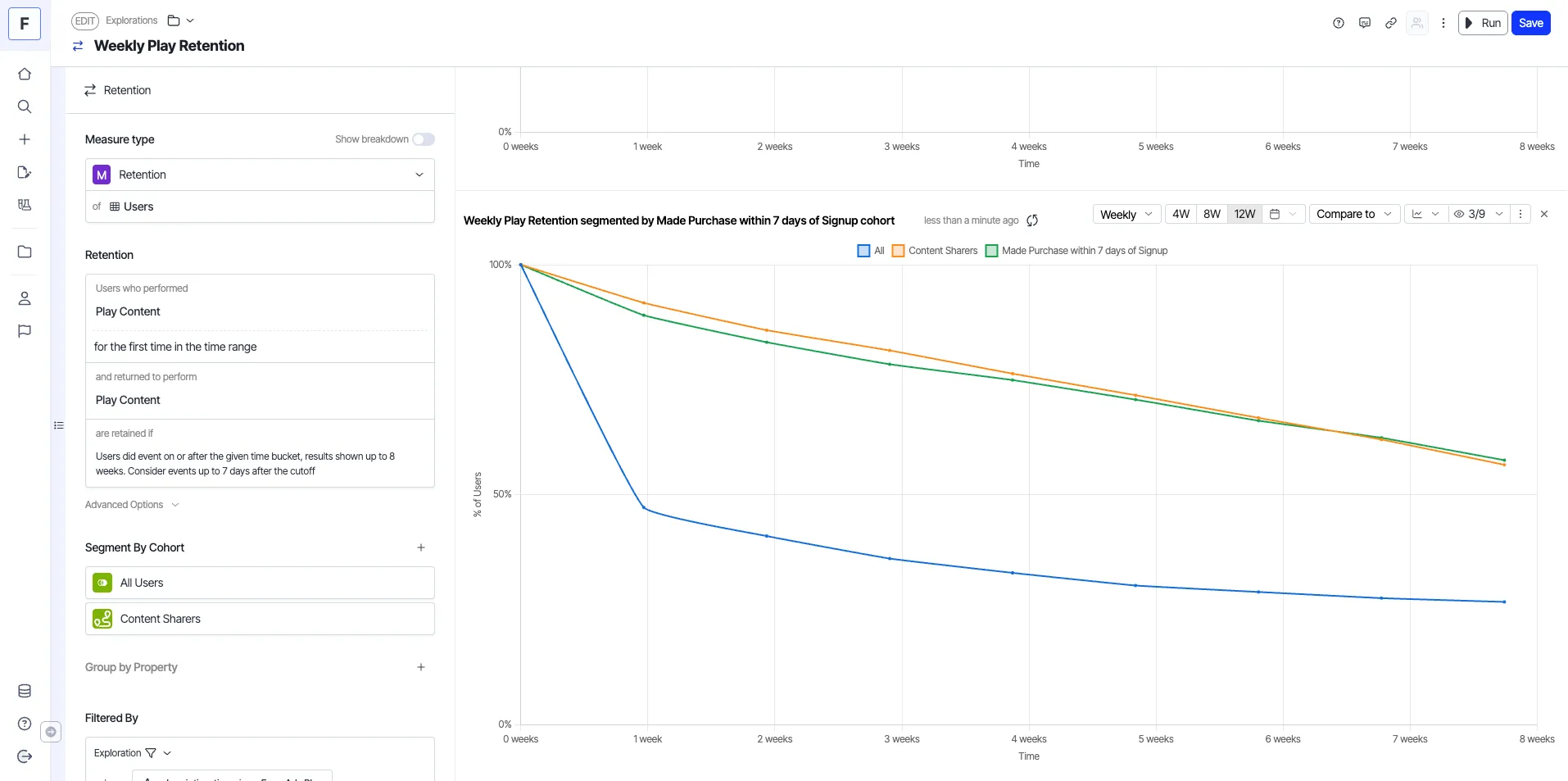
Segment by cohort
This beeline creates a new retention exploration with the same configuration but with the selected cohort as an additional segment.
- Choose a retention analysis from the dashboard.
- Right-click an entry and choose Segment by cohort. A drop-down list of the cohorts displays, and you can choose from the catalog to create a beeline. The following example shows a retention analysis segmented by the Made Purchase within 7 days of Signup cohort.
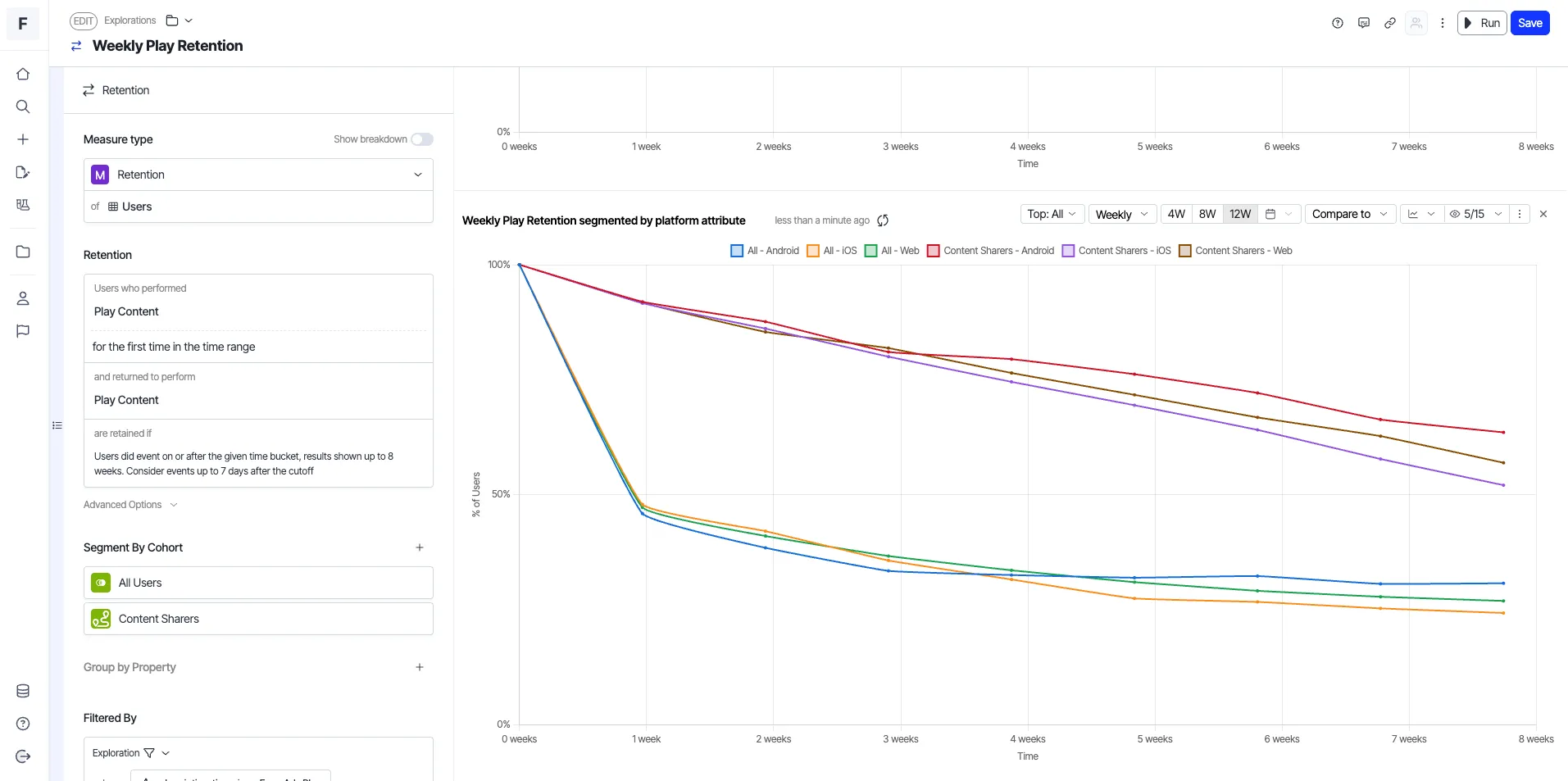
Segment by attribute
This beeline creates a new retention exploration with the same configuration and segments it by properties available in your data warehouse.
- Choose a retention analysis from the dashboard.
- Right-click an entry and choose Segment by attribute. A drop-down list of the attributes displays, and you can choose a property from the catalog. The following example shows a retention analysis segmented by platform.
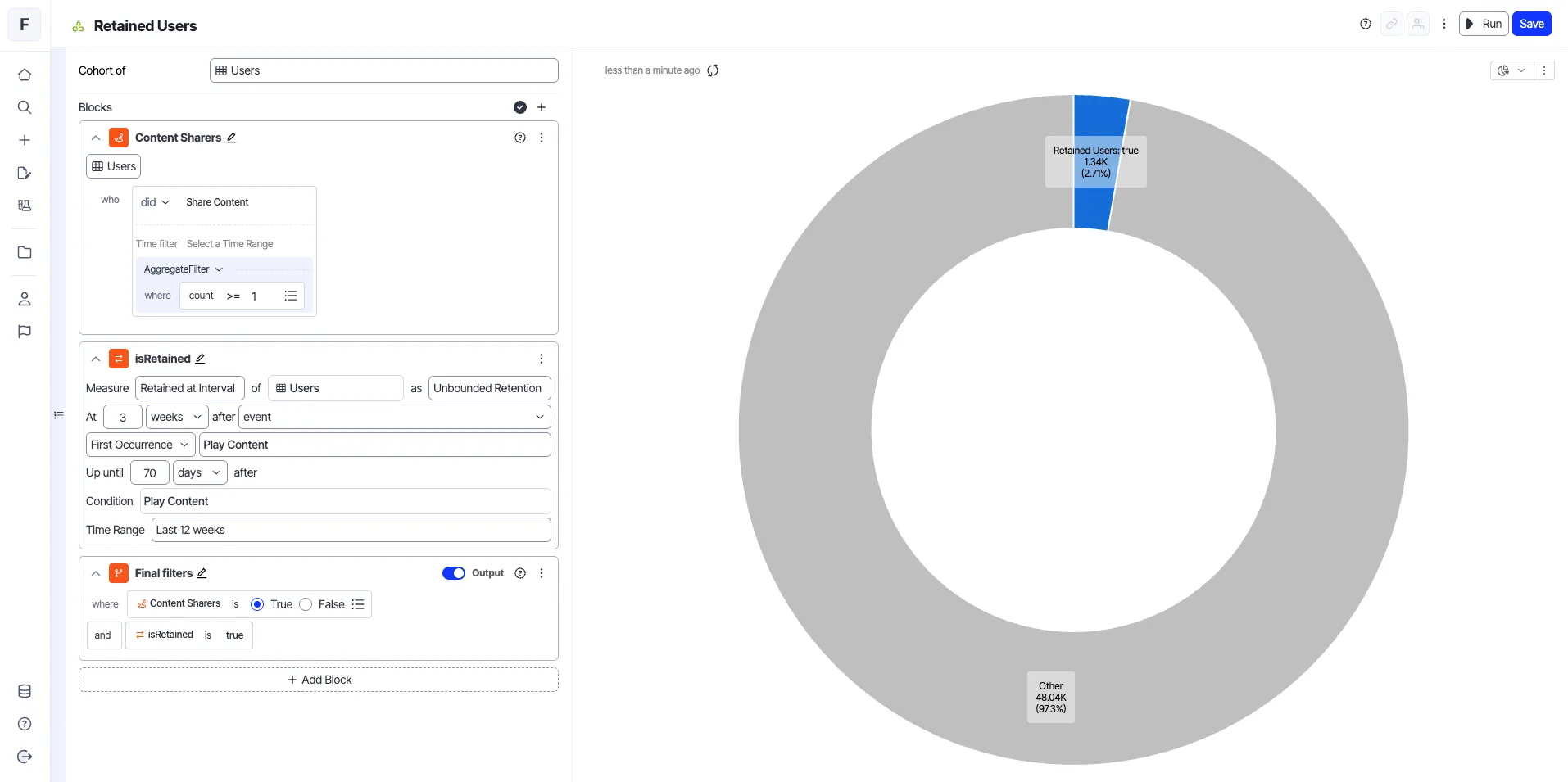
Create cohort from users retained
This beeline creates a cohort of users retained in a given time bucket.
- Choose a retention analysis from the dashboard.
- Right-click an entry and choose Create cohort from users retained.
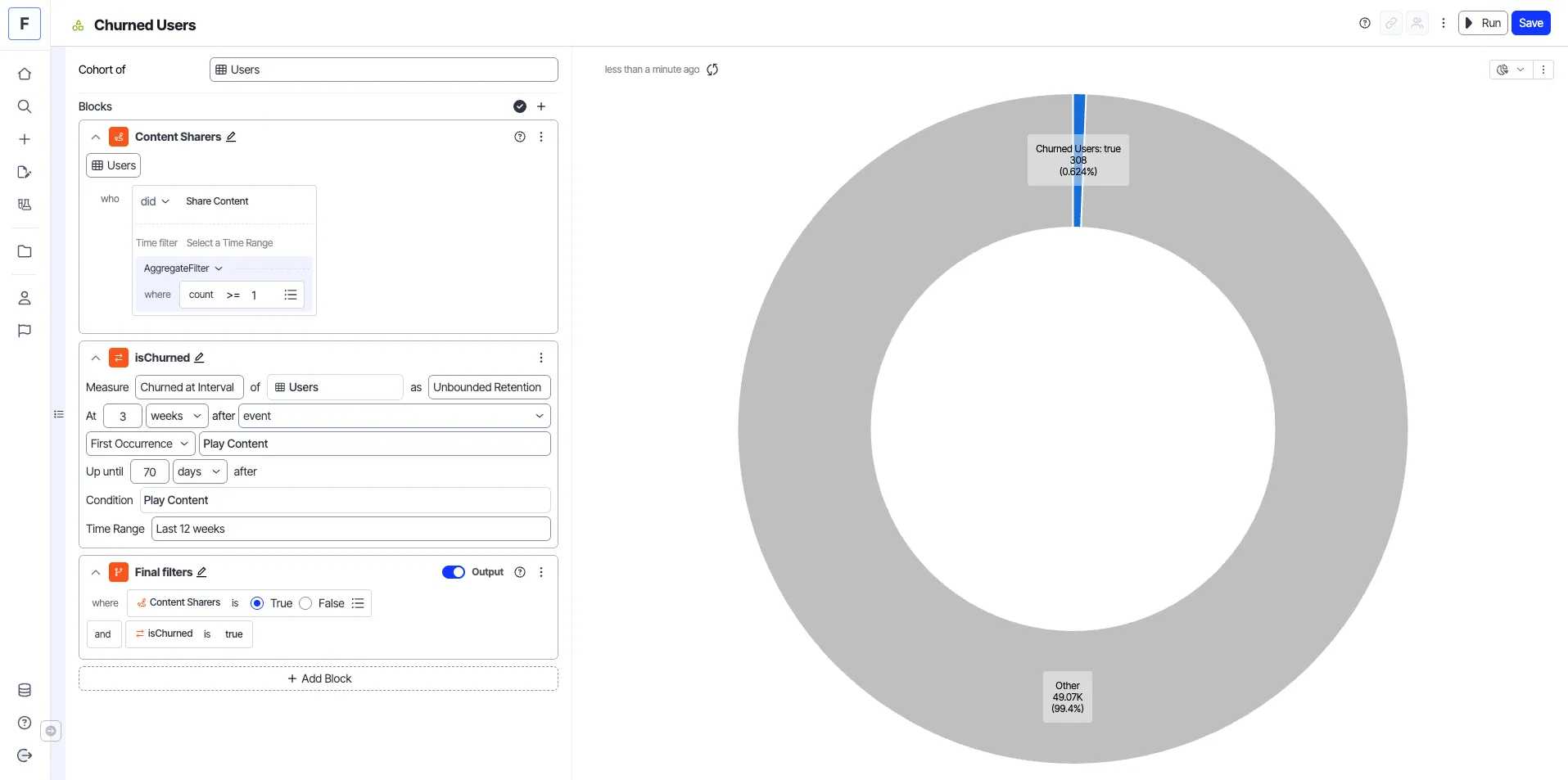
Create cohort from users churned
This beeline creates a cohort of users churned before a given time bucket.
- Choose a retention analysis from the dashboard.
- Right-click an entry and choose Create cohort from users churned.