Build interest-based audiences with adaptive audiences
- Optimizely Web Experimentation
- Optimizely Personalization
Optimizely Web Experimentation and Optimizely Personalization's adaptive audiences let you target visitors based on their interests. Instead of relying on extensive data analysis to define explicit behavioral targeting rules, you can create a predicted intent audience condition that captures a certain percentage of your visitors who are most interested in a specific topic. Optimizely uses machine learning to determine whether or not they belong to your new audience.
Adaptive audiences currently only support English-language websites.
Predicted intent audience conditions also estimate the audience’s reach—or the number of visitors that could potentially be included—over the next seven days.
You build and use an adaptive audience the same way you would build any Optimizely audience with the audience builder.
Before you build an adaptive audience, you must contact Optimizely Support to enable adaptive audiences for your account. This is a one-time setup task.
Set up tags
Before you build an adaptive audience, set up tags to capture the main idea of the page’s content, such as a title or description. Optimizely creates an interest score by matching keywords to each tag. This interest score is based on the pages a visitor has viewed on the site, such as articles or product pages. As a visitor browses content on these tracking pages, Optimizely evaluates how strong that visitor’s interest is in the topics you specified when creating the audience, and any visitor whose interest meets or exceeds the level you specify is included in the audience.
If you already set up tags for adaptive audiences, skip to the next section.
If you already set up tags for other purposes, skip to step 5 below for each tag you want to include to ensure you can use them with an adaptive audience.
- Go to Implementations > Pages*.*
- Create a page or select an existing one.
- Click Visual Tags in the Visual Editor.
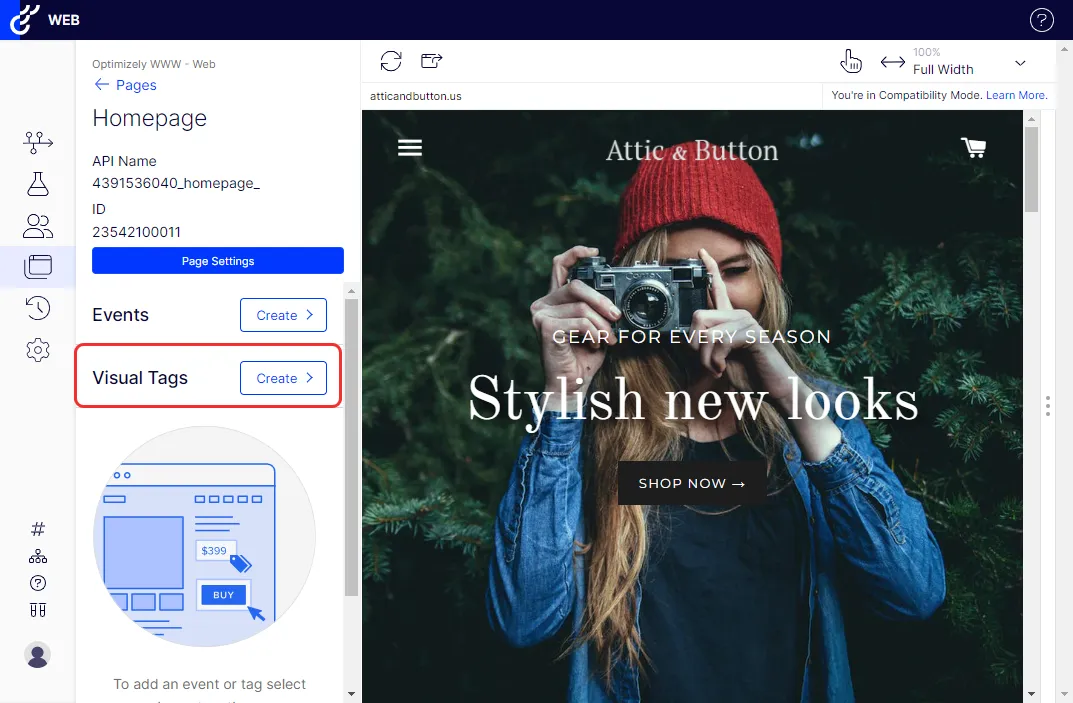
- Enter a tag name.
- Select the appropriate Value Type (String, Number, Currency).
- Select Capture text for visitor interest mining.
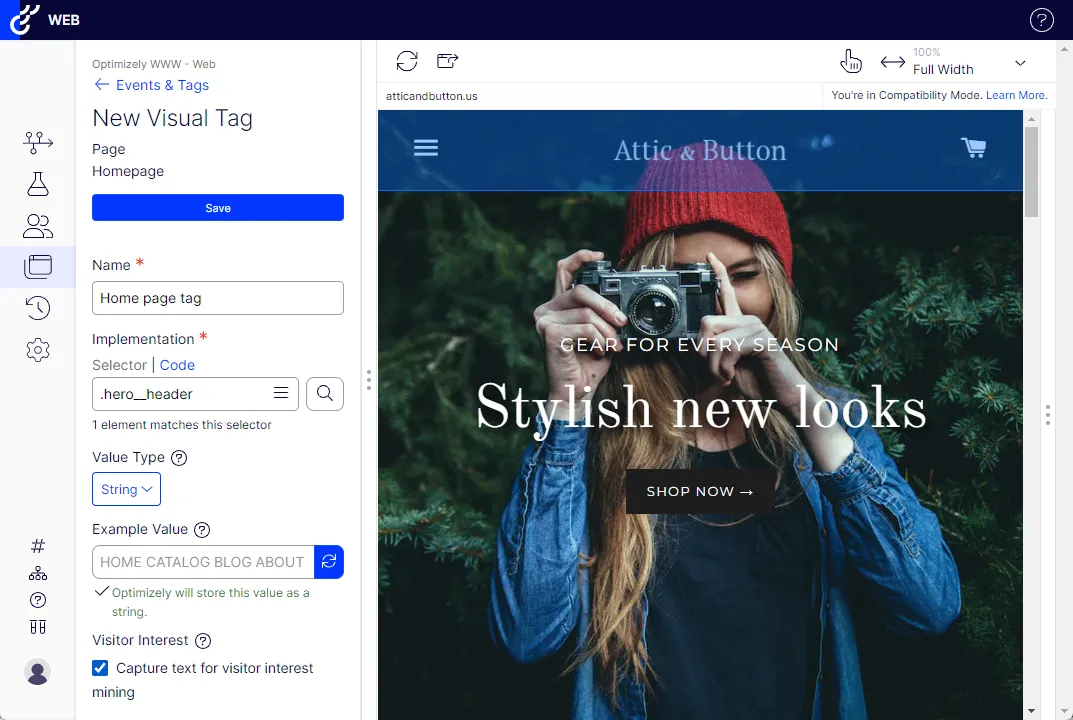
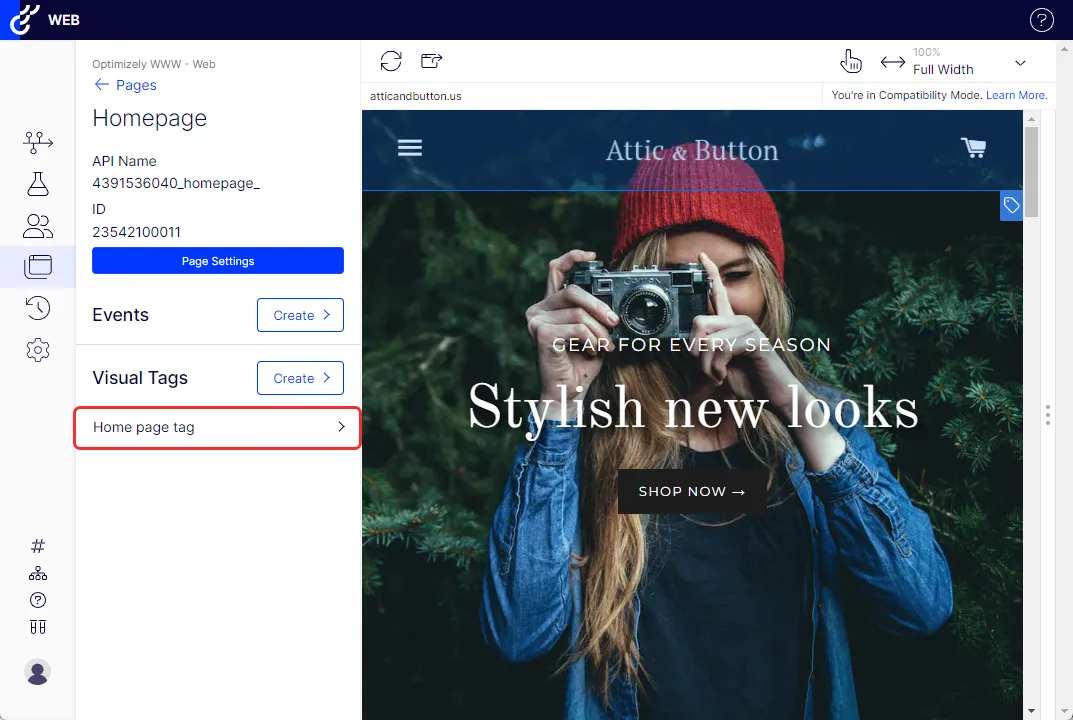
- Click Save. The tag displays.
Build an adaptive audience
Before you build an adaptive audience, you must contact Optimizely Support to enable adaptive audiences for your account. This is a one-time setup task.
- Go to Audiences and click Create New Audience.
- Name your audience.
- Go to Conditions > Predicted Intent and drag it to the audience conditions box.
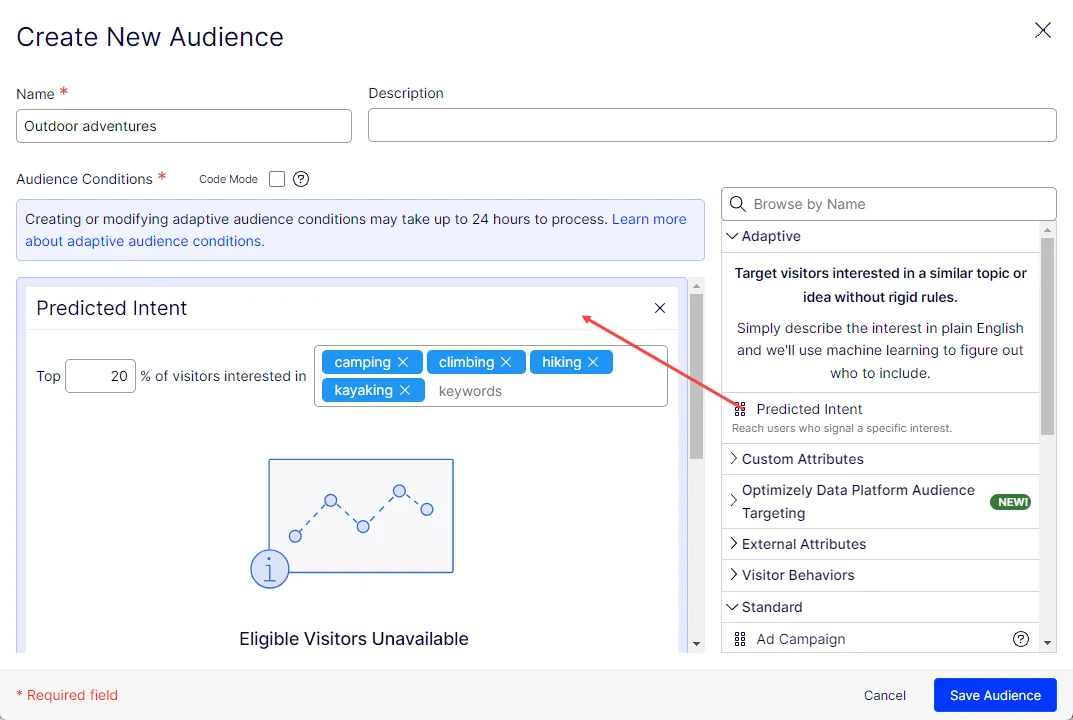
- Specify the percentage of your most interested visitors who are included in the audience. You can also use the slider in the graph to set the percentage, but you must wait for the audience to process before you can use the slider.
- Add the tags you are most interested in for this audience in keywords. You can include up to 12 separate tags. Valid keywords are displayed in blue text, while invalid keywords are red.
It can take up to 24 hours for a new adaptive audience to process.
When the audience has finished processing, you see the Interest Group graph in the audience condition itself. This graph provides basic metrics on reach.
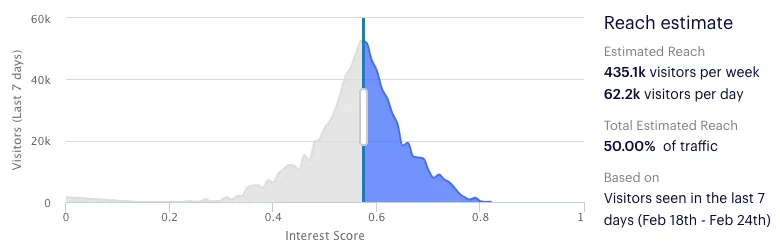
When Optimizely recalculates which visitors qualify for your adaptive audience (which happens once per day), that percentage remains the same. However, the corresponding interest score may change. For example, if your visitors suddenly show more interest in your keywords, and the percentage is set at 25, the interest score required to be included in that top 25 percent goes up.
Predicted intent can be combined with other audience conditions. When you do this, those other audience conditions are unaffected by the percentage of most interested users specified in your predicted intent audience condition.
Test your adaptive audiences
To test an adaptive audience, check the graph in the audience builder. If it is populated with substantial data, you have confirmed the following:
- Your tags are set up correctly.
- Visitor scores are calculated and distributed across the range.
For details on how well your adaptive audiences are working, open the console and run `optimizely.get('data').interestGroups` and `optimizely.get('visitor').interestGroups`.
To test your variations, use the same force parameters as any other variation.
Best practices
Tagging strategy
- When adding tags, try not to use more than about 50 words. Any more than that brings diminishing returns. There are also potential issues with browser storage for especially large tags.
- If you are trying to connect data sources not currently on the page, find a way to pull that data onto the page. For example, is the data available via API? If there was an article ID or slug, could you fetch the data over the network? This would require a bit of instrumentation, but it should be possible. See if these keywords materially differ from the meta-description or other existing tags. If the answer is no, it may not be worth the effort.
Keyword selection
- Your keywords should capture the topic or persona you want to target. However, the machine-learning models used by adaptive audiences are intelligent enough that you do not need extensive analysis to choose your keywords.
- Here are a few helpful tips:
- Do not overthink it. Pass in a few words that capture the people you want to include.
- Think about the experience you are delivering. What words describe it?
- If your organization already has personas defined, there may also be word clouds that describe them. This can be a good starting point.