Change the statistical significance setting in Optimizely Experimentation
- Optimizely Web Experimentation
- Optimizely Performance Edge
- Optimizely Feature Experimentation
- Optimizely Full Stack
When you run experiments, Optimizely Experimentation's Stats Engine constantly analyzes your resultsStats Engine constantly analyzes your results to determine whether your results are statistically significantstatistically significant: how unusual your experiment results would be if there was no difference between your variation and baseline, and the difference in lift was due to random chance alone. With the statistical significance setting, you can set a project-wide significance level at which you would like Optimizely Experimentation to declare significant results (winners and losers) on the Results pageResults page.
Trade-offs of changing the statistical significance setting
You should know certain trade-offs associated with changing the statistical significance setting. In general, a higher significance setting is more accurate and requires more time for Optimizely Experimentation to declare significant results because it requires a larger sample size. A lower statistical significance level decreases the time needed to declare significant results but increases the chance of false positives.
Note
Changing your statistical significance setting instantly affects all currently running experiments. If your experiment has a goal with an 85% statistically significantstatistically significant winner, and you change your statistical significance setting from 90% to 80%, the next time you load your Results page, you will see a winner (85% > 80%). Your confidence intervalsconfidence intervals also shrink to reflect the reduced need for confidence.
Change the statistical significance setting
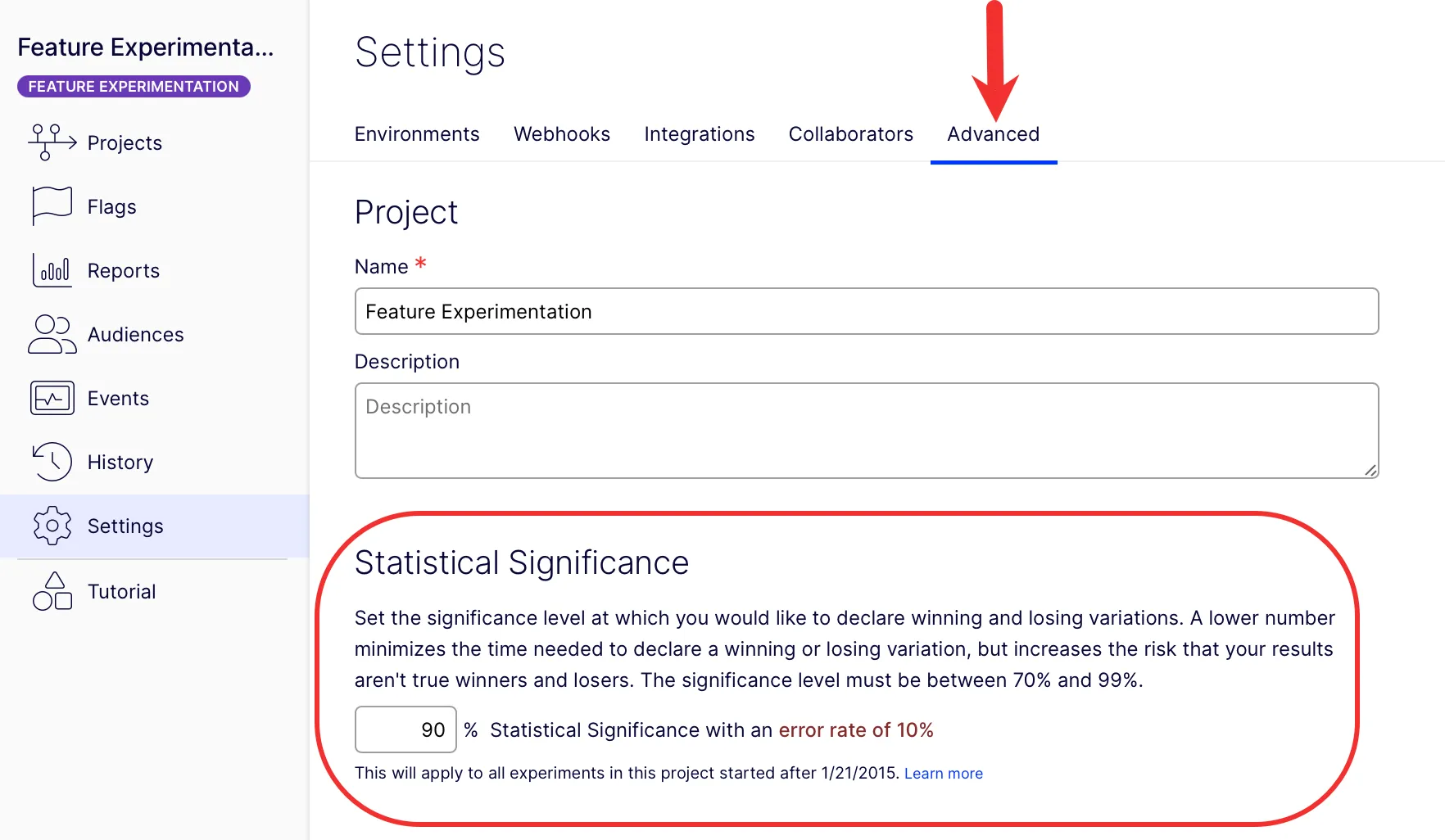
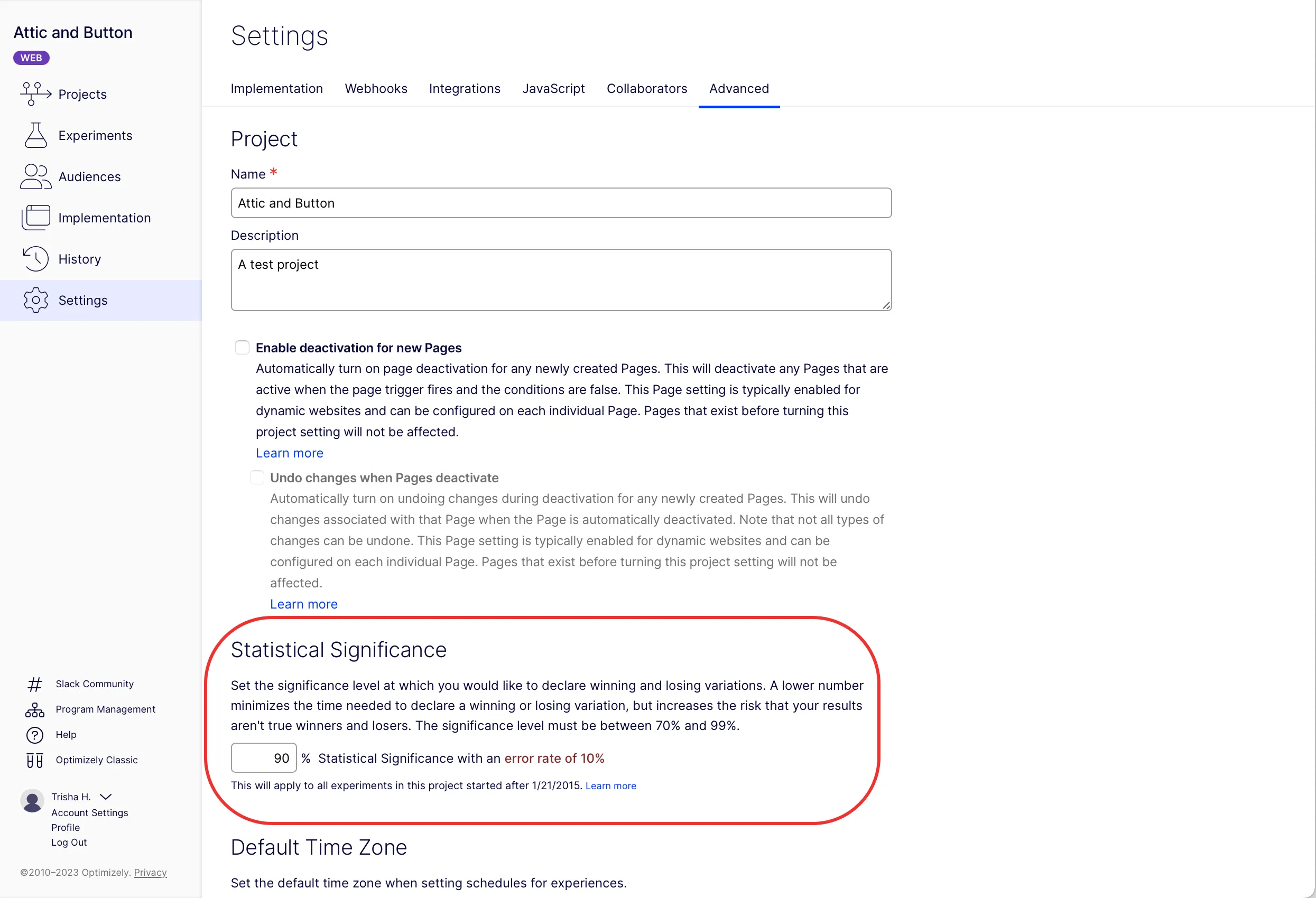
To change the statistical setting, go to Settings > Advanced. After you adjust the setting, scroll down and click Save. Allow a few minutes for the new setting to take effect.
For example, for an Optimizely Feature ExperimentationOptimizely Feature Experimentation project:
For an Optimizely Web ExperimentationOptimizely Web Experimentation project:
Summary
In the Results PageResults Page, the primary metric's primary metric's statistical significance is calculated independently from all other metrics and monitoring goals.
The primary and secondary metrics are not impacted by the secondary goals, and secondary goals are not impacted by the primary metrics.
- If you add many metrics and variations with tiny to no improvement, it takes longer to reach significance on your secondary goals.
- If you add metrics and variations with large improvements, it is easier (faster) to find winners and losers overall.
- If your metrics and variations have roughly the same improvement, it takes roughly the same time to find winners and losers, no matter how large the group.
- This removes the hidden risks associated with testing more goals and variations because no matter how many you test, you see a correctly adjusted statistical significance.
Swapping out the primary goal does not trigger a recalculation of the results on this goal as the new primary.