Configure PDF generation
Configured Commerce generates Portable Document Format (PDF) files for documents that storefront users print or email. These documents include order confirmations, order details, and product lists. Use the PDFs settings to choose the engine that renders PDFs and to control how long generation takes. You need the ISC_Admin, ISC_Implementer, or ISC_System role to edit these settings.
Choose a PDF generation engine
Choose the PDF generation engine that converts document HTML into PDF files. The default engine, PdfService, sends documents to the Optimizely PDF service. The PDF service runs separately from your website and scales independently, which helps it generate large PDFs. The IronPDF engine renders PDFs with IronPDF.
Note
The PDF service is in beta. If a PDF does not render correctly, set Generation Engine to IronPDF and report the issue to Optimizely Support.
Generation Engine is a global setting, so it applies to every website.
- Go to Administration > Settings > Site Configurations > PDFs.
- Select Global Defaults from the Configuring drop-down list.
- Select PdfService or IronPDF from the Generation Engine drop-down list.
- Click Save.
The change takes effect without redeploying your site.
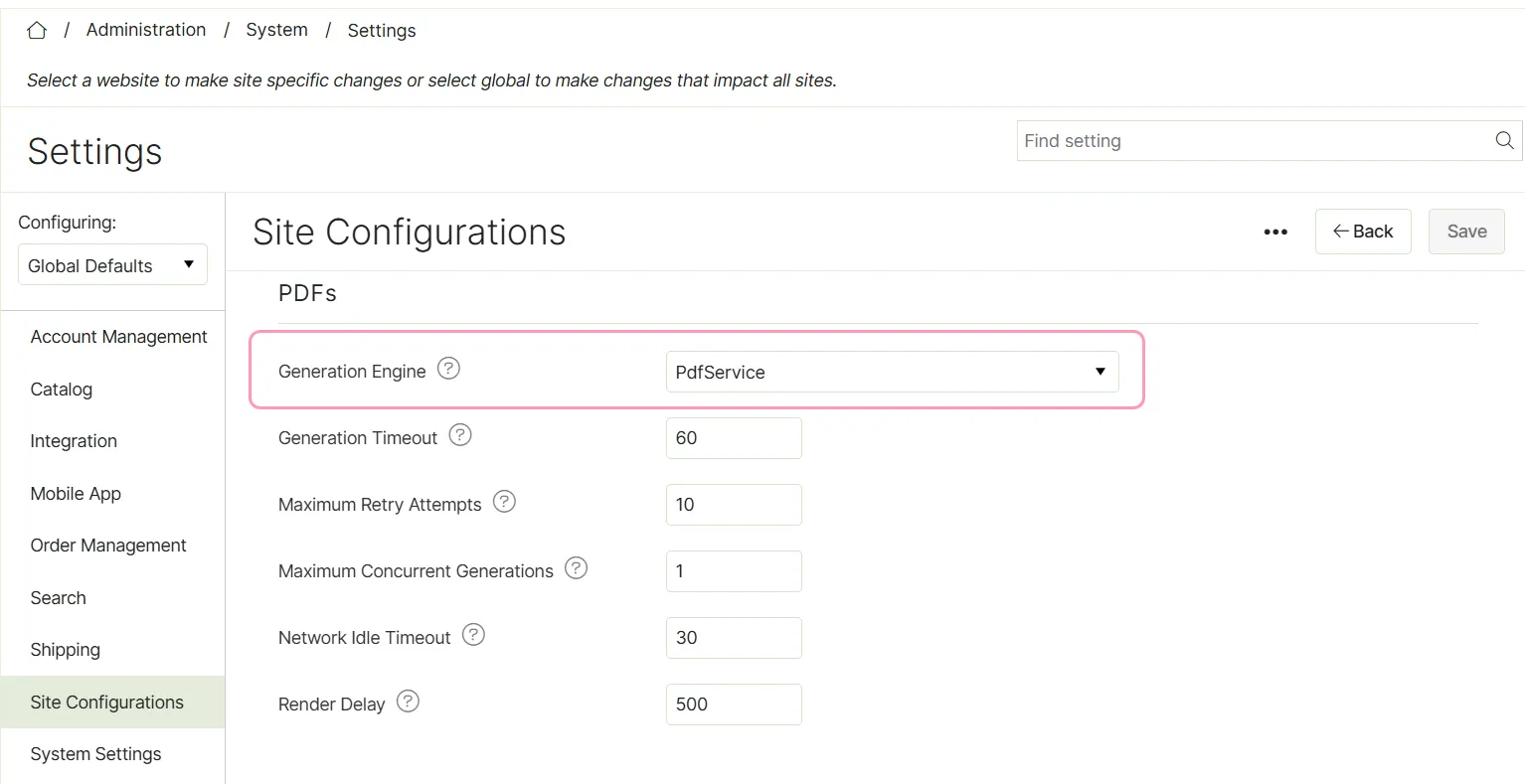
PDF settings reference
Use the following settings to tune PDF generation. Each setting applies to one website unless the description says it is global.
- Generation Engine – The engine that renders HTML into PDFs. The options are PdfService and IronPDF. The default is PdfService. This setting is global.
- Generation Timeout – The number of seconds to wait for a PDF to generate. The default is 60.
- Maximum Retry Attempts – The maximum number of times to try generating a PDF, including the first try. The default is 10, and the maximum value is 20.
- Render Delay – The number of milliseconds to wait after the page loads before the engine renders the PDF. The default is 500.
- Network Idle Timeout – The number of seconds that IronPDF waits for network activity to stop before it renders the PDF. The default is 30. Enter 0 to turn off the wait. This setting applies only to the IronPDF engine.
- Maximum Concurrent Generations – The number of PDFs that IronPDF renders at the same time while it recovers from a rendering failure. The default is one. This setting is global and applies only to the IronPDF engine.