Compile error when theme projects are updated
1 min
Important
Classic CMS reached end-of-life in January 2025 and is no longer receiving feature updates or bug fixes. You should [migrate to Spire CMS](../../End user docs/spire-cms/get-started-with-spire-cms/migrate-from-classic-cms-to-spire-cms.mdx).
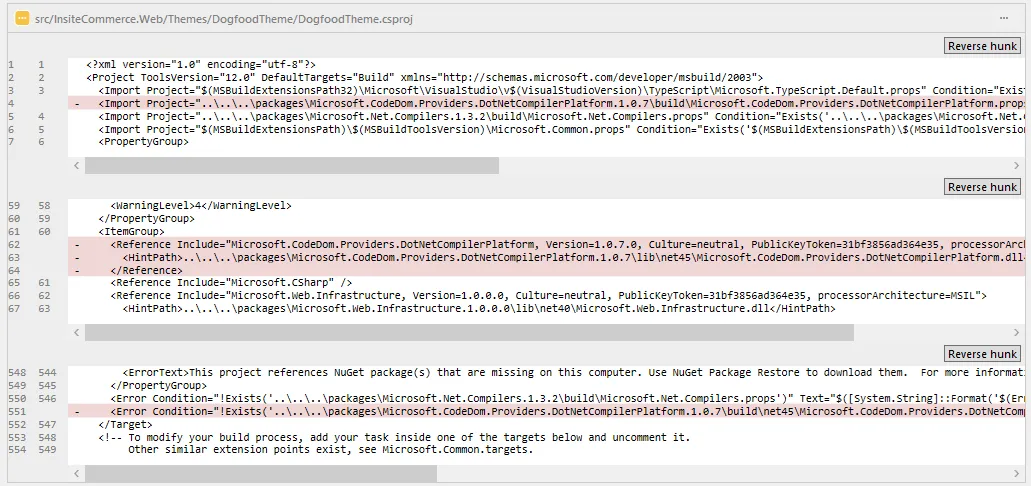
When updating your theme projects to version 4.4.5.41356 or later, you will need to make some edits to your theme project files to avoid getting a compile error.
- Go to the file: .\src\Epi B2B Commerce.Web\Themes\yourtheme\yourtheme.csproj ("yourtheme" = theme name)
- Open the file in a text editor.
- Remove the 3 XML nodes containing the text "DotNetCompilerPlatform" (two Import nodes and one Reference)